Freedom251 › 3D Rigging Software

Rigify
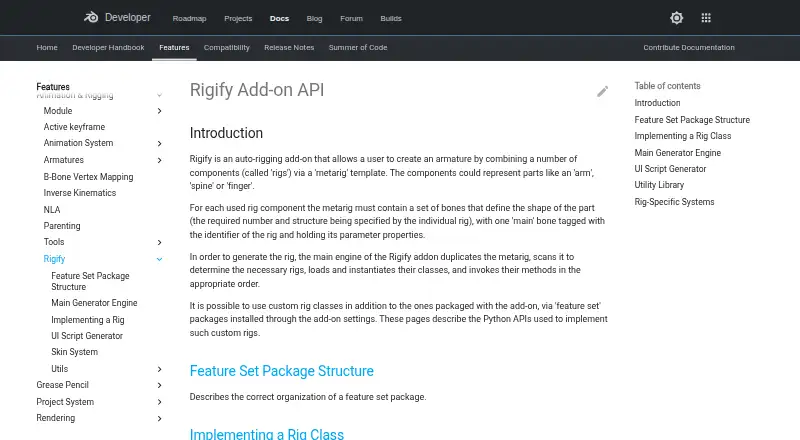
What Rigify is
Rigify is a free Blender add-on that generates character armatures from a metarig template. Users position the metarig bones to match a character, then generate the rig through Blender’s Armature properties. Available metarigs include Basic Human, Basic Quadruped, Human, Cat, Wolf, Horse, and Shark. Bundled rig types cover spines, limbs, fingers, faces, and skin, while feature set packages can add custom rig classes through the add-on settings. During generation, Rigify duplicates the metarig, determines which rigs are needed, creates their instances, and runs their generation methods. The resulting rig UI can switch visible bone collections, change custom properties, and convert between IK and FK. A user-provided Python text block can run after generation to apply repeatable customizations. Rigify is included as a Blender add-on and requires Blender; it runs on Linux, macOS, and Windows. The manual advises keeping the metarig, since removing it or substantially changing the generated rig can interfere with later feature updates or adaptation to breaking Blender changes. Rigify assumes one Blender unit equals one meter.
Who it suits
Rigify suits Blender users who need to create character rigs from metarig templates, including those who want to add custom rig classes or repeat customizations after generation.
What it does well
- Free and included as a Blender add-on.
- Metarigs cover human and animal forms.
- Custom rig classes can be added.
- Generated rigs support IK and FK switching.
What to know first
- Requires Blender.
- Assumes one Blender unit equals one meter.
- Removing the metarig can hinder later updates.
Plans
| Plan | Billed and limits | Price |
|---|---|---|
| Rigify | Included as a Blender add-on; requires Blender | Free |
| Free | Bundled Blender add-on · no paid tiers stated | Free |
As developer.blender.org lists them, read 4 Oct 2026. The maker's own page has the final word.
Getting started
- Install or open Blender on Linux, macOS, or Windows.
- Use Rigify, which is included as a Blender add-on.
- Position the metarig bones to match the character.
- Generate the rig from Blender’s Armature properties.
- Keep the metarig for later feature updates or adaptation to Blender changes.
Verdict
Rigify offers a template-based way to generate and customize character rigs in Blender at no cost. Keep the metarig and note the documented scale assumption when planning a workflow.
Questions
How much does Rigify cost?
Rigify is free and is included as a Blender add-on. It requires Blender.
Which operating systems does Rigify support?
Rigify runs on Linux, macOS, and Windows.
What metarigs are available?
The manual lists Basic Human, Basic Quadruped, Human, Cat, Wolf, Horse, and Shark metarigs.
Can I add custom rig types?
Yes. Custom rig classes can be added through feature set packages installed in the add-on settings.
Can I customize a generated rig?
The generated rig UI can change visible bone collections, custom properties, and IK/FK settings. A user-provided Python text block can also apply customizations after generation.
What should I keep in mind when editing a rig?
Rigify assumes one Blender unit is one meter. The manual advises keeping the metarig, since removing it or substantially modifying the generated rig can interfere with later updates or adaptation to Blender changes.
Facts from Rigify's own pages
- Animation controls
- The generated rig UI can switch visible bone collections, change custom properties, and convert between IK and FK. · docs.blender.org, 4 Oct 2026
- Bone collections
- Generated rigs can hide and show bone collections through their rig controls. · docs.blender.org, 15 Oct 2026
- Built-in metarigs
- The manual lists Basic Human, Basic Quadruped, Human, Cat, Wolf, Horse and Shark metarigs. · docs.blender.org, 15 Oct 2026
- Bundling
- Rigify is bundled with Blender rather than distributed as a separate commercial application. · docs.blender.org, 15 Oct 2026
- Compatibility limitation
- The manual advises keeping the metarig, because removing it or substantially modifying the generated rig can prevent later feature updates or adaptation to breaking Blender changes. · docs.blender.org, 4 Oct 2026
- Customization
- Rigify can run a user-provided Python text block after generation to apply customizations that remain repeatable after regeneration. · docs.blender.org, 4 Oct 2026
- Custom rig classes
- Developers can implement custom Rig classes in feature-set packages and register parameters and UI callbacks. · developer.blender.org, 15 Oct 2026
- Custom rigs
- Users can add custom rig classes through feature set packages installed in the add-on settings. · developer.blender.org, 4 Oct 2026
- Documentation depth
- Official documentation covers user basics, bone-positioning guides, generated features, customization, feature sets and developer APIs. · docs.blender.org, 15 Oct 2026
- Face support
- The manual documents a modular face system and a legacy face-rig upgrade operation. · docs.blender.org, 15 Oct 2026
- Feature sets
- Third-party feature sets can add new metarigs and rig types and are installed from ZIP files through Rigify settings. · docs.blender.org, 15 Oct 2026
- Generated controls
- Generated rigs provide control, mechanism and deformation bones and organize them with ORG, MCH and DEF naming conventions. · developer.blender.org, 15 Oct 2026
- Generated UI
- Each generated rig receives a Python script that creates rig-specific panels, operators and custom-property controls. · developer.blender.org, 15 Oct 2026
- Generator API
- The Generator class duplicates metarigs, instantiates rigs, creates root controls and executes generation stages. · developer.blender.org, 15 Oct 2026
- IK and FK
- The generated rig includes controls for switching between IK and FK control types. · docs.blender.org, 15 Oct 2026
- Independent repository popularity
- That archived repository page shows 18 stars and 34 forks. · github.com, 15 Oct 2026
- Independent repository status
- The public cessen/rigify repository is archived and read-only as of April 10, 2020. · github.com, 15 Oct 2026
- Library linking
- Rigify documentation includes a library-linking workflow for generated rigs. · docs.blender.org, 15 Oct 2026
- License
- The Blender manual identifies Rigify as GPL, and the Extensions listing specifies GNU GPL version 2.0 or later. · extensions.blender.org, 15 Oct 2026
- License and project
- Blender is free and open source software under the GNU General Public License and is coordinated by the Blender Foundation. · blender.org, 4 Oct 2026
- Limit: complexity
- The same user said Rigify felt overly complex for a simpler clothing-and-character workflow. · reddit.com, 15 Oct 2026
- Limit: metarig dependency
- The manual warns that deleting the metarig or heavily modifying the generated rig prevents easy adoption of later Rigify features and breaking-change updates. · docs.blender.org, 15 Oct 2026
- Limit: scale assumption
- Rigify assumes that one Blender unit represents one meter. · docs.blender.org, 15 Oct 2026
- Limit: weighting complexity
- A Blender user reported that automatic weighting spread clothing across many spine, pelvis and thigh bones and required substantial manual correction. · reddit.com, 15 Oct 2026
Where Rigify stands on Freedom251
- 3D Rigging Software#1 of 27