Freedom251 › Lockdown Browser Software

Respondus LockDown Browser
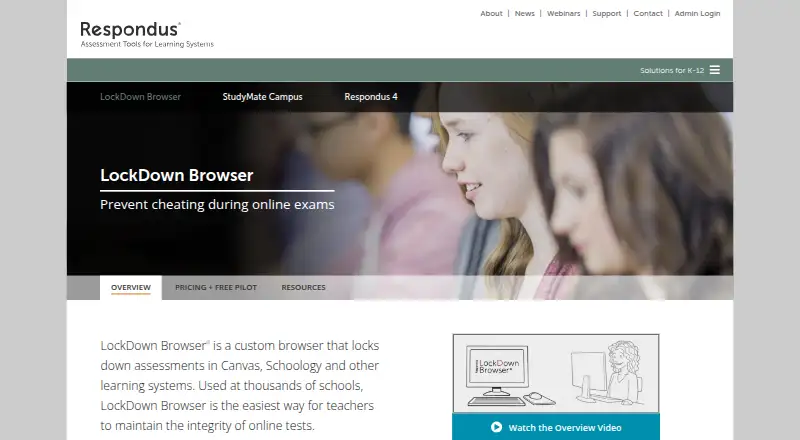
What Respondus LockDown Browser is
Respondus LockDown Browser is a paid browser for online assessments. It restricts several device actions while an assessment is in progress: switching between apps, copying, printing, and capturing the screen. Schools and other institutions can connect it to a learning management system through LTI. Supported platforms include Windows, macOS, ChromeOS, and iPadOS; the listed platform availability also includes iOS. The product is offered for institutions in student-count bands, starting with 1 to 2,000 LMS students and continuing through bands up to 35,001 to 40,000, plus an option for more than 40,000 students. A 60-day trial is available, but there is no free plan. LockDown Browser does not provide an offline assessment mode. Respondus was founded in 2000 and is headquartered in Redmond, Washington, USA. Its focus is on limiting common device actions during online assessments, with plans organized around the institution’s LMS student count.
Who it suits
It suits schools and institutions that deliver online assessments through an LMS and want to restrict app switching, copying, printing, or screen capture. The student-count bands can help institutions identify a plan category based on LMS enrollment.
What it does well
- Blocks app switching during assessments.
- Prevents copying and printing.
- Blocks screen capture.
- Connects to LMS platforms through LTI.
- Offers a 60-day trial.
What to know first
- No free plan is offered.
- Offline assessment mode is unavailable.
Limits
There is no free plan, and the trial lasts 60 days. Offline assessment mode is not available.
Plans
| Plan | Billed and limits | Price |
|---|---|---|
| 1 to 2,000 students | 1 to 2,000 LMS students | On request |
| 2,001 to 2,500 students | 2,001 to 2,500 LMS students | On request |
| 2,501 to 5,000 students | 2,501 to 5,000 LMS students | On request |
| 5,001 to 10,000 students | 5,001 to 10,000 LMS students | On request |
| 10,001 to 15,000 students | 10,001 to 15,000 LMS students | On request |
| 15,001 to 20,000 students | 15,001 to 20,000 LMS students | On request |
| 20,001 to 25,000 students | 20,001 to 25,000 LMS students | On request |
| 25,001 to 30,000 students | 25,001 to 30,000 LMS students | On request |
The first 8 of 11 plans, as web.respondus.com lists them, read 21 Sept 2026. The maker's own page has the final word. Every plan
Getting started
- Visit the Respondus LockDown Browser website.
- Use the 60-day trial to evaluate the product.
- Check the supported platform for the assessment device.
- Choose the plan band matching the number of LMS students.
- Connect it with an LMS through LTI.
Verdict
Choose Respondus LockDown Browser if your institution needs device-action restrictions for online assessments and LTI-based LMS integration. Look elsewhere if offline assessment mode is essential or a free plan is required.
Questions
Is Respondus LockDown Browser free?
No. It is a paid product with a 60-day trial and no free plan.
Which platforms does it support?
Supported platforms include Windows, macOS, ChromeOS, and iPadOS. Listed platform availability also includes iOS.
Can it connect to a learning management system?
Yes. LMS integration is supported through LTI.
What actions does it block?
It blocks app switching, copying, printing, and screen capture during assessments.
How are its plans organized?
Plans are grouped by LMS student count, from 1 to 2,000 students through over 40,000 students.
Does it support offline assessments?
No. Offline assessment mode is not available.
Facts from Respondus LockDown Browser's own pages
- Founded
- 2000 · web.respondus.com, 23 Sept 2026
- Headquarters
- Redmond, Washington, USA · web.respondus.com, 23 Sept 2026
Where Respondus LockDown Browser stands on Freedom251
- Lockdown Browser Software#22 of 22