Freedom251 › Lockdown Browser Software
Prometric Secure Proprietary Browser
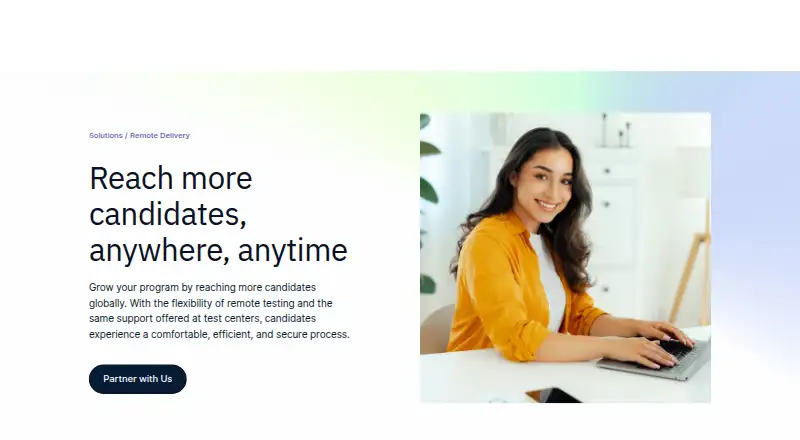
What Prometric Secure Proprietary Browser is
Prometric Secure Proprietary Browser supports remote exams by limiting access to functions and services outside the secure exam environment. It can block screen printing, copying and pasting, and leaving the secure desktop, while controlling access to email, instant messaging, and desktop sharing. Prometric offers automated AI proctoring, AI proctoring with professional review, and live proctoring. ProProctor AI includes candidate authentication, security checks, automated monitoring, review of flagged violations, reporting, and real-time support. AI+ adds a post-exam professional security audit; ProProctor Live adds live readiness agents, proctors and security agents, AI anomaly detection, and enhanced real-time support. Optional Live add-ons include a second camera, a client review portal, and desktop recording. Exams require a laptop or desktop. Supported systems include Windows 8.1 or later and specified macOS versions from Monterey 12 onward; Chrome OS, Linux, and virtual machines are unsupported. Web-based AI + Pop In exams require Chrome 96 or Edge 96 or later, plus camera and microphone access. Pricing is on request.
Who it suits
It suits organizations that want candidates to take exams remotely and select between automated, reviewed, or live proctoring. Candidates need a supported laptop or desktop and operating system.
What it does well
- Blocks copying, printing, and leaving the exam desktop.
- Offers automated, professionally reviewed, and live proctoring.
- AI+ adds a post-exam professional security audit.
- Live option includes agents and AI anomaly detection.
- Lists real-time support for AI and AI+.
What to know first
- Mobile phones and tablets cannot be used for exams.
- Chrome OS, Linux, and virtual machines are unsupported.
- Web exams require Chrome 96 or Edge 96 or later.
- Pricing is available on request.
Limits
Exams require a laptop or desktop, and phones and tablets are not supported. Chrome OS, Linux distributions, and virtual machines are unsupported; AI + Pop In web exams require Chrome 96 or Edge 96 or higher. The guide gives a minimum screen resolution of 1024 × 768 and recommends 1920 × 1080.
Getting started
- Visit the Prometric remote-delivery website.
- Select a remote proctoring option: ProProctor AI, AI+, or Live.
- Use a laptop or desktop running a supported Windows or macOS version.
- For AI + Pop In web exams, use Chrome 96 or Edge 96 or higher and allow camera and microphone access.
- Check network speed: at least 5.0 Mbps download and 0.5 Mbps upload.
- Review VPN, firewall, and antivirus settings if they prevent ProProctor from launching.
Verdict
Prometric combines exam lockdown controls with several remote proctoring options. Check the supported device and operating-system requirements before choosing a delivery mode.
Questions
How much does Prometric Secure Proprietary Browser cost?
Pricing is on request.
Which proctoring options does Prometric offer?
Prometric lists automated AI proctoring, AI proctoring with professional review, and live proctoring.
Which computers can candidates use?
Exams require a laptop or desktop. The guide lists Windows 8.1 or higher and specified macOS versions from Monterey 12 onward as supported.
Can candidates take exams on phones or tablets?
No. Mobile phones and iPad or Android tablets cannot be used to take the exam.
What does ProProctor AI+ add?
AI+ adds a post-exam professional security audit to the listed ProProctor AI features.
How are AI-generated signals handled?
Prometric says qualified personnel review AI-generated signals that could indicate irregular conduct before action is taken.
Facts from Prometric Secure Proprietary Browser's own pages
- Automated proctoring
- ProProctor AI includes AI candidate authentication, AI environmental and person security checks, automated proctoring, flagged-violation review, reporting and analytics, and real-time support. · prometric.com, 4 Oct 2026
- Current delivery modes
- The ProProctor AI and ProProctor Live options use a desktop application, while ProProctor AI + Pop In is launched as a web application from the Candidate Portal. · prometric.com, 3 Oct 2026
- Device limits
- The guide says exams require a laptop or desktop; mobile phones and iPad or Android tablets cannot be used to take the exam. · prometric.com, 3 Oct 2026
- Exam monitoring
- ProProctor uses facial recognition and technology-assisted monitoring to flag possible identity changes, multiple faces, or a candidate leaving the screen. · prometric.com, 3 Oct 2026
- Exam options
- Prometric lists automated AI proctoring, AI proctoring with professional review, and live proctoring options for remote delivery. · prometric.com, 3 Oct 2026
- Headquarters
- Prometric lists its corporate headquarters in Middle River, Maryland. · prometric.com, 4 Oct 2026
- Intended users
- Prometric presents remote delivery as a service for organizations that want candidates to take exams from a location of their choice. · prometric.com, 4 Oct 2026
- Live proctoring
- ProProctor Live includes live readiness agents, live proctors, live security agents, AI anomaly detection, and enhanced real-time support. · prometric.com, 4 Oct 2026
- Lockdown
- The browser can prevent screen printing, copying or pasting, and exiting the secure exam desktop; it also controls access to services such as email, instant messaging, and desktop sharing. · prometric.com, 3 Oct 2026
- Mobile and browser limits
- The guide says exams using ProProctor AI + Pop In (Web) require Chrome 96 or higher or Edge 96 or higher, and its device guidance says mobile phones and tablets cannot be used for exams. · prometric.com, 4 Oct 2026
- Network requirements
- The guide specifies at least 5.0 Mbps download and 0.5 Mbps upload speed. · prometric.com, 3 Oct 2026
- Optional features
- Prometric lists a second camera, a client review portal with video playback and logs, and candidate desktop recording as add-ons for ProProctor Live. · prometric.com, 4 Oct 2026
- Privacy
- Prometric’s privacy policy says ProProctor uses facial image verification during check-in and throughout the test, and that AI-generated signals that could indicate irregular conduct are reviewed by qualified personnel before action is taken. · prometric.com, 3 Oct 2026
- Proctoring options
- Prometric offers remote proctoring options ranging from automated AI proctoring to live proctors with AI support. · prometric.com, 4 Oct 2026
- Professional review
- ProProctor AI+ adds a post-exam professional security audit to the listed ProProctor AI features. · prometric.com, 4 Oct 2026
- Purpose
- Prometric describes its proprietary browser as a way to deliver secure testing that restricts non-essential functions. · prometric.com, 4 Oct 2026
- Security setup
- Prometric's guide warns that VPNs, firewalls, and antivirus software can prevent ProProctor from launching and advises candidates to deactivate them as needed. · prometric.com, 4 Oct 2026
- Support
- Prometric lists real-time support for ProProctor AI and ProProctor AI+ and enhanced real-time support for ProProctor Live. · prometric.com, 4 Oct 2026
- Supported operating systems
- The ProProctor user guide lists Windows 8.1 or higher and specified versions of macOS as supported, and says Chrome OS, Linux distributions, and virtual machines are not supported. · prometric.com, 4 Oct 2026
- Supported systems
- The user guide lists Windows 8.1 or higher and specified macOS versions from Monterey 12 onward as supported. · prometric.com, 3 Oct 2026
- System requirements
- The ProProctor user guide recommends 1920 × 1080 screen resolution and gives 1024 × 768 as the minimum. · prometric.com, 4 Oct 2026
- Unsupported systems
- The guide lists Chrome OS, Linux distributions, and virtual machines as unsupported. · prometric.com, 3 Oct 2026
- Web availability
- The remote-delivery page describes the ProProctor platforms as desktop app-based and says a web-based app is coming soon. · prometric.com, 4 Oct 2026
- Web browser requirements
- For ProProctor AI + Pop In web exams, the guide lists Chrome 96 or higher and Edge 96 or higher, with camera and microphone access required. · prometric.com, 3 Oct 2026
Where Prometric Secure Proprietary Browser stands on Freedom251
- Lockdown Browser Software#20 of 22