Freedom251 › Assessment & Examination software

Surpass SecureClient
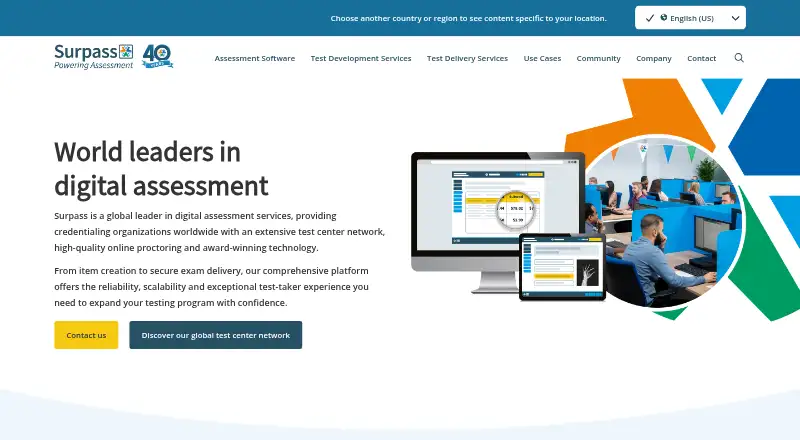
What Surpass SecureClient is
Surpass SecureClient is a secure browser application for delivering exams, including tests taken offline. During an examination, it locks down the computer so test takers cannot access other programs or files. Its test driver uses encryption and other security features to block blacklisted third-party applications. Offline tests can be completed without an internet connection; finished tests upload to Surpass when connectivity returns. Candidates install SecureClient from the Launch Test screen after selecting Secure Delivery in the Surpass Platform. It supports Windows, macOS, and iOS/iPad. On Windows 11, text suggestion and autocorrect settings must be disabled before SecureClient can launch. Surpass serves credentialing and licensure organizations, K–12 and higher education institutions, government agencies, and national testing programs. API options connect assessment data and results with third-party services. Product and technical assistance is available through Surpass customer support, while test takers are directed to their exam provider for help. Pricing is available on request.
Who it suits
It suits organizations delivering secure exams, including credentialing bodies, schools, government agencies, and national testing programs. Test takers use it when their exam provider delivers an assessment through Surpass Secure Delivery.
What it does well
- Locks down access to other programs and files.
- Offline tests upload when internet access returns.
- Supports Windows, macOS, and iOS/iPad.
- API options connect assessment data and results.
What to know first
- Windows 11 requires disabling text suggestion and autocorrect settings.
- No public price is shown.
Plans
| Plan | Billed and limits | Price |
|---|---|---|
| Surpass SecureClient | No public price shown; install through the Surpass Platform for Windows or via the App Store for the supported operating system. | On request |
As surpass.com lists them, read 3 Oct 2026. The maker's own page has the final word.
Getting started
- Visit surpass.com or open the Surpass Platform.
- Select Secure Delivery for the exam.
- Open the Launch Test screen and install SecureClient.
- For Windows 11, disable the required text suggestion and autocorrect settings before launch.
- Complete the exam; if offline, reconnect to upload the completed test.
Verdict
SecureClient is designed to restrict computer access during exams and handle offline delivery. Windows 11 users need to change specified text settings before launch; pricing is available on request.
Questions
What does Surpass SecureClient do?
It delivers exams in a secure browser environment that restricts access to other programs or files. It also supports offline testing.
Which platforms does it support?
SecureClient supports Windows, macOS and iOS/iPad.
How do candidates install SecureClient?
In the Surpass Platform, candidates select Secure Delivery and install it from the Launch Test screen. For supported operating systems, the installation route may be through the App Store.
Can candidates take exams offline?
Yes. Completed tests upload to Surpass when an internet connection is restored.
How much does SecureClient cost?
SecureClient is paid, with pricing available on request.
Who provides help to test takers?
Surpass offers product and technical assistance through its customer support form. Test takers are directed to their exam provider for help.
Facts from Surpass SecureClient's own pages
- Access
- SecureClient is installed from the Launch Test screen after selecting Secure Delivery in the Surpass Platform. · surpass.com, 3 Oct 2026
- Audience
- Surpass serves credentialing and licensure organizations, K–12 institutions, higher education, government agencies, and national testing programs. · surpass.com, 3 Oct 2026
- Company history
- Surpass says its business was established in 1985 by Dr. Bob Gomersall. · surpass.com, 3 Oct 2026
- Integrations
- Surpass provides API options for connecting assessment data and results with third-party services. · surpass.com, 3 Oct 2026
- Lockdown
- SecureClient locks down computers so other programs or files cannot be accessed during an examination. · surpass.com, 3 Oct 2026
- Offline delivery
- SecureClient supports offline testing and uploads completed tests to Surpass when an internet connection is restored. · surpass.com, 3 Oct 2026
- Platforms
- The support page offers SecureClient downloads for Windows and through the App Store. · surpass.com, 3 Oct 2026
- Purpose
- SecureClient is a secure browser application for delivering exams, including offline testing. · surpass.com, 3 Oct 2026
- Secure delivery
- The Surpass test driver uses encryption and other security features to block access to blacklisted third-party applications. · surpass.com, 3 Oct 2026
- Security certification
- Surpass lists ISO 27001:2022 information security management certification on its site. · surpass.com, 3 Oct 2026
- Setup limitation
- On Windows 11, several text suggestion and autocorrect settings must be disabled before SecureClient can launch. · surpass.com, 3 Oct 2026
- Support
- Surpass offers product and technical assistance through its customer support form, and directs test takers to their exam provider for help. · surpass.com, 3 Oct 2026
Where Surpass SecureClient stands on Freedom251
- Assessment & Examination software#20 of 25
- Lockdown Browser Software#18 of 22