Freedom251 › Minecraft Add-on Editors
ResourcePack AI
What ResourcePack AI is
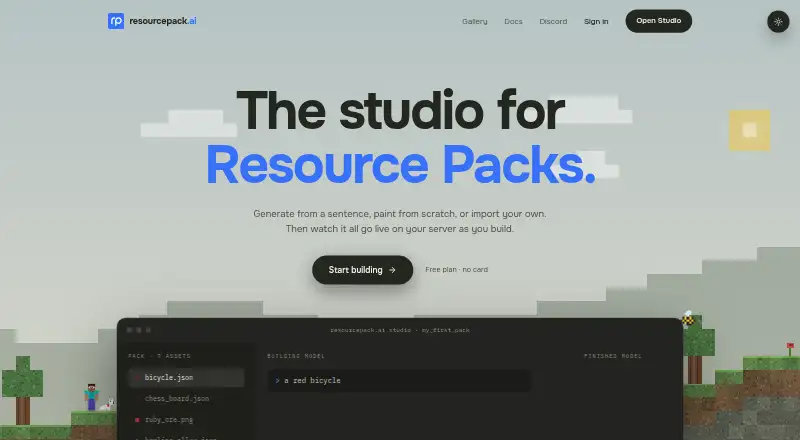
ResourcePack AI is a browser-based editor for making and editing Minecraft resource packs. Users can describe blocks, items, GUIs, 3D models, chat icons or sounds in plain English to generate assets, then refine results in the studio. The editor also lets users draw or upload assets, with tools for pixel art and 3D models. GUIs can be drawn in the studio, although AI generation for them is unavailable.
Users can sync pack changes to the ResourcePack AI test server or a server they run. The documentation describes Java and Bedrock players joining and linking for in-game testing. Exports are standard Minecraft resource packs that work wherever that pack format works. The free plan includes the platform, editors, painting, texture, model and icon import and export, and live hotswapping. A REST API can create packs, generate assets and download completed packs; API keys are available on paid plans. The service supports multiple version targeting and custom entity tools, but not scripting. It is available through the web and API. Documented sign-in providers include GitHub, Google, Discord, Microsoft and X.
Who it suits
ResourcePack AI suits Minecraft players and creators who want to make or edit resource packs in a browser, using AI generation alongside drawing, uploading and editing tools. It also fits creators who want to sync changes for in-game testing or use the REST API on a paid plan.
What it does well
- Free plan includes editors and texture, model and icon import and export.
- Generate assets from plain-English descriptions.
- Draw and upload assets as well as generate them.
- Sync changes to the service test server or a server you run.
- Exports standard Minecraft resource packs.
What to know first
- AI generation for GUIs is unavailable.
- Scripting support is unavailable.
- API keys are available on paid plans.
Limits
The free plan includes editors, painting, asset import and export, and live hotswapping. AI generation cannot currently create GUIs, and API keys are available on paid plans.
Plans
| Plan | Billed and limits | Price |
|---|---|---|
| Free plan | Entire platform · editors · paint, import and export textures, models and icons · live hotswapping | Free |
As resourcepack.ai lists them, read 7 Oct 2026. The maker's own page has the final word.
Getting started
- Visit the ResourcePack AI website.
- Sign in using a documented provider such as Google, GitHub, Discord, Microsoft or X.
- Create or edit a resource pack in the browser studio.
- Generate, draw or upload assets, then refine them in the editors.
- Sync changes to the test server or a server you run, and export the pack.
- Use the REST API and obtain an API key on a paid plan if needed.
Verdict
Choose ResourcePack AI if you want a browser editor that combines AI asset generation with pixel and 3D editing, plus pack testing and export. The free plan covers the editors and core asset workflows. Look elsewhere if you need AI-generated GUIs or scripting support.
Questions
Is ResourcePack AI free?
Yes. Its Free plan is priced at $0 and includes the platform, editors, painting, import and export for textures, models and icons, and live hotswapping.
Which platforms does it support?
The listed platforms are web and API.
Can it generate GUIs with AI?
No. GUIs can be drawn in the studio, but AI generation for them is unavailable.
Does it support Minecraft Java and Bedrock?
The documentation says Java and Bedrock players can join and link for in-game testing.
Is ResourcePack AI open source?
The listed facts do not identify it as open source.
What does the REST API do?
It can create packs, generate assets and download finished packs. API keys are available on paid plans.
Facts from ResourcePack AI's own pages
- Age limit
- Users must be at least 13, with parent or guardian agreement required for UK or EEA users under 16. · resourcepack.ai, 7 Oct 2026
- AI generation
- Users can describe blocks, items, GUIs, 3D models, chat icons or sounds in plain English and refine the results in editors. · resourcepack.ai, 7 Oct 2026
- AI generation limitation
- GUIs cannot currently be generated with AI, though they can be drawn in the studio. · resourcepack.ai, 7 Oct 2026
- API
- The REST API can create packs, generate assets and download finished packs; API keys are available on paid plans. · resourcepack.ai, 7 Oct 2026
- Asset tools
- The studio supports generating, drawing or uploading assets, with pixel and 3D model editors. · resourcepack.ai, 7 Oct 2026
- Data handling
- The maker says it operates from the United Kingdom and acts as the UK GDPR data controller for the personal data described in its policy. · resourcepack.ai, 7 Oct 2026
- Export
- Exports are ordinary Minecraft resource packs that work wherever that pack format works. · resourcepack.ai, 7 Oct 2026
- Integrations
- The service documents GitHub, Google, Discord, Microsoft and X as sign-in providers. · resourcepack.ai, 7 Oct 2026
- Live testing
- Users can sync pack changes to the ResourcePack AI test server or a server they run. · resourcepack.ai, 7 Oct 2026
- Minecraft editions
- The documentation says Java and Bedrock players can join and link for in-game testing. · resourcepack.ai, 7 Oct 2026
- Privacy
- The privacy policy says prompts, reference images and generated content are not used to train, fine-tune or evaluate models. · resourcepack.ai, 7 Oct 2026
- Purpose
- ResourcePack AI is a browser-based editor for creating and editing Minecraft resource packs. · resourcepack.ai, 7 Oct 2026
- Security
- The privacy policy states that traffic is encrypted in transit, passwords are hashed, and provider keys are encrypted at rest. · resourcepack.ai, 7 Oct 2026
- Support
- The documentation directs users to Discord for questions and bug reports, and the privacy policy lists [email protected] for policy requests. · resourcepack.ai, 7 Oct 2026
Where ResourcePack AI stands on Freedom251
- Minecraft Add-on Editors#20 of 26