Freedom251 › Decompiler Software
Reko
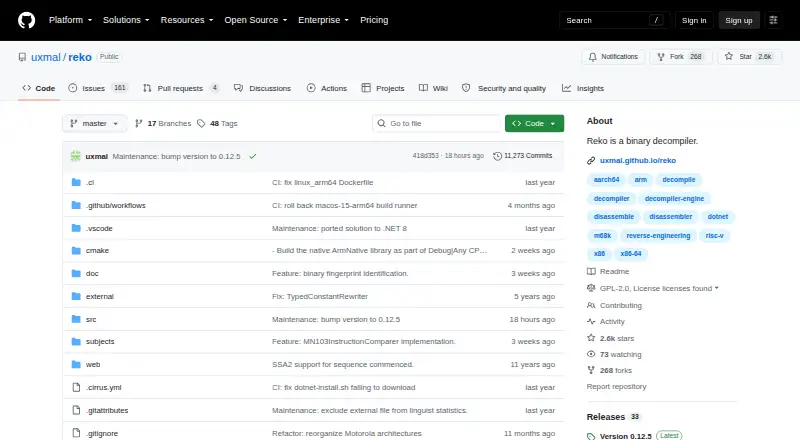
What Reko is
Reko decompiles machine-code binaries into a high-level language. It can be used through a graphical shell, a command-line program, or as a .NET library, and accepts either individual executable files or Reko project files. Project files can hold extra information to guide decompilation or format output. Its supported-binaries listing covers processor architectures and executable formats and indicates the maturity of support for each. On Windows, the installer includes GUI and command-line clients for 32-bit and 64-bit x86 systems. The guide describes running Reko on other operating systems with Mono, while the README lists .NET 9.0 as an installation prerequisite. A cross-platform Avalonia GUI is under development. Users may need to provide type information, comments, and readable procedure names to obtain useful decompilation. Reko is free under GPL-2.0. Its project offers an issue tracker and chatroom for questions and issue reports, and cautions that some software licenses prohibit decompilation or reverse engineering.
Who it suits
Reko is for people who need to inspect machine-code binaries and can work with its supported architectures and formats. Users should be prepared to add information such as types, comments, or procedure names when needed.
What it does well
- Offers GUI, command-line, and .NET library use.
- Accepts executables and information-rich project files.
- Supported-binaries page indicates support maturity.
- Free under the GPL-2.0 license.
What to know first
- Cross-platform Avalonia GUI is still under development.
- Non-Windows use is described with Mono.
- Useful results may require added type and procedure information.
- Some software licenses prohibit decompilation or reverse engineering.
Plans
| Plan | Billed and limits | Price |
|---|---|---|
| Free | Freely available under the GNU General Public License | Free |
As github.com lists them, read 7 Oct 2026. The maker's own page has the final word.
Getting started
- Open the Reko repository at https://github.com/uxmal/reko.
- On Windows, use the installer for the GUI and command-line clients on supported x86 systems.
- For installation, refer to the README prerequisite of .NET 9.0.
- On non-Windows machines, follow the guide's Mono approach.
- Open an executable file or a Reko project file.
- Add type information, comments, or friendly procedure names if useful to the decompilation.
Verdict
Reko offers several ways to work with binaries and supports project files for additional guidance. Check the supported-binaries information and applicable software licenses before using it.
Questions
Does Reko cost anything?
No. Reko is free under the GNU General Public License, version 2.
Which operating systems does it support?
It is listed for Linux, macOS, and Windows. The guide describes running it on non-Windows machines using Mono.
How can I use Reko?
Reko can be used through a GUI shell, as a command-line program, or as a .NET library.
What files can it process?
It accepts individual executable files or Reko project files, which can carry extra information to guide decompilation or format output.
What license does Reko use?
The repository identifies Reko as GPL-2.0.
Where can users get help?
Users can report issues or ask questions on the issue tracker or in the Reko chatroom.
Facts from Reko's own pages
- Architecture and format support
- The supported-binaries page lists processor architectures and executable formats, with support maturity indicated for each. · github.com, 7 Oct 2026
- Cross-platform GUI
- The README says a cross-platform Avalonia GUI is under development. · github.com, 7 Oct 2026
- License and use
- The repository identifies Reko as GPL-2.0 and warns that some software licenses prohibit decompilation or reverse engineering. · github.com, 7 Oct 2026
- Other operating systems
- The user's guide describes running Reko on non-Windows machines using Mono, and the README lists .NET 9.0 as a prerequisite for installation. · github.com, 7 Oct 2026
- Project files
- The decompiler accepts individual executable files or Reko project files, which can contain extra information to help decompilation or format output. · github.com, 7 Oct 2026
- Purpose
- Reko decompiles machine code binaries into a high-level language. · github.com, 7 Oct 2026
- Support
- Users can report issues or ask questions on the issue tracker or in the Reko chatroom; the project says it is built by volunteers in their spare time. · github.com, 7 Oct 2026
- User assistance
- The guide says useful decompilation can require users to provide type information, comments, and friendly procedure names. · github.com, 7 Oct 2026
- Ways to use it
- Reko can be used through a GUI shell, as a command-line program, or as a .NET library. · github.com, 7 Oct 2026
- Windows installation
- The user's guide says the Windows installer installs both GUI and command-line clients and supports 32-bit and 64-bit x86 Windows. · github.com, 7 Oct 2026
Where Reko stands on Freedom251
- Decompiler Software#16 of 24