Freedom251 › Decompiler Software
JD-GUI
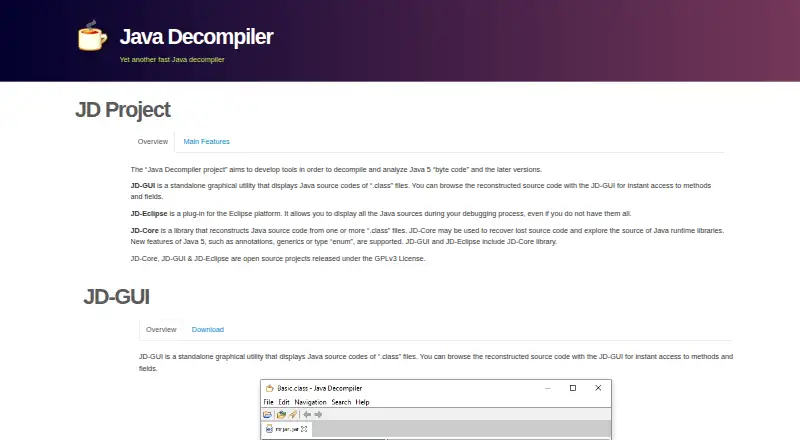
What JD-GUI is
JD-GUI is a free graphical Java decompiler for viewing reconstructed source from compiled CLASS files. Its color-coded display lets users inspect methods and fields, browse CLASS files, and navigate Java module hierarchies. It also handles JAR, WAR, EAR, AAR, KAR, JMOD, and ZIP files. For stack-trace investigation, users can drop in a LOG file; JD-GUI decompiles the referenced CLASS files and shows the line associated with the trace. The Java Decompiler project describes its tools as intended for Java 5 bytecode and later. JD-GUI is written in Java, released under the GPLv3 License, and supports bytecode decompilation, not native-code decompilation. It is available for Linux, macOS, and Windows, with releases listed as a JAR, RPM, DEB, macOS TAR, and Windows ZIP. The related JD-Eclipse plug-in displays Java sources during debugging in Eclipse. The project links to GitHub issues for JD-GUI support.
Who it suits
JD-GUI suits people who need to inspect reconstructed Java source from bytecode, browse archive contents, or follow Java stack traces. It is available on Linux, macOS, and Windows.
What it does well
- Displays color-coded reconstructed Java source.
- Handles CLASS files and multiple archive formats.
- Can show source lines associated with stack traces.
- Free and released under GPLv3.
What to know first
- Does not decompile native code.
- The project targets Java 5 bytecode and later.
- JD-Eclipse is an Eclipse plug-in, not JD-GUI.
Limits
The free JD-GUI plan supports bytecode decompilation but not native-code decompilation.
Plans
| Plan | Billed and limits | Price |
|---|---|---|
| JD-GUI | Standalone graphical utility · GPLv3 | Free |
As java-decompiler.github.io lists them, read 7 Oct 2026. The maker's own page has the final word.
Getting started
- Visit the JD-GUI website.
- Choose a release format for your platform: JAR, RPM, DEB, macOS TAR, or Windows ZIP.
- Open supported CLASS files or archives and browse the reconstructed source.
- Drop a LOG file into JD-GUI to inspect source lines associated with Java stack traces.
Verdict
JD-GUI focuses on browsing Java bytecode as reconstructed source, including files referenced by stack traces. It does not cover native-code decompilation.
Questions
How much does JD-GUI cost?
The listed JD-GUI plan is free. Its pricing model is free, and a free plan is available.
Which platforms does JD-GUI support?
JD-GUI supports Linux, macOS, and Windows. Releases are listed as a JAR, RPM, DEB, macOS TAR, and Windows ZIP.
What files can JD-GUI open?
It supports CLASS, JAR, WAR, EAR, AAR, KAR, JMOD, and ZIP files. It can also accept LOG files for stack-trace investigation.
Does JD-GUI decompile native code?
No. JD-GUI supports bytecode decompilation, but not native-code decompilation.
Is JD-GUI open source?
Yes. It is released under the GPLv3 License and is written in Java.
Does JD-GUI integrate with Eclipse?
The related JD-Eclipse product is an Eclipse plug-in for displaying Java sources during debugging. The site says the plug-in is not signed and instructs users to choose “Install anyway” during installation.
Facts from JD-GUI's own pages
- Downloads
- The site lists JD-GUI releases as a JAR, RPM, DEB, macOS TAR, and Windows ZIP. · java-decompiler.github.io, 7 Oct 2026
- Integrations
- The related JD-Eclipse product is an Eclipse plug-in for displaying Java sources during debugging. · java-decompiler.github.io, 7 Oct 2026
- Intended use
- The site describes the Java Decompiler project as tools for decompiling and analyzing Java 5 bytecode and later versions. · java-decompiler.github.io, 7 Oct 2026
- Language
- JD-GUI is written in Java. · java-decompiler.github.io, 7 Oct 2026
- License
- JD-GUI is an open-source project released under the GPLv3 License. · java-decompiler.github.io, 7 Oct 2026
- Navigation
- Users can browse CLASS files and Java module hierarchies. · java-decompiler.github.io, 7 Oct 2026
- Purpose
- JD-GUI displays reconstructed Java source code from .class files and lets users browse methods and fields. · java-decompiler.github.io, 7 Oct 2026
- Security
- The site says the JD-Eclipse plug-in is not signed and instructs users to choose “Install anyway” during installation. · java-decompiler.github.io, 7 Oct 2026
- Source display
- JD-GUI displays color-coded Java source code. · java-decompiler.github.io, 7 Oct 2026
- Stack traces
- JD-GUI can accept dropped LOG files, decompile CLASS files, and display the line of code that appears in Java stack traces. · java-decompiler.github.io, 7 Oct 2026
- Support
- The site links to GitHub issues for JD-GUI. · java-decompiler.github.io, 7 Oct 2026
- Supported files
- JD-GUI supports CLASS, JAR, WAR, EAR, AAR, KAR, JMOD, and ZIP files. · java-decompiler.github.io, 7 Oct 2026
Where JD-GUI stands on Freedom251
- Decompiler Software#12 of 24