Freedom251 › Reverse Engineering Tools
dotPeek
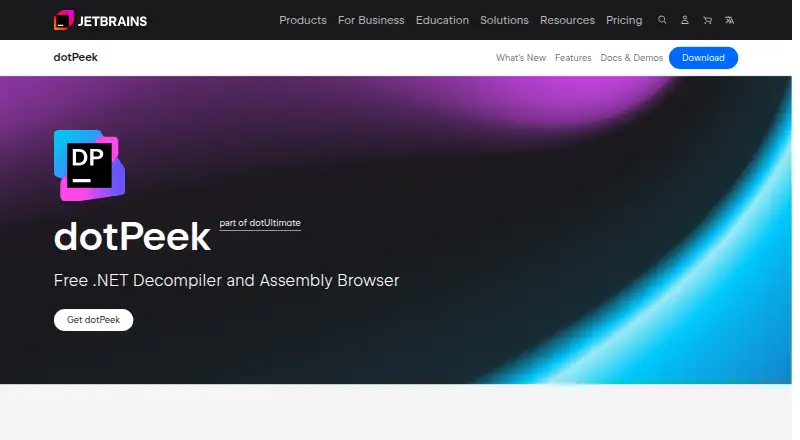
What dotPeek is
dotPeek is a free standalone .NET decompiler and assembly browser from JetBrains for Microsoft Windows. It turns .NET assemblies into equivalent C# and can optionally display their underlying IL code. It accepts DLL, EXE, WINMD, and BAML files, along with ZIP, VSIX, and NuGet archives and folders. Decompiled assemblies can be saved as Visual Studio projects in .csproj format.
For source lookup, dotPeek can use local PDB files, retrieve source from symbol servers, and generate PDB files. It can also act as a symbol server for Visual Studio’s debugger, supplying information for debugging compiled assemblies. Search and navigation features include symbol-usage search, code navigation, assembly indexing, and hierarchy views. Assembly Explorer presents an assembly’s references, resources, code, metadata, and dependency diagrams. dotPeek supports bytecode decompilation, but not native-code decompilation. JetBrains provides it as a web or offline installer and as portable 32-bit and 64-bit versions; no license key is required. Windows 10 and 11 are among its supported operating systems. Its listed minimum hardware is a 2 GHz processor, 4 GB of memory, and 400 MB of disk space. JetBrains was founded in 2000 and lists Amsterdam, the Netherlands, as its headquarters.
Who it suits
dotPeek suits Windows users who need to inspect .NET assemblies, retrieve associated source, or support Visual Studio debugging of compiled assemblies. It is also useful for browsing assembly structure and exporting decompiled code as a Visual Studio project.
What it does well
- Free to use without a license key.
- Decompiles .NET assemblies into C# and can show IL.
- Exports decompiled assemblies as Visual Studio projects.
- Can supply symbols to Visual Studio’s debugger.
- Available as installer and portable versions.
What to know first
- Does not decompile native code.
- Runs as a Windows desktop application.
- Users must ensure decompilation is permitted or obtain the copyright owner’s permission.
Plans
| Plan | Billed and limits | Price |
|---|---|---|
| dotPeek | Free, no license key required. · Windows desktop application · available as web or offline installer and portable 32-bit/64-bit versions | Free |
As jetbrains.com lists them, read 7 Oct 2026. The maker's own page has the final word.
Getting started
- Visit the JetBrains dotPeek website.
- Choose the web or offline installer, or a portable 32-bit or 64-bit version.
- Run dotPeek on a supported Microsoft Windows system.
- Open a supported assembly, archive, or folder to browse or decompile its contents.
Verdict
Choose dotPeek if you need a free Windows tool for decompiling and browsing .NET assemblies, with source lookup and Visual Studio debugger support. Look elsewhere if you need native-code decompilation or a platform other than Windows.
Questions
Does dotPeek cost anything?
No. The dotPeek plan is free, and no license key is required.
Which files and archives can it open?
It supports DLL, EXE, WINMD, and BAML files, plus ZIP, VSIX, and NuGet archives and folders.
Can dotPeek decompile native code?
No. It supports .NET bytecode decompilation, not native-code decompilation.
Which operating systems does it support?
dotPeek is a standalone desktop application for Microsoft Windows. Windows 10 and 11 are among the listed supported operating systems.
Does it work with Visual Studio debugging?
Yes. dotPeek can act as a symbol server and provide Visual Studio’s debugger with information for debugging compiled assemblies.
What does the license agreement say about decompilation?
Users must ensure that decompilation is permitted by the applicable license or obtain permission from the copyright owner.
Facts from dotPeek's own pages
- Assembly inspection
- Assembly Explorer can show references, resources, code, metadata, and dependency diagrams for assemblies. · jetbrains.com, 7 Oct 2026
- Decompilation
- It decompiles .NET assemblies into equivalent C# and can optionally show the underlying IL code. · jetbrains.com, 7 Oct 2026
- Founded
- 2000 · jetbrains.com, 28 Sept 2026
- Hardware requirements
- The listed minimum hardware is a 2 GHz processor, 4 GB memory, and 400 MB disk space. · jetbrains.com, 7 Oct 2026
- Headquarters
- Amsterdam, Netherlands · jetbrains.com, 28 Sept 2026
- Integrations
- The download page says the dotUltimate installer can integrate selected products into chosen versions of Visual Studio. · jetbrains.com, 7 Oct 2026
- Maker
- JetBrains says it was founded in 2000 and lists Amsterdam, the Netherlands, as its headquarters. · jetbrains.com, 7 Oct 2026
- Navigation and search
- It provides symbol usage search, code navigation, assembly indexing, and hierarchy views. · jetbrains.com, 7 Oct 2026
- Platform
- dotPeek is a standalone desktop application for Microsoft Windows, with Windows 10 and 11 listed among its supported operating systems. · jetbrains.com, 7 Oct 2026
- Project export
- Decompiled assemblies can be saved as Visual Studio projects (.csproj). · jetbrains.com, 7 Oct 2026
- Purpose
- dotPeek is a free standalone .NET decompiler and assembly browser based on ReSharper’s bundled decompiler. · jetbrains.com, 7 Oct 2026
- Security and compliance
- JetBrains says its tools adhere to industry security standards including SOC 2 attestation and links to its Trust Center for reports and summaries. · jetbrains.com, 7 Oct 2026
- Source lookup
- dotPeek can identify local source using PDB files, fetch source from symbol servers, and generate PDB files. · jetbrains.com, 7 Oct 2026
- Supported inputs
- It supports DLL, EXE, WINMD, and BAML files, as well as ZIP, VSIX, and NuGet archives and folders. · jetbrains.com, 7 Oct 2026
- Use restriction
- The license agreement says users must ensure decompilation is permitted by the applicable license or obtain permission from the copyright owner. · jetbrains.com, 7 Oct 2026
- Visual Studio debugging
- dotPeek can act as a symbol server that supplies Visual Studio’s debugger with information to debug compiled assemblies. · jetbrains.com, 7 Oct 2026
Where dotPeek stands on Freedom251
- Reverse Engineering Tools#27 of 73
- Decompiler Software#13 of 24