Freedom251 › Email Backup Software
Regain Office 365 Email Backup Tool
Visit Regain Office 365 Email Backup Tool Alternatives Pricing
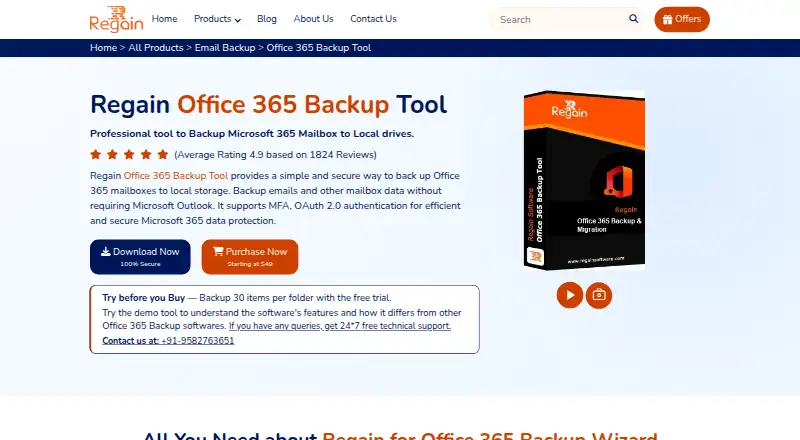
What Regain Office 365 Email Backup Tool is
Regain Office 365 Email Backup Tool copies Microsoft 365 mailbox data to local storage or exports it to other formats and email services. It handles primary, public-folder, and archive mailboxes, and users can select particular folders. Supported exports include PST, MBOX, EML, EMLX, MSG, PDF, and vCard. Listed destinations include Gmail, Yahoo Mail, AOL Mail, Hotmail, Zoho Mail, Thunderbird, Google Workspace, and IMAP clients. The tool also supports Live Exchange and Exchange On-Premises mailboxes. It preserves folder hierarchy and source attributes, while the original Microsoft 365 messages remain in place. Windows compatibility covers Vista, 7, 8, 8.1, 10, and 11. The free demo processes the first 30 items per folder; licensed versions remove that limit. The FAQ states there is no file-size limit and retention is unlimited. Licenses include Starter at $49 a month, Home License at $89 a year, Corporate License at $199 a year, and Technician License at $449, paid once.
Who it suits
The tool is aimed at IT administrators, businesses, MSPs, service providers, Microsoft 365 administrators, and individual users needing mailbox backups or migrations on Windows.
What it does well
- Supports Microsoft 365 and Exchange mailboxes
- Many export formats and destinations
- Folder selection and hierarchy preservation
- No stated mailbox file-size limit
- 24/7 technical support advertised
What to know first
- Windows platform only
- Free demo limited to 30 items per folder
- No free plan
- Paid licenses start at $49 a month
Limits
The free demo backs up only the first 30 items in each folder. Paid licenses remove that per-folder limit, and the FAQ states there is no file-size limit for an Office 365 account.
Plans
| Plan | Billed and limits | Price |
|---|---|---|
| Corporate License | 3-Year License · Organization use on multiple machines · 20 systems · unlimited mailbox conversion | $199 a year |
| Technician License | Life-Time License · Service providers, AMC companies, or consultants · 50 systems · unlimited mailbox conversion | $449, paid once |
| Starter | 6-Month License · Personal use · 1 system · unlimited mailbox conversion | $49 a month |
| Home License | 1-Year License · Personal use · 5 systems · unlimited mailbox conversion | $89 a year |
As regainsoftware.com lists them, read 8 Oct 2026. The maker's own page has the final word.
Getting started
- Open the Regain Office 365 Email Backup Tool website
- Install the Windows application on a supported version
- Start the free trial or choose a paid license
- Connect a Microsoft 365 or Exchange Server mailbox
- Select folders and a local or export destination
- Run the backup or migration
Verdict
Regain Office 365 Email Backup Tool offers mailbox backup, selective folders, broad export formats, and migration destinations. Its Windows requirement and demo limit are important considerations before choosing a license.
Questions
Is there a free plan?
No. The product is paid, but a free trial is available.
How much does it cost?
Pricing starts from $49. Listed plans are $49 a month for Starter, $89 a year for Home License, $199 a year for Corporate License, and $449, paid once for Technician License.
Which platforms are supported?
It runs on Windows, including Windows 11, 10, 8.1, 8, 7, and Vista.
What mailbox sources can it back up?
It supports Microsoft 365, Live Exchange, and Exchange On-Premises mailboxes.
Does backup delete the original messages?
No. The backup creates a local copy while leaving the original Microsoft 365 emails in place.
Facts from Regain Office 365 Email Backup Tool's own pages
- Backup behavior
- The FAQ says backup creates a local copy while leaving the original emails in Microsoft 365. · regainsoftware.com, 8 Oct 2026
- Data preservation
- The product page says the tool preserves mailbox folder hierarchy and source attributes. · regainsoftware.com, 8 Oct 2026
- Exchange support
- The tool can also back up mailboxes from Live Exchange or Exchange On-Premises. · regainsoftware.com, 8 Oct 2026
- Export formats
- The product page lists PST, MBOX, EML, EMLX, MSG, PDF, and vCard among its supported export formats. · regainsoftware.com, 8 Oct 2026
- Folder selection
- Users can select specific mailbox folders for backup. · regainsoftware.com, 8 Oct 2026
- Headquarters
- Hisar, Haryana, India · regainsoftware.com, 28 Sept 2026
- Intended users
- The product page names IT administrators, businesses, MSPs and IT service providers, Microsoft 365 administrators, and individual users as audiences. · regainsoftware.com, 8 Oct 2026
- Mailbox size
- The product FAQ says there is no file size limit for backing up an Office 365 account. · regainsoftware.com, 8 Oct 2026
- Migration destinations
- It lists Gmail, Yahoo Mail, AOL Mail, Hotmail, Zoho Mail, Thunderbird, Google Workspace, and IMAP email clients as destinations. · regainsoftware.com, 8 Oct 2026
- Purpose
- The tool backs up Microsoft 365 mailboxes to local storage or exports them to other file formats and email clients. · regainsoftware.com, 8 Oct 2026
- Security claims
- The product page describes local backup storage, user-controlled destinations, and no unnecessary third-party storage. · regainsoftware.com, 8 Oct 2026
- Support
- The product page advertises 24/7 free technical support through live chat, telephone, and email. · regainsoftware.com, 8 Oct 2026
- Supported mailbox data
- It supports primary mailboxes, public folders, and archive mailboxes. · regainsoftware.com, 8 Oct 2026
- Trial limit
- The free demo allows backing up the first 30 items per folder; the licensed version has no such limit. · regainsoftware.com, 8 Oct 2026
- Windows compatibility
- The listed supported Windows versions include Windows 11, 10, 8.1, 8, 7, and Vista. · regainsoftware.com, 8 Oct 2026
Where Regain Office 365 Email Backup Tool stands on Freedom251
- Email Backup Software#18 of 29