Freedom251 › Email Backup Software
MXSave
What MXSave is
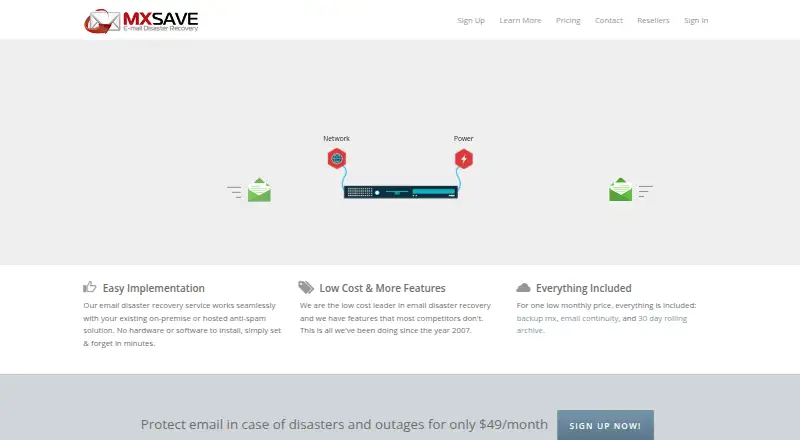
MXSave is a paid cloud email disaster-recovery service for organizations that need communication to continue when a mail server is unavailable. Failover starts automatically when a sending server cannot connect to the primary server. During the outage, users can receive, reply to, forward, and compose messages through the web client or standard POP3 or IMAP clients. Captured inbound and outbound messages are delivered to the mail server after it returns online. A rolling archive retains the previous 30 days of email history, with continuous backup and granular restore. Email spooling includes anti-spam and antivirus filtering; tagged messages are quarantined for administrator review for seven days. Daily LDAP synchronization with Microsoft Active Directory can update mailboxes, distribution groups, and aliases, but not passwords. Desktop and mobile clients can use POP3, IMAP, or SMTP, including secure connections. MXSave says it works with hosted and on-premise spam filters, including Barracuda, McAfee, Symantec, Mailroute, AppRiver, and Google Postini. The Enterprise Email Disaster Recovery plan costs $49 a month, billed monthly, for one domain and 25 users, with additional users at $1.00 per user/month. It includes unlimited messages and storage, and spools messages for up to 21 days.
Who it suits
MXSave suits organizations running Microsoft Exchange Server, Office 365, or hosted or on-premise email servers that need access during outages. It fits teams using web, desktop, or mobile mail clients and requiring message recovery after service returns.
What it does well
- Automatic failover during mail-server outages
- Web, POP3, and IMAP access during downtime
- Continuous backup with 30-day rolling archive
- Granular restore and message recovery
- Anti-spam and antivirus filtering
- Daily Active Directory LDAP synchronization
What to know first
- No free plan
- Attachments over 35 MB are not accepted
- Passwords cannot be synchronized through LDAP
- Base plan includes 25 users
Limits
The plan includes one domain and 25 users; each additional user costs $1.00 per user/month. Messages are spooled for up to 21 days, and attachments over 35 MB are not accepted.
Plans
| Plan | Billed and limits | Price |
|---|---|---|
| Enterprise Email Disaster Recovery | $49/month · 1 domain · 25 users included · $1.00 per user/month beyond 25 users · unlimited messages · unlimited storage · messages spooled up to 21 days | $49 a month |
As mxsave.com lists them, read 30 Sept 2026. The maker's own page has the final word.
Getting started
- Open the MXSave website
- Choose the Enterprise Email Disaster Recovery plan
- Connect one domain and up to 25 users
- Configure Microsoft Exchange Server, Office 365, or another hosted or on-premise mail server
- Connect web, desktop, or mobile clients using POP3, IMAP, or SMTP
- Set up daily LDAP synchronization with Microsoft Active Directory if required
Verdict
Pick MXSave when uninterrupted email access and post-outage message recovery are priorities. Its automatic failover, archive, and client support cover common hosted and on-premise environments. Look elsewhere if your messages require attachments above 35 MB or you need password synchronization through LDAP.
Questions
How much does MXSave cost?
The Enterprise Email Disaster Recovery plan costs $49 a month, billed monthly. It includes one domain and 25 users; additional users cost $1.00 per user/month.
Is there a free plan?
No. MXSave is paid.
Which email platforms are supported?
It supports Microsoft Exchange Server, Office 365, and hosted or on-premise email servers.
How long is email history retained?
A rolling archive keeps the previous 30 days of email history.
Can users work during an outage?
Yes. They can receive, reply to, forward, and compose email through the web client or POP3/IMAP clients.
Does LDAP synchronize passwords?
No. Daily LDAP synchronization updates mailboxes, distribution groups, and aliases, but passwords cannot be synchronized.
Facts from MXSave's own pages
- Anti-spam and antivirus
- Email spooling includes anti-spam and antivirus filtering, and tagged messages are quarantined for administrator review for 7 days. · mxsave.com, 30 Sept 2026
- Compatibility
- MXSave says it works with on-premise and hosted spam filtering solutions, and names Barracuda, McAfee, Symantec, Mailroute, AppRiver, and Google Postini as examples. · mxsave.com, 30 Sept 2026
- Continuity
- During an outage, users can receive, reply to, forward, and compose email through the web client or POP3/IMAP email clients. · mxsave.com, 30 Sept 2026
- Directory integration
- Daily LDAP synchronization with Microsoft Active Directory can update mailboxes, distribution groups, and aliases; passwords cannot be synchronized. · mxsave.com, 30 Sept 2026
- Email failover
- The service starts automatically when a sending mail server cannot connect to the primary mail server. · mxsave.com, 30 Sept 2026
- Founded
- 2007 · mxsave.com, 28 Sept 2026
- Intended customers
- MXSave describes its service as intended for organizations that want email access and communication to continue during mail server outages. · mxsave.com, 30 Sept 2026
- Mail client support
- The service supports standard desktop and mobile email clients using POP3, IMAP, and SMTP, including secure versions of those protocols. · mxsave.com, 30 Sept 2026
- Message recovery
- Inbound and outbound messages captured during an outage are sent to the mail server when it comes back online. · mxsave.com, 30 Sept 2026
- Message size limit
- MXSave does not accept messages with attachments over 35 MB. · mxsave.com, 30 Sept 2026
- Provider compliance
- MXSave states that its Amazon data center is compliant with standards and programs including ISO 27001, HIPAA, SOC 2, and PCI DSS Level 1. · mxsave.com, 30 Sept 2026
- Purpose
- MXSave provides cloud email disaster recovery for organizations affected by mail server outages. · mxsave.com, 30 Sept 2026
- Rolling archive
- The service includes a rolling archive of the previous 30 days of email history. · mxsave.com, 30 Sept 2026
- Security
- MXSave says data and passwords are encrypted when possible, uses hardened Linux servers and firewalls, and supports secure POP3, IMAP, and SMTP connections. · mxsave.com, 30 Sept 2026
- Support
- Customers can create a support ticket and check its status through MXSave’s support site. · help.mxsave.com, 30 Sept 2026
Where MXSave stands on Freedom251
- Email Backup Software#17 of 29