Freedom251 › Receipt Scanner Apps

ReceiptOCR
What ReceiptOCR is
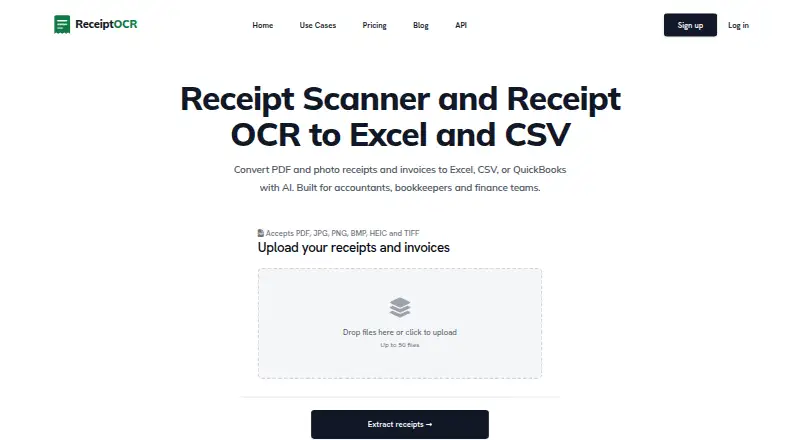
ReceiptOCR converts receipt and invoice files into structured records for accountants, bookkeepers, and finance teams. Its extraction covers line items, totals, tax, vendor information, receipt or invoice numbers, and due dates. Accepted files include PDF, JPG, PNG, BMP, HEIC, and TIFF, with up to 50 files uploaded at once. Results can be exported to Excel, CSV, or QuickBooks-ready files, then imported into QuickBooks, Xero, NetSuite, or other tools accepting those formats. The service categorizes line items and creates AI Smart Reports with spending by vendor, category, and cost center. Custom prompts can group vendors, flag high-value purchases, separate CAPEX from OPEX, or find duplicate charges. ReceiptOCR runs on the web and through an API using bearer tokens for upload, extraction, and result retrieval. Files are protected with TLS 1.2+ in transit and AES-256 at rest, and remain until deleted. Plans start at $49 a month; a free trial is offered.
Who it suits
ReceiptOCR is suited to accounting and finance teams that process receipts or invoices in batches and need spreadsheet, QuickBooks, or API outputs. Its custom analysis and reports also serve teams reviewing spending categories and exceptions.
What it does well
- Extracts line items and tax details
- Accepts six listed file formats
- Uploads up to 50 files at once
- Exports Excel, CSV, and QuickBooks-ready files
- Provides API access with bearer authentication
What to know first
- No free plan
- Starter limits documents to 25 pages
- Pro API plan allows 500 requests per hour
- Uploaded files remain until deleted
Limits
The Starter plan costs $49 a month and allows 2,500 Base AI pages or 500 Pro AI pages monthly, 25 pages per document, 50 files per upload, and five AI Smart Reports monthly. Plus raises the document limit to unlimited pages and includes 10,000 Base AI or 2,000 Pro AI pages and 20 reports monthly; the Pro API plan allows 500 requests per hour.
Plans
| Plan | Billed and limits | Price |
|---|---|---|
| Plus | Monthly; the pricing page also shows $74 with yearly billing, but does not label the two amounts in its page text. · 10,000 Base AI pages/month or 2,000 Pro AI pages/month · unlimited pages/document · 20 AI Smart Reports/month | $149 a month |
| Enterprise | The page shows $14,990 and $7,490 and states $7,490 per month billed yearly. · 1,000,000 Base AI pages/month or 230,000 Pro AI pages/month · 1,400 AI Smart Reports/month · API access | $14,990 a month |
| Starter | Monthly; the pricing page also shows $24 with yearly billing, but does not label the two amounts in its page text. · 2,500 Base AI pages/month or 500 Pro AI pages/month · up to 25 pages/document · 50 files/upload · 5 AI Smart Reports/month | $49 a month |
| Pro | Price not stated in page text; page shows volume options 35K, 100K, and 350K. · Includes Plus · API access · page and Smart Report allowances not stated in page text | On request |
As receiptocr.ai lists them, read 7 Oct 2026. The maker's own page has the final word.
Getting started
- Open https://receiptocr.ai/
- Start the available free trial
- Use the web interface or API
- Upload PDF, JPG, PNG, BMP, HEIC, or TIFF files
- For API use, authenticate with a bearer token
- Retrieve structured results or export them to Excel, CSV, or QuickBooks
Verdict
ReceiptOCR combines document extraction, categorization, reporting, exports, and API access for finance workflows. Review page allowances, request limits, and document-retention behavior alongside the paid plans.
Questions
Does ReceiptOCR have a free plan?
No. A free trial is available, while paid plans start at $49 a month.
Which files can it process?
The listed formats are PDF, JPG, PNG, BMP, HEIC, and TIFF.
Where can results be exported?
Exports include Excel, CSV, and QuickBooks-ready files.
Does ReceiptOCR provide an API?
Yes. The API uses bearer-token authentication for uploading documents, starting extraction, and retrieving results.
Which accounting tools can use its spreadsheet exports?
The maker says exports can be imported into QuickBooks, Xero, NetSuite, and other tools accepting CSV or Excel.
Facts from ReceiptOCR's own pages
- Accounting integrations
- The maker says spreadsheet exports can be imported into QuickBooks, Xero, NetSuite, or other accounting tools that accept CSV or Excel. · receiptocr.ai, 7 Oct 2026
- API
- The API uses bearer-token authentication and provides endpoints to upload documents, start extraction, and retrieve results. · receiptocr.ai, 7 Oct 2026
- API rate limit
- The API documentation states that the Pro plan is limited to 500 requests per hour; excess requests return HTTP 429. · receiptocr.ai, 7 Oct 2026
- Bulk processing
- The homepage states that users can upload up to 50 files at once. · receiptocr.ai, 7 Oct 2026
- Categorization and reports
- ReceiptOCR categorizes line items and offers AI Smart Reports with spend breakdowns by vendor, category, and cost center. · receiptocr.ai, 7 Oct 2026
- Custom analysis
- Users can provide custom prompts to group by vendor, flag high-value items, distinguish CAPEX from OPEX, or identify duplicate charges. · receiptocr.ai, 7 Oct 2026
- Data retention
- The homepage says uploaded receipts and invoices remain in the account until the user deletes them. · receiptocr.ai, 7 Oct 2026
- Exports
- Exports include Excel, CSV, and QuickBooks-ready files. · receiptocr.ai, 7 Oct 2026
- Extraction
- Its AI extracts line items, totals, tax, vendor details, receipt and invoice numbers, and due dates. · receiptocr.ai, 7 Oct 2026
- File formats
- The site lists PDF, JPG, PNG, BMP, HEIC, and TIFF as accepted formats. · receiptocr.ai, 7 Oct 2026
- Notable limit
- The Starter plan limits each document to 25 pages; the Plus plan lists unlimited pages per document. · receiptocr.ai, 7 Oct 2026
- Purpose
- ReceiptOCR converts PDF and photo receipts and invoices into structured Excel, CSV, or QuickBooks output for accountants, bookkeepers, and finance teams. · receiptocr.ai, 7 Oct 2026
- Security
- The homepage states that files use TLS 1.2+ in transit and AES-256 at rest, and are visible only to the account that uploaded them. · receiptocr.ai, 7 Oct 2026
- Support
- The API page lists email and website live chat during business hours as support channels. · receiptocr.ai, 7 Oct 2026
Where ReceiptOCR stands on Freedom251
- Receipt Scanner Apps#25 of 30
- OCR API Software#25 of 29