Freedom251 › Batch Photo Processing Software

reaConverter
What reaConverter is
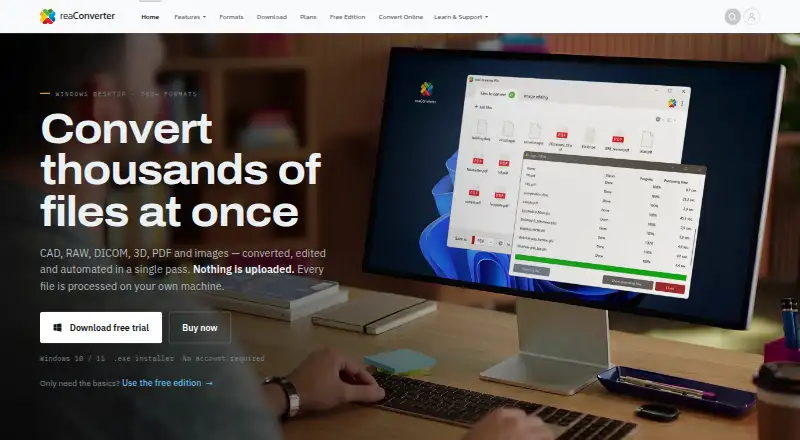
reaConverter converts and edits batches of CAD, RAW, DICOM, 3D, PDF and image files, with automation options for repeat work. Its Windows desktop software supports more than 700 formats, including GIS and Gerber, and processes files locally without requiring a cloud upload. Editing tools can resize, crop, rotate, watermark and adjust colour across folder trees. Conversion can be launched from the Windows Explorer context menu, Watch Folders or command-line jobs; the Pro edition also includes Multi-Core processing and a DLL. The browser-based reaConverter Web handles 149 formats on the device and is free, with no signup or file-count ceiling. Desktop installers require 64-bit Windows 10 or 11. The listed annual plans are $49 a year for reaConverter, $99 a year for reaConverter Pro, and $499 a year per server for reaConverter Server. The privacy policy describes TLS 1.3 traffic encryption, encryption at rest, least-privilege access, MFA and regular penetration tests.
Who it suits
It suits people who need to convert or edit varied file types in batches, especially Windows users handling recurring jobs locally. The browser option may suit someone who needs occasional conversions without signup.
What it does well
- Desktop supports more than 700 formats.
- Processes desktop files locally.
- Web version is free with no file-count ceiling.
- Pro includes Watch Folders and command-line jobs.
- Technical support is available by email.
What to know first
- Desktop installers require 64-bit Windows 10 or 11.
- reaConverter Pro costs $99 a year.
- Server plan costs $499 a year per server.
Limits
The free web converter supports 149 formats, while the desktop product supports more than 700. An individual license can be registered on up to five hardware IDs but used actively on up to two computers; the Server plan covers one server.
Plans
| Plan | Billed and limits | Price |
|---|---|---|
| reaConverter Pro | $149 one-time · 700+ formats · image editing · batch processing · context menu · Watch Folders · command-line · Multi-Core · DLL · one year of updates and support | $149, paid once |
| reaConverter | $49 USD/year · 700+ formats · image editing · batch processing · context menu · unlimited conversions · no watermarks | $49 a year |
| reaConverter Server | $499 USD/year per server · one server | $499 a year |
| reaConverter Server | $749 one-time per server · one server · one year of updates and support | $749, paid once |
| reaConverter | $75 one-time · 700+ formats · image editing · batch processing · context menu · unlimited conversions · no watermarks · one year of updates and support | $75, paid once |
| reaConverter Pro | $99 USD/year · 700+ formats · image editing · batch processing · context menu · Watch Folders · command-line · Multi-Core · DLL · unlimited conversions · no watermarks | $99 a year |
As reaconverter.com lists them, read 30 Sept 2026. The maker's own page has the final word.
Getting started
- Open reaConverter Web in a browser for the free 149-format converter
- Install the desktop product on 64-bit Windows 10 or 11
- Choose the reaConverter, Pro, or Server annual plan
- Use folder-tree editing, context-menu conversion, Watch Folders, or command-line jobs
- Register an individual license on supported hardware IDs
Verdict
reaConverter combines broad desktop format support with batch editing and automation, while its web option covers 149 formats on-device. Check the Windows requirements and plan details against the file types and workflow you need.
Questions
Is reaConverter free?
reaConverter Web is free, requires no signup, and has no file-count ceiling. Paid desktop plans start at $49 a year.
Which platforms are supported?
The product is available through an API, extension, web browser, and Windows desktop. Windows installers require 64-bit Windows 10 or 11.
What does the desktop version cost?
reaConverter costs $49 a year, reaConverter Pro costs $99 a year, and reaConverter Server costs $499 a year per server.
Does it process files locally?
The Windows application processes files locally, and reaConverter Web processes files entirely on the device.
What automation does Pro add?
Pro includes Watch Folders, a command-line interface, Multi-Core processing, and a DLL.
Facts from reaConverter's own pages
- Automation
- Automation options include Windows Explorer context-menu conversion, Watch Folders and command-line jobs. · reaconverter.com, 30 Sept 2026
- Browser converter
- reaConverter Web supports 149 formats, processes files entirely on the device, and is free with no signup or file-count ceiling. · web.reaconverter.com, 30 Sept 2026
- Compliance
- The privacy policy says hosting is in ISO 27001-certified data centres and controls align with ISO 27001 and ISO 27701. · reaconverter.com, 30 Sept 2026
- Core function
- reaConverter converts, edits and automates CAD, RAW, DICOM, 3D, PDF and image files in batch. · reaconverter.com, 30 Sept 2026
- Editing
- Desktop features include resizing, cropping, rotating, watermarking and colour adjustment across folder trees. · reaconverter.com, 30 Sept 2026
- Format coverage
- The desktop product supports more than 700 file formats, including CAD, PDF, DICOM, GIS, Gerber and RAW formats. · reaconverter.com, 30 Sept 2026
- Integrations
- reaConverter Pro includes Watch Folders, a command-line interface, Multi-Core processing and a DLL. · reaconverter.com, 30 Sept 2026
- License limits
- An individual license may be registered on up to five hardware IDs and used actively on up to two computers at once. · reaconverter.com, 30 Sept 2026
- Local processing
- The Windows desktop application processes files locally and does not require uploading them to a cloud service. · reaconverter.com, 30 Sept 2026
- Security controls
- The privacy policy states that traffic uses TLS 1.3, data is encrypted at rest, access uses least privilege and MFA, and regular penetration tests are run. · reaconverter.com, 30 Sept 2026
- Support
- Technical support by email covers activation, file-format problems, conversion errors, installation, licensing and other technical issues. · reaconverter.com, 30 Sept 2026
- Target deployments
- Business licenses cover multiple users within one organization, while Server licenses cover server installation and multiple users or automated processes. · reaconverter.com, 30 Sept 2026
- Windows support
- The installers require Windows 10 or 11, 64-bit, and have no runtime prerequisites. · reaconverter.com, 30 Sept 2026
Where reaConverter stands on Freedom251
- Batch Photo Processing Software#12 of 36
- Image Converter Software#13 of 36
- File Converter Software#15 of 29
- Image converters#6 of 10