Freedom251 › Batch Photo Processing Software
BIMP
What BIMP is
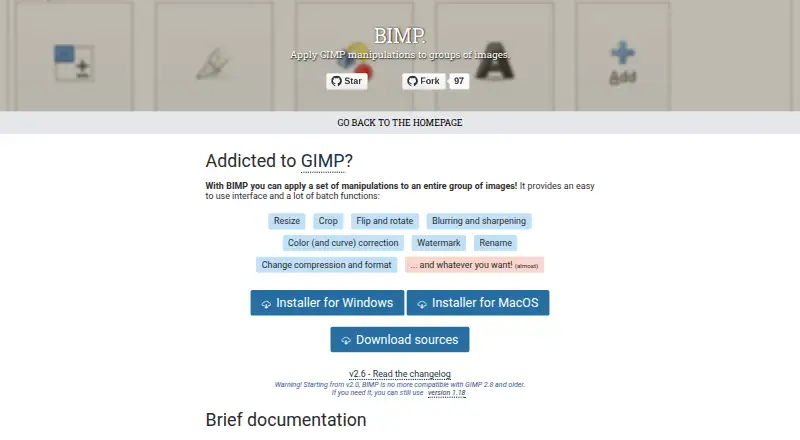
BIMP is a free GIMP plugin for applying chosen image operations to groups of files. Its batch tools cover resizing, cropping, flipping, rotating, blurring, sharpening, color and curve correction, watermarking, renaming, and changes to compression or format. The maker’s documentation describes a preview of the result for each image. BIMP can also use other GIMP procedures made available by plugins installed in the user’s toolbox.
After installation, the plugin appears in GIMP’s File menu as “Batch Image Manipulation...”. The project changelog records support additions for image formats including WEBP, HEIF, OpenEXR and DDS; the listed 2.6 release added multiple watermarks and DDS importing. BIMP is available on Windows, macOS and Linux, with a different installation route for each. Windows users can use the official installer for 32-bit or 64-bit systems. Linux setup requires gimptool and the necessary development libraries. A macOS build is available from version 2.5 onward, though it may not work with every GIMP and macOS version. Version 2.0 and later is incompatible with GIMP 2.8 and older; the maker points users who need that compatibility to version 1.18.
Who it suits
BIMP suits GIMP users who want to apply the same set of edits to many images, including resizing, watermarking, format changes or renaming. It also fits users who want to include available GIMP plugin procedures in a batch.
What it does well
- Free to use on Windows, macOS and Linux.
- Covers resizing, cropping, rotation, color correction and watermarking.
- Can rename files and change compression or format in batches.
- Provides a preview for each image.
- Can use procedures from installed GIMP plugins.
What to know first
- Requires GIMP to use the plugin.
- BIMP 2.0 and later is incompatible with GIMP 2.8 and older.
- The macOS version may not work with every GIMP and macOS version.
- Linux installation requires gimptool and development libraries.
Limits
BIMP 2.0 and later does not support GIMP 2.8 or older; the maker directs users needing those versions to BIMP 1.18. The macOS version may not work with every GIMP and macOS version.
Getting started
- Install GIMP on Windows, macOS or Linux.
- On Windows, use the official installer for your 32-bit or 64-bit system.
- On macOS, use a BIMP version from 2.5 onward and check compatibility with your GIMP and macOS versions.
- On Linux, follow the build and installation route using gimptool and the required development libraries.
- Open GIMP’s File menu and choose “Batch Image Manipulation...”.
Verdict
Choose BIMP if you use GIMP and want to run a set of image edits across groups of files without paying for the plugin. Look elsewhere if you need a standalone batch editor or use GIMP 2.8 or older with versions 2.0 and later.
Questions
Is BIMP free?
Yes. BIMP is listed as free, with a free plan and no free trial.
Which operating systems are supported?
BIMP is available for Windows, macOS and Linux.
Does BIMP work with GIMP 2.8?
BIMP 2.0 and later is not compatible with GIMP 2.8 or older. The maker points users who need those versions to BIMP 1.18.
What can BIMP do to images in a batch?
Listed operations include resizing, cropping, flipping, rotating, blurring, sharpening, color and curve correction, watermarking, renaming and changing compression or format.
Can I use other GIMP plugin operations?
Yes. BIMP can access supported procedures from plugins installed in the user’s GIMP toolbox.
Facts from BIMP's own pages
- Batch operations
- Listed operations include resizing, cropping, flipping, rotating, blurring, sharpening, color correction, watermarking, renaming, and changing compression or format. · alessandrofrancesconi.it, 10 Oct 2026
- Batch tools
- Its listed batch functions include resizing, cropping, flipping and rotating, blurring and sharpening, color and curve correction, watermarking, renaming, and changing compression or format. · alessandrofrancesconi.it, 9 Oct 2026
- Compatibility
- The maker warns that BIMP 2.0 and later are not compatible with GIMP 2.8 and older, and points users needing those versions to BIMP 1.18. · alessandrofrancesconi.it, 10 Oct 2026
- Custom operations
- The maker says users can add other GIMP procedures from the plugins installed in their toolbox. · alessandrofrancesconi.it, 9 Oct 2026
- Custom procedures
- The maker says “Another GIMP procedure...” can access supported plugins installed in the user’s toolbox. · alessandrofrancesconi.it, 10 Oct 2026
- Donations
- The maker’s page invites visitors to donate to the project. · alessandrofrancesconi.it, 10 Oct 2026
- GIMP compatibility
- BIMP 2.0 and later is not compatible with GIMP 2.8 or older; the maker points users who need that compatibility to version 1.18. · alessandrofrancesconi.it, 9 Oct 2026
- GIMP integration
- After installation, the plugin appears in GIMP’s File menu as “Batch Image Manipulation...”. · alessandrofrancesconi.it, 10 Oct 2026
- Image formats
- The project changelog lists support additions including OpenEXR, WEBP, HEIF, XPM, JPEG2000, SVG, DDS, and other formats. · github.com, 9 Oct 2026
- Latest listed release
- The maker's release page lists BIMP 2.6, which added multiple watermarks and DDS image importing. · github.com, 9 Oct 2026
- Linux
- The repository README documents compiling and installing BIMP on Linux with GIMP development tools and make. · github.com, 10 Oct 2026
- macOS
- The repository README says a macOS version is available from the releases page starting with BIMP 2.5, and cautions that it may not work with every GIMP or macOS version. · github.com, 10 Oct 2026
- Preview
- The maker’s documentation describes previewing the result for each image. · alessandrofrancesconi.it, 10 Oct 2026
- Purpose
- BIMP is a plugin for applying GIMP manipulations to groups of images. · alessandrofrancesconi.it, 10 Oct 2026
- Support
- The repository README directs users to GitHub Issues to report bugs or request enhancements. · github.com, 10 Oct 2026
- Supported formats
- The changelog lists support added for WEBP, HEIF, OpenEXR, and DDS images. · github.com, 10 Oct 2026
- Windows
- The repository README documents an official installer for 32-bit and 64-bit Windows. · github.com, 10 Oct 2026
Where BIMP stands on Freedom251
- Batch Photo Processing Software#9 of 36