Freedom251 › Remote desktop software
RDS Remote Support
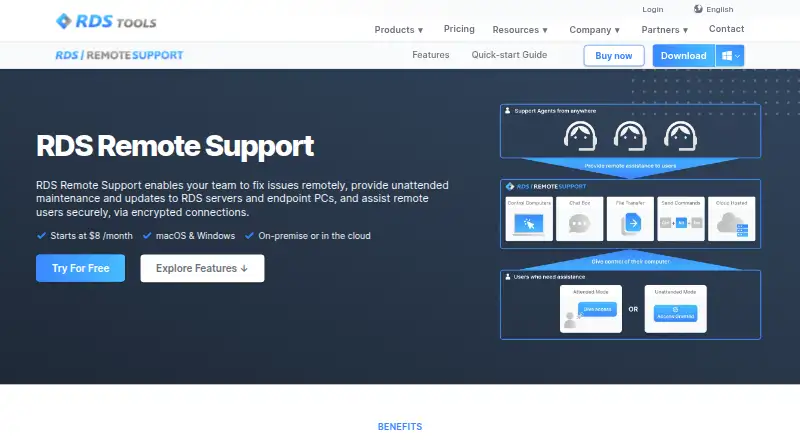
What RDS Remote Support is
RDS Remote Support provides screen sharing and remote control for support teams assisting clients and IT professionals maintaining remote Windows PCs. After an end user approves a connection, an agent can control the remote screen, mouse and keyboard. Unattended computers can be organized into groups, searched and reached with Wake-on-LAN, while several agents can join one computer or one agent can connect to multiple computers. Session tools include chat, file transfer, multi-monitor support, clipboard controls, recording and screenshots. Freshdesk integration links sessions with support tickets. Hosted connections use RDS-managed relay servers, and self-hosting is available from 50 concurrent connections by contacting the maker. Customers can brand the connection client and host its download on their domain. The service supports Windows and macOS connections, has no mobile apps, and requires specific Windows client versions and .NET Framework 4.5.2 or later. Plans start at $8 a month billed yearly, with a 14-day trial.
Who it suits
RDS Remote Support suits IT professionals handling internal maintenance and customer support teams assisting remote clients. It fits organizations needing attended or unattended Windows and macOS access.
What it does well
- Screen control, chat and file transfer
- Unattended access with Wake-on-LAN
- Multiple agents can share a session
- Freshdesk ticket integration
- Unlimited users and devices on listed plans
What to know first
- No free plan
- No mobile apps
- Starter allows one concurrent connection
- Self-hosting starts at 50 concurrent connections
Plans
| Plan | Billed and limits | Price |
|---|---|---|
| Starter | yearly · Up to 1 concurrent connection · unlimited users and devices | $8 a month |
| Business | yearly · Up to 5 concurrent connections · unlimited users and devices | $30 a month |
| Corporate | yearly · Up to 10 concurrent connections · unlimited users and devices | $50 a month |
As rds-tools.com lists them, read 11 Oct 2026. The maker's own page has the final word.
Verdict
RDS Remote Support combines attended support, unattended maintenance and collaboration tools across Windows and macOS. Annual plans differ mainly by concurrent connection limits, while a 14-day trial provides time to evaluate the workflow.
Facts from RDS Remote Support's own pages
- Access mode
- both · rds-tools.com, 20 Sept 2026
- Branding
- Customers can brand the connection client and host its download from their own domain. · rds-tools.com, 11 Oct 2026
- Collaboration
- Multiple agents can connect to the same remote computer, and one agent can connect to several remote computers simultaneously. · rds-tools.com, 11 Oct 2026
- File transfer
- Yes · rds-tools.com, 20 Sept 2026
- Free plan
- No · rds-tools.com, 20 Sept 2026
- Hosting
- The hosted service uses RDS-managed relay servers distributed around the world; self-hosting is available starting at 50 concurrent connections by contacting the maker. · rds-tools.com, 11 Oct 2026
- Integration
- The Freshdesk integration links remote support sessions with Freshdesk tickets. · rds-tools.com, 11 Oct 2026
- Intended users
- The maker describes the product for IT professionals providing internal maintenance and customer support teams assisting remote clients. · docs.rds-tools.com, 11 Oct 2026
- Mobile apps
- No · rds-tools.com, 20 Sept 2026
- Platform details
- The maker advertises connections from and to macOS and Windows devices; its documentation says the connection client requires Windows 7 SP1 or Windows Server 2008 R2 SP1 or later and .NET Framework 4.5.2 or higher. · rds-tools.com, 11 Oct 2026
- Purpose
- The product provides screen sharing and remote control so support teams can assist clients and IT teams can maintain remote Windows PCs. · docs.rds-tools.com, 11 Oct 2026
- Remote assistance
- Agents can control a remote computer’s screen, mouse, and keyboard after the end user allows the connection. · rds-tools.com, 11 Oct 2026
- Security
- The maker says sessions use industry-standard TLS encryption and describes the connections as end-to-end encrypted. · rds-tools.com, 11 Oct 2026
- Session recording
- Yes · rds-tools.com, 20 Sept 2026
- Session tools
- Features include chat, file transfer, multi-monitor support, clipboard controls, session recording, and screenshots. · rds-tools.com, 11 Oct 2026
- Subscription and support
- Subscriptions renew annually, can be cancelled at any time with access through the billing period, and include support and future updates. · rds-tools.com, 11 Oct 2026
- Supported platforms
- Windows,macOS · rds-tools.com, 20 Sept 2026
- Trial terms
- The pricing page offers a fully featured 14-day trial; the download page says Remote Support trials are limited to five support agents and require no credit card. · rds-tools.com, 11 Oct 2026
- Unattended access
- Agents can organize unattended computers into groups, search the list, and use Wake-on-LAN to reach computers in low power mode. · rds-tools.com, 11 Oct 2026
Where RDS Remote Support stands on Freedom251
- Remote desktop software#108 of 135