Freedom251 › Minecraft World Converters
RBT
What RBT is
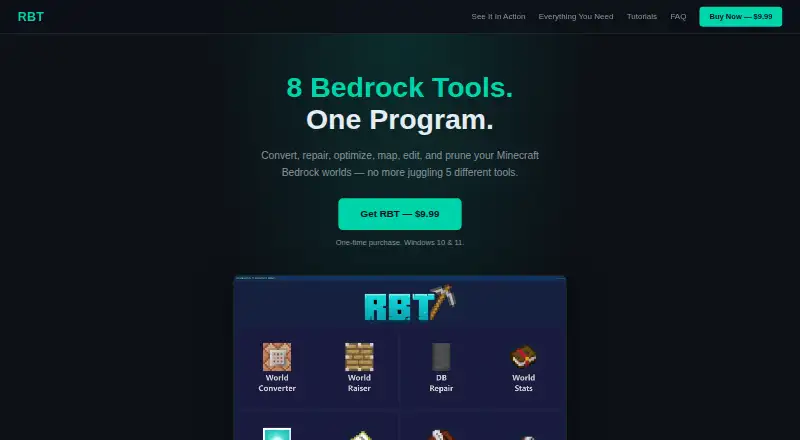
RBT is a Windows toolkit for converting, repairing, optimizing, mapping, editing, and pruning Minecraft Bedrock worlds. Its eight tools are World Converter, World Raiser, DB Repair, World Stats, World Optimizer, World Map, NBT Editor, and Pruner. The converter downgrades Bedrock worlds from version 1.18 and later to version 1.17 and its subversions, automatically handling biome conversion, entity migration, and block remapping. It does not convert Java Edition worlds to Bedrock.
World Map displays a top-down view of the Overworld, Nether, and End with biome tinting, and offers a live loading mode. RBT automatically backs up a world before changing it. It currently runs on Windows 10 and 11; the site says Mac and Linux support may come in the future based on demand. A one-time purchase of $9.99 USD includes all eight tools for use on one device at a time. The perpetual license includes free updates within version 1.x, while later major versions may be sold separately. Remarkoble is the independent developer; RBT is not an official Minecraft product and is not affiliated with Mojang or Microsoft.
Who it suits
RBT suits Minecraft Bedrock Edition users on Windows who want a single toolkit for world conversion and other editing or maintenance tasks. It is particularly relevant if you need to downgrade a Bedrock world to version 1.17 and its subversions, with automatic backups before changes.
What it does well
- Includes eight tools for Bedrock world conversion and management.
- Downgrades worlds from version 1.18 and later to version 1.17 and subversions.
- Automatically handles biome conversion, entity migration, and block remapping.
- Backs up a world automatically before making changes.
- World Map covers the Overworld, Nether, and End with biome tinting.
What to know first
- Runs on Windows 10 and 11; Mac and Linux support may come later.
- Does not convert Java Edition worlds to Bedrock.
- License permits use on one device at a time.
- Windows SmartScreen may warn because the installer lacks a paid signing certificate.
Limits
The $9.99 USD one-time plan includes all eight tools for one device at a time. Free updates are included within version 1.x; later major versions may be sold separately.
Plans
| Plan | Billed and limits | Price |
|---|---|---|
| RBT | USD — one-time purchase · Windows 10 & 11 · All 8 tools included · One device at a time | $9.99, paid once |
As rbtofficial.com lists them, read 7 Oct 2026. The maker's own page has the final word.
Getting started
- Visit https://rbtofficial.com/.
- Purchase the RBT plan for $9.99 USD as a one-time payment.
- Install and run it on Windows 10 or 11.
- Use the included tools with Minecraft Bedrock Edition worlds.
- Keep in mind the perpetual license is for one device at a time.
Verdict
Choose RBT if you work with Minecraft Bedrock worlds on Windows and want its conversion, repair, mapping, and other tools in one purchase. Its automatic backups and Bedrock downgrade support are central reasons to consider it. Look elsewhere if you need Java-to-Bedrock conversion or a platform other than Windows 10 or 11.
Questions
How much does RBT cost?
The RBT plan costs $9.99 USD as a one-time purchase.
Which platforms does RBT support?
RBT currently runs on Windows 10 and 11. The site says Mac and Linux support may come in the future based on demand.
Can RBT convert Java worlds to Bedrock?
No. Java-to-Bedrock conversion is not supported; the listed source and target editions are Minecraft Bedrock Edition.
What does the license include?
It is a perpetual license for one device at a time, with free updates within version 1.x. Later major versions may be sold separately.
Who makes RBT?
The site identifies Remarkoble as the independent developer. RBT is not an official Minecraft product and is not affiliated with Mojang or Microsoft.
Facts from RBT's own pages
- Backups
- RBT automatically backs up a world before making changes. · rbtofficial.com, 7 Oct 2026
- Developer
- The site identifies Remarkoble as the independent developer and says RBT is not an official Minecraft product or affiliated with Mojang or Microsoft. · rbtofficial.com, 7 Oct 2026
- Included tools
- The listed tools include a World Converter, World Raiser, DB Repair, World Stats, World Optimizer, World Map, NBT Editor, and Pruner. · rbtofficial.com, 7 Oct 2026
- Installer signing
- The maker says the installer is not yet signed with a paid Windows code-signing certificate, so Windows SmartScreen may show a warning. · rbtofficial.com, 7 Oct 2026
- License limit
- The perpetual license is non-transferable and permits use on one device at a time; free updates are included within version 1.x, while later major versions may be sold separately. · rbtofficial.com, 7 Oct 2026
- Payment handling
- Dodo Payments handles purchases and license keys, and the maker says it does not see or store payment card details. · rbtofficial.com, 7 Oct 2026
- Privacy
- The privacy policy says RBT sends a license key to Dodo Payments for validation and sends no other data from the app; the site says it does not use cookies. · rbtofficial.com, 7 Oct 2026
- Purpose
- RBT combines tools to convert, repair, optimize, map, edit, and prune Minecraft Bedrock worlds. · rbtofficial.com, 7 Oct 2026
- Support and refunds
- Refund requests for genuine product issues are accepted within 14 days; the maker says it aims to respond to requests within two business days. · rbtofficial.com, 7 Oct 2026
- Supported platform
- RBT currently runs on Windows 10 and 11; the site says Mac and Linux support may come in the future based on demand. · rbtofficial.com, 7 Oct 2026
- World conversion
- The converter currently downgrades worlds from version 1.18 and later to version 1.17 and its subversions, with biome conversion, entity migration, and block remapping handled automatically. · rbtofficial.com, 7 Oct 2026
- World map
- The World Map provides a top-down map with biome tinting for the Overworld, Nether, and End, plus a live loading mode. · rbtofficial.com, 7 Oct 2026
Where RBT stands on Freedom251
- Minecraft World Converters#16 of 18