Freedom251 › Minecraft World Converters
Minecraft World Converter
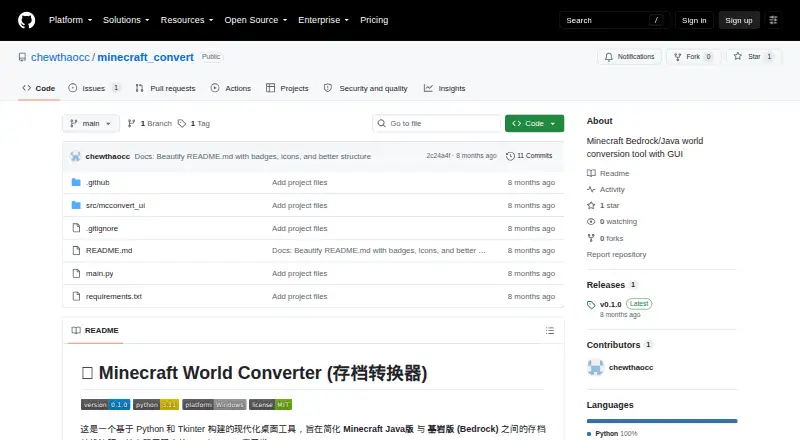
What Minecraft World Converter is
Minecraft World Converter is a Windows desktop tool for moving Minecraft world saves between Java Edition and Bedrock Edition. It converts in either direction and can also change a save’s version while keeping it in the same edition, including downgrades such as Java 1.20 to Java 1.16. Choose a target game version for the converted save; the default is the latest version. Available targets depend on Amulet, and an unsupported selection may use the nearest compatible version.
The graphical interface displays live logs, so conversion does not require command-line operation. It can process multiple imported saves in a batch and send the results to a selected output directory. An optional forced repair mode resaves chunks in an attempt to repair damaged data. The project is built on Amulet Core, a Python library for reading and writing Minecraft save formats. The tool is free and open source under the MIT license. Its README describes downloading and running the Windows executable mcconvert.exe. For development, it recommends Python 3.10 or 3.11 in a Windows environment. Back up original worlds before converting because the operation carries a high risk to save data.
Who it suits
This tool suits Minecraft players who need to convert worlds between Java and Bedrock or change a save’s version within one edition. Batch conversion and a graphical interface may also suit users handling multiple saves who prefer not to operate through a command line.
What it does well
- Converts worlds between Java Edition and Bedrock Edition in either direction.
- Changes versions within an edition, including downgrades.
- Batch-converts multiple saves to a chosen output directory.
- Graphical interface provides live logs without command-line operation.
- Optional forced repair mode resaves chunks to try to fix damaged data.
- Free and open source under the MIT license.
What to know first
- Available target versions depend on Amulet support.
- Unsupported target selections may use the nearest compatible version.
- Conversion carries a high risk to original save data.
- The listed platform is Windows.
Limits
Available target versions depend on Amulet; unsupported selections may use the nearest compatible version. Conversion is high risk to original saves, so back them up first.
Getting started
- Open the project website on GitHub.
- Download the Windows executable mcconvert.exe described in the README.
- Run the executable on Windows.
- Import one or more world saves and choose an output directory.
- Select a target game version; the default is the latest version.
- Back up original saves before converting.
Verdict
Choose Minecraft World Converter if you need Java-to-Bedrock or Bedrock-to-Java conversion, same-edition version changes, or batch processing on Windows. Back up original saves before conversion, and account for the possibility that an unsupported target version uses the nearest compatible one.
Questions
Is Minecraft World Converter free?
Yes. It is free and open source under the MIT license.
Which Minecraft editions can it convert?
It converts between Java Edition and Bedrock Edition in both directions. It also supports version changes within the same edition.
Can it convert several saves at once?
Yes. It can import multiple saves and convert them in a batch to a selected output directory.
What platform does it support?
The listed platform is Windows. The README describes a Windows executable named mcconvert.exe.
Can I choose the output game version?
Yes. You can select a target version, with the latest version as the default. Available targets depend on Amulet, and unsupported choices may use the nearest compatible version.
Does it have a repair option?
An optional forced repair mode resaves chunks in an attempt to repair damaged data.
Facts from Minecraft World Converter's own pages
- Backup warning
- The README warns users to back up original saves before conversion because conversion is high risk. · github.com, 7 Oct 2026
- Batch processing
- It can import multiple saves and convert them in batch to a selected output directory. · github.com, 7 Oct 2026
- Build
- The project says it uses PyInstaller to package a single-file executable named mcconvert.exe. · github.com, 7 Oct 2026
- Compatibility limit
- The README says available target versions depend on Amulet updates and that unsupported choices may use the nearest compatible version. · github.com, 7 Oct 2026
- Conversion
- It supports conversion in both directions between Java and Bedrock. · github.com, 7 Oct 2026
- Core library
- The project says it is built on the Amulet Core library. · github.com, 7 Oct 2026
- Data caution
- The README advises users to back up original worlds before conversion because the operation is high risk. · github.com, 7 Oct 2026
- Dependency description
- Amulet Core describes itself as a Python library for reading and writing Minecraft save formats. · github.com, 7 Oct 2026
- Development requirements
- The README recommends Python 3.10 or 3.11 and a Windows environment for development. · github.com, 7 Oct 2026
- Interface
- The tool has a graphical interface with live logs and does not require command-line operation. · github.com, 7 Oct 2026
- License
- The project README identifies the tool's license as MIT. · github.com, 7 Oct 2026
- Purpose
- A desktop tool for converting Minecraft Java and Bedrock world saves. · github.com, 7 Oct 2026
- Repair
- Its optional forced repair mode resaves chunks to try to repair damaged data. · github.com, 7 Oct 2026
- Target versions
- Users can choose a specific target game version, with the default set to the latest version. · github.com, 7 Oct 2026
- Version changes
- It supports changing versions within the same platform, including downgrades such as Java 1.20 to Java 1.16. · github.com, 7 Oct 2026
- Version support limit
- Available target versions depend on Amulet, and unsupported selections may use the nearest compatible version. · github.com, 7 Oct 2026
- Windows download
- The README describes downloading and running a Windows executable named mcconvert.exe. · github.com, 7 Oct 2026
Where Minecraft World Converter stands on Freedom251
- Minecraft World Converters#17 of 18