Freedom251 › Minecraft Mod Development Tools
Ravel Remapper
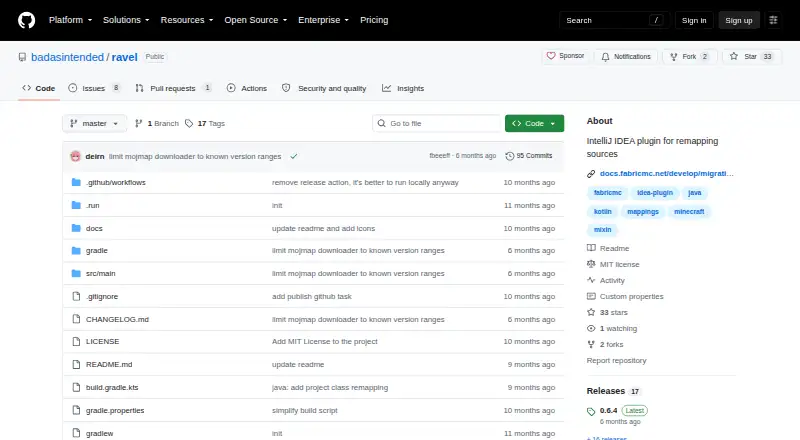
What Ravel Remapper is
Ravel Remapper is a free IntelliJ IDEA plugin for changing the mappings used in Java and Kotlin source files. It is aimed at developers working with Fabric mod projects, including those migrating between Yarn and Mojang mappings. Ravel uses IntelliJ’s Program Structure Interface (PSI) and Mapping-IO to process source files. It supports Mixins, Class Tweakers, and Access Wideners, as well as MixinExtras, but not MixinExtras Expressions.
To run a remap, open the action from the editor’s Refactor menu, choose mapping files and source and destination namespaces, select one or more modules, and start the operation. Mapping files can be added manually or downloaded from the remapping dialog. The project recommends committing changes before remapping, then searching for TODO(Ravel) and correcting any issues found by hand. Ravel is available from JetBrains Marketplace or as a ZIP from GitHub Releases for installation from disk. It supports Linux, macOS, and Windows, and the repository identifies its license as MIT. The latest listed release is version 0.6.4.
Who it suits
Ravel suits developers using IntelliJ IDEA to update Java or Kotlin mappings in Fabric mod source projects. It is useful when working with supported formats such as Mixins, Class Tweakers, or Access Wideners, including migration between Yarn and Mojang mappings.
What it does well
- Free and MIT-licensed.
- Supports Java and Kotlin source files.
- Works with Mixins, Class Tweakers, and Access Wideners.
- Mapping files can be added or downloaded in the dialog.
- Available for Linux, macOS, and Windows.
What to know first
- Does not support MixinExtras Expressions.
- Remapping issues flagged as TODO(Ravel) require manual fixes.
Limits
Ravel does not support MixinExtras Expressions. The project instructs users to review and manually fix issues detected through TODO(Ravel) after remapping.
Plans
| Plan | Billed and limits | Price |
|---|---|---|
| Free | IntelliJ IDEA plugin · MIT-licensed | Free |
As github.com lists them, read 9 Oct 2026. The maker's own page has the final word.
Getting started
- Install Ravel through JetBrains Marketplace or download its ZIP from GitHub Releases for installation from disk.
- Commit your source changes before remapping.
- Open the remapping action from the editor’s Refactor menu.
- Add mapping files manually or use the dialog’s download option, then choose source and destination namespaces.
- Select individual modules or add all modules, then run the remap.
- Search for TODO(Ravel) and fix any detected issues manually.
Verdict
Choose Ravel if you need to remap Java or Kotlin source files in IntelliJ IDEA, particularly for a Fabric mod project. Its support for selected mapping formats and free MIT license are useful; look elsewhere if your workflow depends on MixinExtras Expressions.
Questions
How much does Ravel Remapper cost?
It is free and open source under the MIT license.
Which source languages does it support?
Ravel supports remapping Java and Kotlin source files.
Which mapping formats does it support?
It supports Mixins, MixinExtras, Class Tweakers, and Access Wideners, but not MixinExtras Expressions.
How do I install it?
Install it through JetBrains Marketplace or download a ZIP from GitHub Releases and install it from disk.
Can Ravel help migrate Yarn and Mojang mappings?
Yes. Fabric documentation describes using Ravel for migration between Yarn and Mojang mappings.
Which operating systems does it support?
The listed platforms are Linux, macOS, and Windows.
Facts from Ravel Remapper's own pages
- Audience
- The project documentation presents Ravel for developers migrating mappings in Fabric mod source projects. · docs.fabricmc.net, 9 Oct 2026
- How it works
- Ravel is based on IntelliJ PSI and Mapping-IO. · github.com, 9 Oct 2026
- Implementation
- It is based on IntelliJ's Program Structure Interface (PSI) and Mapping-IO. · github.com, 4 Oct 2026
- Installation
- Ravel is available from JetBrains Marketplace or as a ZIP from GitHub Releases for installation from disk. · docs.fabricmc.net, 9 Oct 2026
- Languages
- It supports remapping Java and Kotlin source files. · github.com, 9 Oct 2026
- Latest listed release
- The GitHub Releases page lists version 0.6.4 as the latest release. · github.com, 4 Oct 2026
- License
- The repository provides the software under the MIT License. · github.com, 9 Oct 2026
- Manual review
- The documentation advises reviewing code after remapping and searching for TODO(Ravel) markers to find detected problems. · docs.fabricmc.net, 9 Oct 2026
- Mapping files
- Users can add mapping files and choose source and destination namespaces for remapping. · docs.fabricmc.net, 9 Oct 2026
- Mapping input
- Users can add mapping files manually or use the download option in the remapping dialog. · docs.fabricmc.net, 4 Oct 2026
- Mapping migration
- Fabric documentation describes using Ravel to migrate between Yarn and Mojang mappings. · docs.fabricmc.net, 9 Oct 2026
- Mixin support
- It supports Mixins and MixinExtras, but not MixinExtras Expressions. · github.com, 9 Oct 2026
- Module selection
- Users can select individual modules or add all modules for remapping. · docs.fabricmc.net, 9 Oct 2026
- Other formats
- It supports Class Tweakers and Access Wideners. · github.com, 9 Oct 2026
- Precaution
- The project recommends committing changes before remapping source files. · github.com, 4 Oct 2026
- Product
- Ravel is an IntelliJ IDEA plugin for remapping source files. · github.com, 9 Oct 2026
- Security
- The repository's Releases page shows verified committer signatures for listed releases. · github.com, 9 Oct 2026
- Supported formats
- Ravel supports Mixins, Class Tweakers, and Access Wideners; MixinExtras Expression is not supported. · github.com, 4 Oct 2026
- Supported languages
- Ravel supports remapping Java and Kotlin source files. · github.com, 4 Oct 2026
- Workflow
- Users open the remapping action from the editor's Refactor menu, select mappings and modules, and run the remap. · github.com, 4 Oct 2026
Where Ravel Remapper stands on Freedom251
- Minecraft Mod Development Tools#19 of 35