Freedom251 › Minecraft Mod Development Tools

Minecraft Development
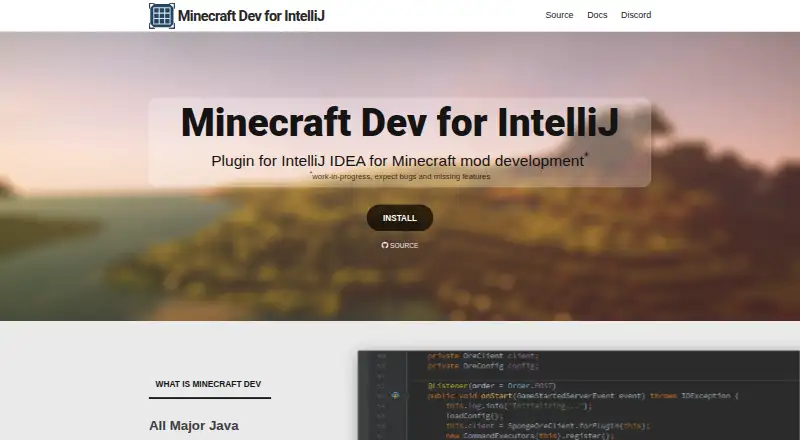
What Minecraft Development is
Minecraft Development is a free, open-source IntelliJ plugin for creating Minecraft mods, server plugins, and proxy projects. It works with IntelliJ IDEA Ultimate and Community Edition. The project generator groups targets by type and offers Gradle or Maven and Java or Kotlin depending on the selected platform. Supported platforms include Spigot, Paper, Sponge, Forge, NeoForge, Fabric, Architectury, Mixins, BungeeCord, Waterfall, and Velocity. The plugin also supports Access Transformers, Access Wideners, and NBT files. It identifies applicable modules by checking their libraries; users can register its facet manually if automatic detection does not work. Template repositories may use built-in templates, remote ZIPs, local directories, or ZIP archives. Installation is available through the IDE plugin browser, and separate nightly build channels are described. The maintainers direct bug reports and feature requests to the issue tracker. The plugin is labeled a work in progress, and its FAQ warns that exception reports submitted through IntelliJ may contain package names or source code that becomes publicly searchable in that tracker.
Who it suits
It suits developers creating Java Minecraft projects for supported mod, server-plugin, and proxy platforms, using IntelliJ IDEA Ultimate or Community Edition.
What it does well
- Free and open source.
- Supports IntelliJ IDEA Ultimate and Community Edition.
- Project generation offers Gradle or Maven.
- Supports Java or Kotlin, depending on platform.
- Configurable template repository options.
What to know first
- The plugin is a work in progress.
- Bugs and missing features may occur.
- Exception reports may expose package names or source code publicly.
Limits
The plugin is labeled a work in progress, so bugs and missing features may occur. Its listed plan is free and has no trial period.
Plans
| Plan | Billed and limits | Price |
|---|---|---|
| Minecraft Development | IntelliJ IDEA plugin · work in progress; bugs and missing features may occur | Free |
As mcdev.io lists them, read 5 Oct 2026. The maker's own page has the final word.
Getting started
- Open IntelliJ IDEA Ultimate or Community Edition
- Open the IDE’s plugin browser
- Install the Minecraft Development plugin
- Generate a project for a mod, plugin, or proxy target
- Choose the platform, build system, and Java or Kotlin
- Configure a template repository if needed
Verdict
Minecraft Development covers a wide range of Minecraft project targets and offers flexible build and template options. Expect an unfinished plugin, and consider the FAQ’s warning before submitting exception reports.
Questions
Is Minecraft Development free?
Yes. The Minecraft Development plan is free, and the project is open source.
Which IDEs can run it?
It is compatible with IntelliJ IDEA Ultimate and IntelliJ IDEA Community Edition.
Which Minecraft platforms are supported?
Listed support includes Spigot, Paper, Sponge, Forge, NeoForge, Fabric, Architectury, Mixins, BungeeCord, Waterfall, and Velocity.
Can it create Kotlin projects?
Yes. Depending on the selected platform, project creation offers Java or Kotlin, with Gradle or Maven.
Where are bugs and feature requests handled?
The FAQ directs users to the issue tracker for bug reports and feature requests.
What should users know about exception reports?
Reports submitted through IntelliJ may contain package names or source code and can be publicly searchable in the issue tracker.
Facts from Minecraft Development's own pages
- Additional support
- The plugin also provides in-depth support for Access Transformers, Access Wideners, and NBT files. · mcdev.io, 5 Oct 2026
- Audience
- The plugin is for developers creating Java Minecraft projects across supported mod, server plugin, and proxy platforms. · mcdev.io, 5 Oct 2026
- Build systems and languages
- Depending on the selected platform, project creation offers Gradle or Maven and Java or Kotlin. · mcdev.io, 5 Oct 2026
- Custom templates
- Users can configure template repositories, with built-in, remote ZIP, local directory, and ZIP archive providers. · mcdev.io, 5 Oct 2026
- Installation
- The plugin can be installed from the IDE’s plugin browser, and the site also describes separate nightly build channels. · mcdev.io, 5 Oct 2026
- Limit
- The website labels the plugin a work in progress and says users should expect bugs and missing features. · mcdev.io, 5 Oct 2026
- Minecraft platforms
- The site lists support for Spigot, Paper, Sponge, Forge, NeoForge, Fabric, Architectury, Mixins, BungeeCord, Waterfall, and Velocity. · mcdev.io, 5 Oct 2026
- Product
- Minecraft Dev is an open source IntelliJ plugin for Minecraft mod development. · mcdev.io, 5 Oct 2026
- Project detection
- Minecraft Dev detects applicable modules by checking their libraries and lets users register its facet manually if detection fails. · mcdev.io, 5 Oct 2026
- Project types
- The project generator groups supported targets as mods, plugins, and proxies. · mcdev.io, 5 Oct 2026
- Security disclosure
- The FAQ warns that exception reports submitted through IntelliJ may include package names or source code and will be publicly searchable in the issue tracker. · mcdev.io, 5 Oct 2026
- Support
- The FAQ directs users to the issue tracker for bug reports and feature requests and says the maintainers try to address bugs quickly. · mcdev.io, 5 Oct 2026
- Supported IDEs
- The plugin is compatible with IntelliJ IDEA Ultimate or Community Edition. · mcdev.io, 5 Oct 2026
Where Minecraft Development stands on Freedom251
- Minecraft Mod Development Tools#15 of 35