Freedom251 › File Manager Software

Rascal
What Rascal is
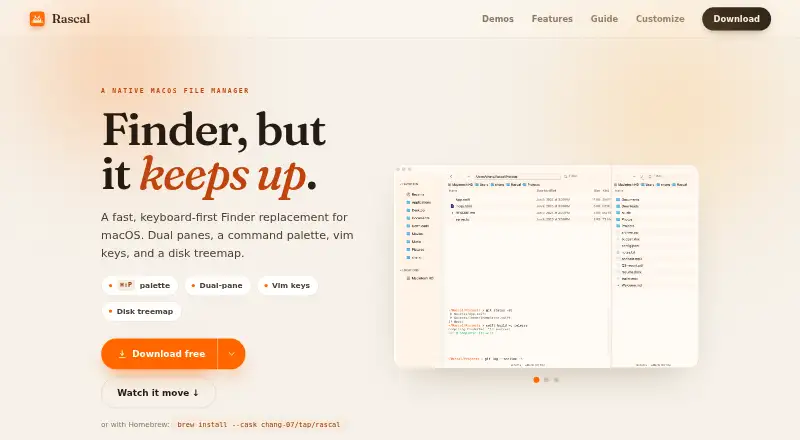
Rascal is a free, keyboard-first Finder replacement for macOS 13 Ventura or later. It supports dual panes, tabs, and List, Icon, Column, and Gallery views. Pressing ⌘⇧P opens a fuzzy command palette for actions, themes, tabs, and favorite folders. Search tools include live filtering, fuzzy filename search, file-content search, and saved searches that can be pinned as smart folders. File actions cover cut and paste, undo, Quick Look, Finder tags, and batch renaming with regular expressions and a live preview. A color-coded disk treemap lets you drill into folders to inspect space usage. Rascal provides 17 built-in themes, custom JSON themes, and rebindable shortcuts. Its guide describes an inline terminal plus user-initiated SFTP and server or network-share connections. The maker says there is no account, cloud sync, analytics, or telemetry, and app data stays on the Mac. Native Apple Silicon and Intel builds are available. The Free plan costs nothing and has no paywall or Pro tier.
Who it suits
Rascal suits Mac users who prefer keyboard-driven file navigation, search, and batch operations. It is also suited to people wanting dual panes, tabs, customization, and local app data.
What it does well
- Free plan with no Pro tier
- Dual panes, tabs, and four view modes
- Fuzzy filename and content search
- Batch rename with regex preview
- Disk treemap for space inspection
What to know first
- Requires macOS 13 Ventura or later
- No Windows or Linux platform listed
- Server connections require user initiation
Plans
| Plan | Billed and limits | Price |
|---|---|---|
| Free | macOS 13 Ventura or later · Apple Silicon and Intel · no paywall or Pro tier | Free |
As tryrascal.org lists them, read 11 Oct 2026. The maker's own page has the final word.
Verdict
Rascal combines keyboard controls, multiple views, detailed search, and file-management tools in a free macOS Finder replacement. Its platform requirement and Mac-only availability define the main limitation.
Facts from Rascal's own pages
- Batch rename
- Yes · tryrascal.org, 20 Sept 2026
- Command palette
- A fuzzy command palette opens with ⌘⇧P and provides access to actions, themes, tabs, and favorite folders. · tryrascal.org, 11 Oct 2026
- Compatibility
- Rascal has native Apple Silicon and Intel builds and requires macOS 13 Ventura or later. · tryrascal.org, 11 Oct 2026
- Credentials
- For user-initiated connections to servers or network shares, the privacy policy says credentials are kept in the macOS Keychain. · tryrascal.org, 11 Oct 2026
- Customization
- The app includes 17 built-in themes, supports custom JSON themes, and lets users rebind keyboard shortcuts. · tryrascal.org, 11 Oct 2026
- Disk usage
- A live, color-coded disk treemap lets users drill into folders to inspect space usage. · tryrascal.org, 11 Oct 2026
- Dual-pane view
- Yes · tryrascal.org, 20 Sept 2026
- File operations
- File tools include cut and paste, undo, batch rename with regex and a live preview, Quick Look, and Finder tags. · tryrascal.org, 11 Oct 2026
- File search
- It offers live filtering, fuzzy file search by name, file-content search, and saved searches pinned as smart folders. · tryrascal.org, 11 Oct 2026
- Free plan
- Yes · tryrascal.org, 20 Sept 2026
- Integrations
- The guide describes an inline terminal, SFTP, and connections to servers or network shares that users initiate. · tryrascal.org, 11 Oct 2026
- Navigation and views
- Rascal supports dual panes, tabs, and List, Icon, Column, and Gallery views. · tryrascal.org, 11 Oct 2026
- Supported platforms
- macOS 13 or later · tryrascal.org, 20 Sept 2026
- Privacy
- The maker says Rascal collects no analytics or telemetry, has no account or cloud sync, and keeps app data on the Mac. · tryrascal.org, 11 Oct 2026
- Product
- Rascal is a keyboard-first Finder replacement for macOS. · tryrascal.org, 11 Oct 2026
- Support
- The privacy policy directs privacy questions to an issue on GitHub. · tryrascal.org, 11 Oct 2026
- Tabbed interface
- Yes · tryrascal.org, 20 Sept 2026
Where Rascal stands on Freedom251
- File Manager Software#51 of 100