Freedom251 › File Compression Software
RAR for Android
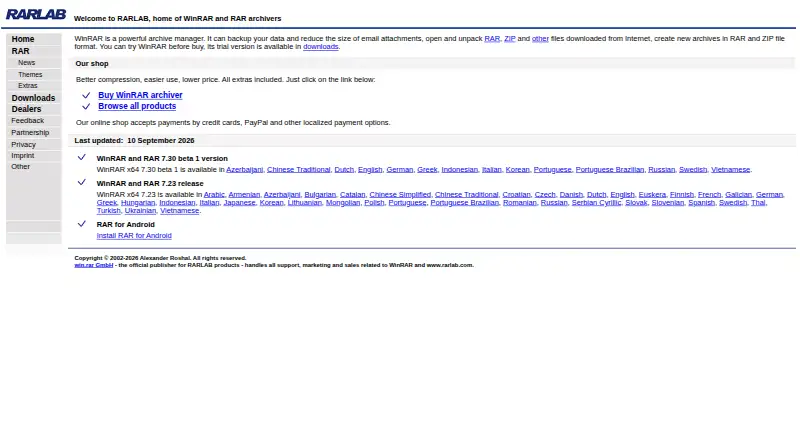
What RAR for Android is
RAR for Android is an Android app for creating and unpacking archives, backing up files, and handling basic file management. It creates RAR and ZIP archives, including multivolume archives, and extracts RAR, ZIP, ZIPX, TAR, GZ, BZ2, XZ, 7z, ISO and ARJ files. It can open password-protected and multipart RAR archives, repair damaged ZIP and RAR files, and work with recovery records and recovery volumes. Archives can be password-protected with AES 256-bit encryption. Its file tools can copy, delete, move and rename files and folders, create folders, and install APK packages. The product page lists Android 4.4 and later as compatible. The app is free and ad-supported, with a paid ad-free option available; the listed free plan costs nothing. RARLAB says the core archiving module does not collect personal information or send locally stored file names, paths or archive passwords off the device. Its privacy policy says Analytics and Firebase may collect usage data and device identifiers, while Crashlytics collects crash information such as stack traces and Instance IDs. The app integrates Google AdMob, Google Analytics, Firebase and Firebase Crashlytics. Support is available by email at [email protected].
Who it suits
RAR for Android suits Android users who need to create or open a range of archive formats, including encrypted or multipart RAR files. It also fits people who want basic file operations and APK installation alongside archive tools.
What it does well
- Creates RAR and ZIP archives, including multivolume archives.
- Extracts a broad range of listed archive formats.
- Supports AES 256-bit archive password protection.
- Can repair damaged ZIP and RAR files.
- Includes file and folder management tools.
- Free to use, with a paid ad-free option available.
What to know first
- Available on Android only.
- The free app is ad-supported.
- Analytics, Firebase and Crashlytics may collect usage, device or crash data.
Limits
The free plan is ad-supported. The product is listed for Android, and its page specifies Android 4.4 and up as compatible.
Plans
| Plan | Billed and limits | Price |
|---|---|---|
| RAR for Android | Android app · ad-supported · paid ad-free option available | Free |
As rarlab.com lists them, read 4 Oct 2026. The maker's own page has the final word.
Getting started
- Open the RARLAB Android product page.
- Install the app on an Android device running Android 4.4 or later.
- Use the free ad-supported plan or choose the paid ad-free option.
- Open or create archives, or use the file management tools.
Verdict
Choose RAR for Android if you need archive creation, extraction, repair and basic file handling on an Android device. Consider the paid ad-free option if you want to remove ads; its integrations may collect usage, device or crash data as described in the privacy policy.
Questions
How much does RAR for Android cost?
The free plan is listed as free. A paid ad-free option is available, but no price is provided here.
Which archive formats can it create and extract?
It creates RAR and ZIP archives. It extracts RAR, ZIP, ZIPX, TAR, GZ, BZ2, XZ, 7z, ISO and ARJ files.
Can it handle encrypted archives and repair files?
Yes. It supports password-protected archives with AES 256-bit encryption and can repair damaged ZIP and RAR files.
Which devices does it support?
RAR for Android supports Android. Its product page lists Android 4.4 and up as compatible.
Does the app collect data?
RARLAB says the core archiving module does not collect personal information or send local file names, paths or archive passwords off the device. Its policy says Analytics and Firebase may collect usage data and device identifiers, while Crashlytics collects crash information.
How can I contact support?
The Google Play listing provides [email protected] as the support email.
Facts from RAR for Android's own pages
- Android compatibility
- The product page lists Android 4.4 and up as compatible. · win-rar.com, 4 Oct 2026
- Archive creation
- The app creates RAR and ZIP archives, including multivolume archives. · play.google.com, 4 Oct 2026
- Archive extraction
- It unpacks RAR, ZIP, TAR, GZ, BZ2, XZ, 7z, ISO and ARJ archives, including password-protected and multipart RAR files. · play.google.com, 4 Oct 2026
- Data collection caveat
- The privacy policy says Analytics and Firebase may collect usage data and device identifiers, while Crashlytics collects crash information such as stack traces and Instance IDs. · rarlab.com, 4 Oct 2026
- Download and price
- RAR for Android 7.22 build 132 is listed as a free graphical app in RARLAB’s downloads. · rarlab.com, 4 Oct 2026
- Encryption
- The product page states that archives can be password-protected with AES 256-bit encryption. · win-rar.com, 4 Oct 2026
- File management
- File management functions include copying, deleting, moving and renaming files and folders, creating folders and installing APK packages. · play.google.com, 4 Oct 2026
- Headquarters
- Berlin, Germany · rarlab.com, 28 Sept 2026
- Integrations
- RAR for Android integrates Google AdMob, Google Analytics, Firebase and Firebase Crashlytics. · rarlab.com, 4 Oct 2026
- Privacy
- RARLAB says the core archiving module does not collect personal information and does not transfer locally stored file names, paths or archive passwords off the device. · rarlab.com, 4 Oct 2026
- Purpose
- RAR for Android is a compression, archiving, extraction, backup and basic file management app. · play.google.com, 4 Oct 2026
- Repair and recovery
- Features include repair for damaged ZIP and RAR files, recovery records and recovery volumes. · play.google.com, 4 Oct 2026
- Support
- The Google Play listing provides [email protected] as the support email. · play.google.com, 4 Oct 2026
Where RAR for Android stands on Freedom251
- File Compression Software#22 of 36