Freedom251 › File Compression Software

PowerArchiver
What PowerArchiver is
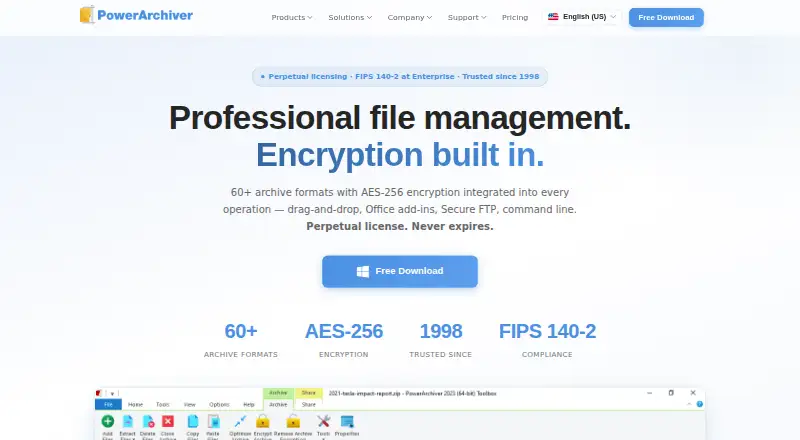
PowerArchiver is archive software for creating, compressing, extracting and managing more than 60 formats, including ZIP, 7Z, RAR, TAR, ISO and CAB. It supports AES-256 encryption, split archives, archive repair and command-line tools. Its proprietary PA codec provides lossless compression and is described as reducing documents by 30–70%. The Windows edition supports Windows 7 through Windows 11 and Server 2008 R2 through Server 2025; the separate Mac product has Finder integration and native drag-and-drop. Editions add different tools: Professional includes Outlook, Word and Excel add-ins, while Professional Toolbox includes a cloud browser for S3, Google Drive, OneDrive, Azure and Box, plus PACL. Business and higher editions include MSI installation, Group Policy support and silent deployment. Enterprise lists FIPS 140-2 validated encryption and HIPAA and DFARS support. PowerArchiver offers a free edition for non-commercial personal, student and nonprofit use, plus a 30-day trial. Paid plans start at $22.95, paid once.
Who it suits
It suits power users, IT teams and enterprises that need archive tools for Windows or macOS. The free edition is restricted to personal, student and nonprofit non-commercial use.
What it does well
- Manages more than 60 archive formats.
- Includes AES-256 encryption and archive repair.
- PA codec provides lossless compression.
- Professional Toolbox adds cloud browsing and PACL.
- Enterprise lists FIPS 140-2, HIPAA and DFARS support.
What to know first
- Free edition excludes commercial use.
- Paid plans are billed per seat.
- Mac product is a separate codebase.
Limits
PowerArchiver Free is licensed only for non-commercial personal, student, and nonprofit use. The free trial lasts 30 days.
Plans
| Plan | Billed and limits | Price |
|---|---|---|
| PowerArchiver Free | non-commercial · no expiration · personal use · students · non-profits · 60+ formats | Free |
| Business | per-seat · perpetual · commercial use · 60+ formats · MSI deployment · volume discounts | $22.95, paid once |
| Professional | per-seat · perpetual · OpenPGP · backup · Office add-ins · cloud · FTP | $34.95, paid once |
| Professional Toolbox | per-seat · perpetual · PACL · Secure FTP client · Virtual ISO · burner · cloud browser | $49.95, paid once |
| Enterprise Unlimited | flat-fee site license · organization-wide deployment · no seat counting · no site or country limits | $4,995, paid once |
| Enterprise | per-seat · perpetual · volume discounts · FIPS 140-2 · HIPAA · DFARS · centralized IT control · audit logging | $59.95, paid once |
As powerarchiver.com lists them, read 2 Oct 2026. The maker's own page has the final word.
Getting started
- Choose Windows or macOS for your platform.
- For a no-cost option, select PowerArchiver Free if your use is personal, student, or nonprofit and non-commercial.
- Alternatively, start the 30-day trial with every feature in the highest Toolbox edition unlocked.
- Select a paid edition if you need commercial use or its included edition-specific tools.
Verdict
PowerArchiver covers a broad range of archive formats, with higher editions adding cloud, Office, deployment and enterprise controls. Check the edition and license terms to match your intended use.
Questions
Is PowerArchiver free?
Yes. PowerArchiver Free costs nothing and has no expiration, but it is limited to non-commercial personal, student, and nonprofit use.
How much do paid editions cost?
Business is $22.95, paid once, Professional is $34.95, paid once, Professional Toolbox is $49.95, paid once, Enterprise is $59.95, paid once, and Enterprise Unlimited is $4,995, paid once.
Which platforms does it support?
PowerArchiver supports Windows and macOS. PowerArchiver Pro for Mac is a separate product with Finder integration and native drag-and-drop.
How long is the trial?
The trial lasts 30 days and unlocks every feature in the highest Toolbox edition.
Which edition includes cloud services and command-line tools?
Professional Toolbox includes PACL, the PowerArchiver command-line tool, and a cloud browser for S3, Google Drive, OneDrive, Azure, and Box.
Who makes PowerArchiver?
The listed facts say PowerArchiver was created in 1998. They do not identify a maker name.
Facts from PowerArchiver's own pages
- Automation
- Professional Toolbox includes PACL, the PowerArchiver command-line tool. · powerarchiver.com, 2 Oct 2026
- Cloud integrations
- Professional Toolbox includes a cloud browser for S3, Google Drive, OneDrive, Azure and Box. · powerarchiver.com, 2 Oct 2026
- Company history
- PowerArchiver was created in 1998 and is used in more than 150 countries with localization in more than 30 languages. · powerarchiver.com, 2 Oct 2026
- Compression codec
- The proprietary PA codec provides lossless compression and is described as reducing documents by 30–70%. · powerarchiver.com, 2 Oct 2026
- Core function
- PowerArchiver manages and compresses more than 60 archive formats, including ZIP, 7Z, RAR, TAR, ISO and CAB. · powerarchiver.com, 2 Oct 2026
- Customer profile
- The maker describes PowerArchiver as intended for power users, IT teams and enterprises. · powerarchiver.com, 2 Oct 2026
- Deployment
- Business and higher editions provide MSI installation, Group Policy support and silent deployment. · powerarchiver.com, 2 Oct 2026
- Encryption
- AES-256 encryption is integrated into PowerArchiver archive operations. · powerarchiver.com, 2 Oct 2026
- Founded
- 1998 · powerarchiver.com, 28 Sept 2026
- Free edition limit
- PowerArchiver Free is the complete Business product but is licensed only for non-commercial personal, student and nonprofit use. · powerarchiver.com, 2 Oct 2026
- Headquarters
- Reston, Virginia, United States · powerarchiver.com, 28 Sept 2026
- Mac product
- PowerArchiver Pro for Mac is a separate macOS codebase with Finder integration and native drag-and-drop. · powerarchiver.com, 2 Oct 2026
- Office integration
- Professional includes add-ins for Outlook, Word and Excel. · powerarchiver.com, 2 Oct 2026
- Security compliance
- Enterprise provides FIPS 140-2 validated encryption and lists HIPAA and DFARS support. · powerarchiver.com, 2 Oct 2026
- Support
- Technical support is free for all users, while active PA Select customers receive priority engineering support with a one-business-day response commitment. · powerarchiver.com, 2 Oct 2026
- Trial
- The trial lasts 30 days and unlocks every feature in the highest Toolbox edition without watermarks or feature throttling. · powerarchiver.com, 2 Oct 2026
- Windows support
- The Windows build supports Windows 7 through Windows 11 and Server 2008 R2 through Server 2025. · powerarchiver.com, 2 Oct 2026
Where PowerArchiver stands on Freedom251
- File Compression Software#18 of 36