Freedom251 › File Compression Software

The Unarchiver
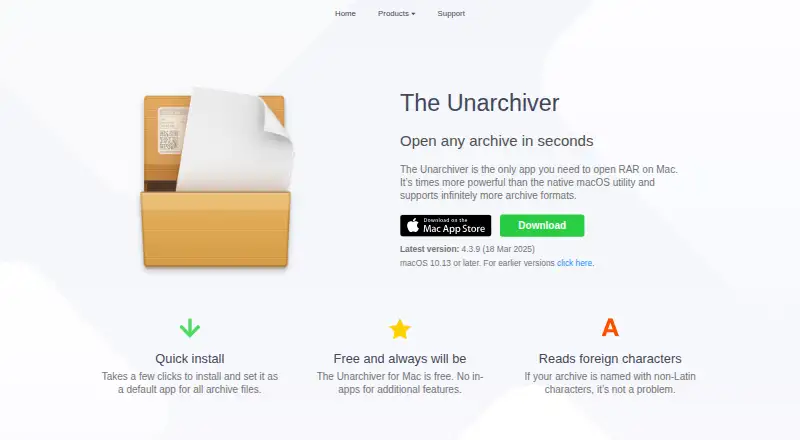
What The Unarchiver is
The Unarchiver is a free macOS app for opening archive files and extracting their contents. It supports ZIP, RAR, 7z, TAR, Gzip, Bzip2, ISO, and many older or unusual formats. ZIP support includes AES encryption, while RAR support includes encrypted archives and multiple volumes. It can also handle archive names containing non-Latin characters. The graphical app requires macOS 10.13 or later; the current listed version is 4.3.9, dated 18 March 2025. The maker says installation and setting it as the default for archive files takes a few clicks. Its unar and lsar command-line tools are available for macOS, Windows, and Linux, but there is no graphical app for other operating systems. The Windows command-line version is described as slightly outdated. Format coverage varies: StuffIt X support is partial, and Ace 2.0 and later are unsupported. MacPaw’s privacy policy says it does not collect or transfer files unpacked with the app, while describing collection of location, log, usage, device, and contact information.
Who it suits
The Unarchiver suits Mac users who need to open a range of archive formats, including encrypted ZIP or RAR files. Users on Windows or Linux can use the command-line tools, but the maker does not offer a graphical app for those systems.
What it does well
- Free, with no in-app purchases for additional features.
- Supports ZIP, RAR, 7z, TAR, Gzip, Bzip2, and ISO.
- ZIP support includes AES encryption.
- Handles archive names with non-Latin characters.
- Command-line tools are available for Windows and Linux.
What to know first
- The graphical app requires macOS 10.13 or later.
- There is no graphical app for other operating systems.
- Windows command-line version is slightly outdated.
- StuffIt X support is partial; Ace 2.0 and later are unsupported.
Limits
The Mac app requires macOS 10.13 or later. Format coverage is partial for StuffIt X, and Ace 2.0 and later are unsupported.
Plans
| Plan | Billed and limits | Price |
|---|---|---|
| The Unarchiver for Mac | Free and always will be · macOS 10.13 or later · no in-app purchases for additional features | Free |
As theunarchiver.com lists them, read 9 Oct 2026. The maker's own page has the final word.
Getting started
- Visit https://theunarchiver.com/
- Install the Mac app on a system running macOS 10.13 or later
- Set The Unarchiver as the default app for archive files
- For command-line use, choose the unar and lsar tools for macOS, Windows, or Linux
Verdict
The Unarchiver provides broad archive-format support in a free macOS app, with command-line tools for other operating systems. Check the system requirement and its documented format limitations if you rely on a specific archive type.
Questions
How much does The Unarchiver cost?
The Mac plan is free and is described as free permanently, with no in-app purchases for additional features.
Which systems can run it?
The graphical app requires macOS 10.13 or later. The unar and lsar command-line tools can run on macOS, Windows, and Linux.
Can it open encrypted archives?
ZIP support includes AES encryption. RAR support includes encryption and multiple volumes.
Does it support non-Latin archive names?
Yes, it can handle archive names containing non-Latin characters.
Who makes The Unarchiver?
The privacy policy names MacPaw in describing how information is handled.
Is there an iPhone or iPad app?
The maker describes a separate app called Archives for viewing archive contents and unzipping files on iPhone or iPad.
Facts from The Unarchiver's own pages
- Archive formats
- It supports formats including ZIP, RAR, 7z, TAR, Gzip, Bzip2, ISO, and many older and unusual formats. · theunarchiver.com, 9 Oct 2026
- Character support
- It can handle archive names containing non-Latin characters. · theunarchiver.com, 9 Oct 2026
- Encrypted archives
- Its ZIP support includes AES encryption, and its RAR support includes encryption and multiple volumes. · theunarchiver.com, 9 Oct 2026
- Headquarters
- Kyiv, Ukraine · theunarchiver.com, 28 Sept 2026
- Linux command-line tools
- Ubuntu 12.04 packages unar and lsar under the package name unar; the maker also describes compiling the tools from source on Linux. · theunarchiver.com, 9 Oct 2026
- Platform availability
- The maker describes The Unarchiver as a macOS app; its unar and lsar command-line tools can run on macOS, Windows, and Linux, with no GUI app for other operating systems. · theunarchiver.com, 9 Oct 2026
- Privacy
- The privacy policy says MacPaw does not collect or transfer files unpacked with The Unarchiver, while it does describe collecting location, log, usage, device, and contact information. · macpaw.com, 9 Oct 2026
- Purpose
- The Unarchiver is a macOS app for opening archives and extracting their contents. · theunarchiver.com, 9 Oct 2026
- Related iOS app
- The maker describes its separate Archives app as letting users view archive contents and unzip files on iPhone or iPad. · theunarchiver.com, 9 Oct 2026
- Setup
- The maker says it takes a few clicks to install and set the app as the default for archive files. · theunarchiver.com, 9 Oct 2026
- Support for imperfect format coverage
- For some formats, the maker documents partial or limited support, including partial StuffIt X support and no support for Ace 2.0 and later. · theunarchiver.com, 9 Oct 2026
- System requirement
- The current listed app version is 4.3.9, dated 18 March 2025, and requires macOS 10.13 or later. · theunarchiver.com, 9 Oct 2026
- Windows command-line limit
- The maker says the Windows command-line version is slightly outdated and an update will follow. · theunarchiver.com, 9 Oct 2026
Where The Unarchiver stands on Freedom251
- File Compression Software#19 of 36