Freedom251 › Augmented Reality Learning Apps
Quiver
What Quiver is
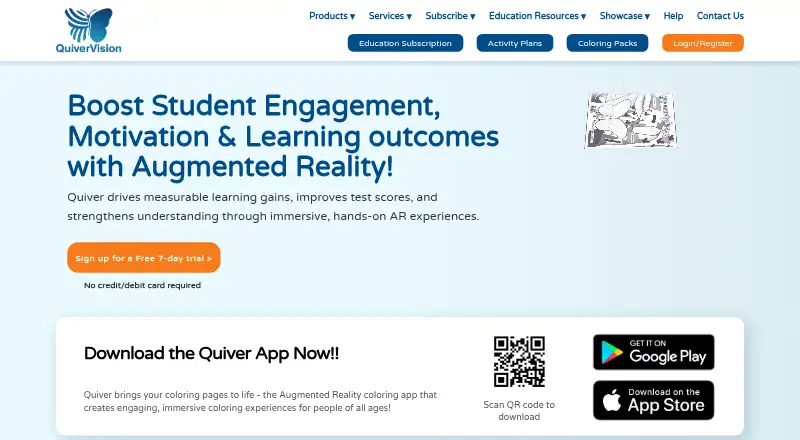
Quiver turns printed coloring pages into animated 3D augmented reality experiences. Its free tier includes 10 AR coloring sheets with no subscription required. Education subscriptions are aimed at educators, librarians, and people working with multiple devices; listed plans include 350+ AR sheets and 120+ activity plans, with new material added monthly. Seat plans range from 10 to 500, and the number of teacher logins and availability of classroom management vary by plan. An individual subscription covers one device. Education plans offer Google and Microsoft sign-in, and Quiver includes lesson authoring and classroom management. QuiverVision also offers browser-based AR for events and promotional campaigns without an app install. Mobile use requires a rear-facing camera and either iOS 13 or later or Android 8.0 Oreo (API Level 26) or later. Some Android devices, including Motorola Moto, Realme C2, Oppo F11, and ZTE Blade 20 Smart, are unsupported. The product is available on Android, iOS, and the web.
Who it suits
Quiver suits children, families, educators, librarians, and organizations using coloring pages for learning or activities. Its education plans are geared toward people managing multiple devices, while the individual subscription is for one device.
What it does well
- Free tier includes 10 AR coloring sheets
- Education plans list 350+ AR sheets
- New subscription content is added monthly
- Web AR works without an app install
What to know first
- Individual subscription covers one device
- Requires a rear-facing camera for mobile use
- Some Android devices are unsupported
Plans
| Plan | Billed and limits | Price |
|---|---|---|
| Free Tier | 10 free AR coloring sheets · no subscription | Free |
| Education Subscription - 75 Seats | per year · 3 teacher logins · 350+ AR coloring sheets · 120+ activity plans | $199 a year |
| Individual Subscription - 1 User | per year · 350+ AR coloring sheets · 120+ activity plans | $25 a year |
| Education Subscription - 150 Seats | per year · 6 teacher logins · classroom management · 350+ AR coloring sheets · 120+ activity plans | $349 a year |
| Education Subscription - 10 Seats | per year · 1 teacher login · 350+ AR coloring sheets · 120+ activity plans | $60 a year |
| Education Subscription - 500 Seats | per month · 20 teacher logins · classroom management · onboarding and training · priority support · 350+ AR coloring sheets · 120+ activity plans | $749 a month |
| Education Subscription - 30 Seats | per year · 1 teacher login · 350+ AR coloring sheets · 120+ activity plans | $99 a year |
| 500 Seats | monthly or yearly · 500 seats · 350+ AR sheets · 120+ activity plans · 20 teacher logins · classroom management · free onboarding and training · priority support | On request |
The first 8 of 14 plans, as quivervision.com lists them, read 15 Oct 2026. The maker's own page has the final word. Every plan
Quiver is a coloring-led augmented-reality platform for families, educators, libraries, and organizations that want a physical worksheet to become an animated 3D activity. It is strongest when drawing is part of the lesson; buyers managing several devices should compare seat and teacher-login limits before committing.
Overview
Quiver uses marker-based AR: color a printed page, then point a device’s rear camera at it to see the result in 3D. The approach gives younger learners a concrete starting point and suits guided classroom or family sessions better than tools built around creating wholly digital scenes. Lesson authoring is supported, and education subscriptions add a much larger content base and administrative controls. QuiverVision also licenses AR technology, 3D content, and development tools to brands.
Key features
Sheets and activity plans
Education plans include more than 350 AR sheets and 120 activity plans, with new content added monthly within the subscription. That is a meaningful foundation for recurring lessons, whereas the free tier’s 10 sheets is best viewed as an introduction. An Individual Subscription includes the 350-plus sheets and activity plans, but its one-device license limits its usefulness for shared classrooms.
Classroom administration
Google and Microsoft sign-in are included on education plans. Seat counts run from 10 to 500, while teacher-logins increase from one on the 10-, 30-, and 75-seat tiers to three on 75 seats, six on 150, and 20 on 500. Classroom management is included with 150 and 500 seats; the 500-seat plan adds free onboarding, training, and priority support. Lesson authoring is available, with a stated limit of 10 students, so larger groups should confirm how that limit applies to their planned setup.
Web and deployment options
Web AR supports events, activations, and promotional campaigns without requiring an app install, extending Quiver beyond school worksheets. The mobile apps require a backward-facing camera, iOS 13 or later, or Android 8.0 Oreo (API 26) or later. Some Android models, including Motorola Moto, Realme C2, Oppo F11, and ZTE Blade 20 Smart, are unsupported. Content downloads also require HTTPS access on port 443 to api.colarapp.com and colarmgmtprod.blob.core.windows.net. QuiverVision hosts content on secure cloud servers in East Asia, Hong Kong.
Pricing
Quiver is freemium. The Free Tier costs nothing, requires no subscription, and provides 10 free AR coloring sheets. A 7-day trial is also offered, giving prospective users a short evaluation window.
- Individual Subscription: custom pricing, billed monthly or yearly; 350-plus AR sheets, activity plans, and a one-device license. Choose it for a single user, not a multi-device class.
- 10 Seats: custom pricing, billed monthly or yearly; 10 seats, 350-plus sheets, 120-plus activity plans, one teacher login, and Google/Microsoft sign-in.
- 30 Seats: custom pricing, billed monthly or yearly; 30 seats, the same library and activity plans, one teacher login, and Google/Microsoft sign-in.
- 75 Seats: custom pricing, billed monthly or yearly; 75 seats, three teacher logins, the same library and sign-in options.
- 150 Seats: custom pricing, billed monthly or yearly; 150 seats, six teacher logins, and classroom management alongside the full library.
- 500 Seats: custom pricing, billed monthly or yearly; 500 seats, 20 teacher logins, classroom management, free onboarding and training, and priority support.
- School Plan: custom quote; unlimited teacher logins, the full library, classroom management, onboarding and training, and priority support.
Paid plans are therefore differentiated less by content than by simultaneous users, staff access, and administration. Schools should request a quote that matches device counts and teacher roles.
Platforms
Quiver is offered on Android, iOS, and the web. Mobile use depends on the camera, operating-system versions, and model compatibility above; web AR is the option for no-install event experiences.
Who it's for
It fits educators, librarians, families, museums, and brands that want coloring to lead into AR. Small groups can start with the free sheets or an individual license. Schools coordinating many devices gain more from seat-based education plans, especially when classroom management, training, and support justify the higher tiers.
Pros and cons
- Pro: Physical coloring provides an accessible bridge into animated 3D AR.
- Pro: Education subscriptions combine 350-plus sheets, 120-plus activity plans, and monthly additions.
- Pro: Larger plans add classroom management, onboarding, training, and priority support.
- Con: The free tier is limited to 10 sheets, so sustained use generally requires a paid subscription.
- Con: Pricing for every paid plan is custom, making budgeting harder before contacting QuiverVision.
- Con: Device exclusions, camera requirements, and network allow-list requirements can complicate rollout.
Alternatives
For a broader directory of options, see Augmented Reality Learning Apps.
- JigSpace is a better fit when you need cross-platform 3D presentations and a free plan with three active Jigs, three steps, 100MB team storage, and two seats.
- TrainAR suits buyers seeking an open-source AR option free for commercial and non-commercial use under the MIT license.
- Augmented Classroom is worth considering for interactive classroom content with Android, iOS, web, and Windows support.
- Delightex Edu (formerly CoSpaces Edu) is an alternative for browser-and-mobile educational creation with a free tier for up to 29 students.
- Merge EDU is a choice for schools wanting EDU and Creator suites together with classroom management.
- Assemblr EDU favors marker-based authoring with free 3D objects, QR markers, and custom graphic markers.
- Halo AR offers a free basic tier and a $99 a year Pro plan.
- Narrator AR is a free, character-led AR activity app.
Verdict
Choose Quiver if you want coloring sheets to anchor repeatable 3D AR activities and need education plans that scale from a few seats to school-wide administration. Look elsewhere if you need predictable published pricing, broad device compatibility, or a general-purpose 3D creation environment rather than a worksheet-centered experience.
Verdict
Quiver combines printable coloring activities with marker-based 3D AR, and its education plans add a larger content library and classroom tools. Check device compatibility before relying on the mobile apps.
Facts from Quiver's own pages
- Android requirements
- The Android app requires a backward-facing camera and Android 8.0 Oreo, API level 26, or later. · quivervision.com, 15 Oct 2026
- AR workflow
- The product workflow is print, color, scan, and play using a mobile device camera. · quivervision.com, 15 Oct 2026
- Audience
- QuiverVision says its products are for kids, families, schools, libraries, museums, and brands. · quivervision.com, 30 Sept 2026
- Company identity
- LinkedIn identifies QuiverVision as a privately held Auckland e-learning company founded in 2012, formerly Puteko/colAR Mix and spun out of HIT Lab NZ, with 2–10 employees. · linkedin.com, 15 Oct 2026
- Company origin
- QuiverVision says its 3D AR coloring technology was originally developed at HIT Lab NZ and commercialized by QuiverVision. · quivervision.com, 30 Sept 2026
- Content library
- Education plans list 350+ AR sheets and 120+ activity plans. · quivervision.com, 30 Sept 2026
- Content volume
- The current subscription listing describes more than 350 interactive AR coloring sheets and more than 120 activity plans. · getapp.com, 15 Oct 2026
- Custom AR services
- The company offers custom AR development for entertainment, education, marketing, industrial, and other applications. · quivervision.com, 15 Oct 2026
- Custom licensing
- QuiverVision licenses its AR technology, 2D and 3D assets, software, and development tools for embedding in products and promotional materials. · quivervision.com, 15 Oct 2026
- Device compatibility limit
- QuiverVision says the app does not work on some devices including Motorola Moto, Realme C2, Oppo F11, and ZTE Blade 20 Smart. · quivervision.com, 15 Oct 2026
- Device limits
- Quiver does not work on some Android devices including Motorola Moto, Realme C2, Oppo F11, and ZTE Blade 20 Smart. · quivervision.com, 30 Sept 2026
- Educational library
- The service provides curriculum-oriented AR coloring content for subjects including science, mathematics, art, literature, social studies, life skills, and phonics. · getapp.com, 15 Oct 2026
- Education licensing
- Education subscriptions use seat counts of 10, 30, 75, 150, or 500 and are administered through the Quiver Education Dashboard. · quivervision.com, 15 Oct 2026
- Education use
- The education subscription is targeted at educators, librarians, and users with multiple devices. · quivervision.com, 30 Sept 2026
- Funding
- Crunchbase lists QuiverVision as a private seed-stage Auckland company with one disclosed seed round involving five investors, while the funding amount is obscured. · crunchbase.com, 15 Oct 2026
- Google Cardboard
- The app offers a Google Cardboard viewing mode for compatible scenes. · gearbrain.com, 15 Oct 2026
- Individual licensing
- The individual subscription is tied to one device. · quivervision.com, 15 Oct 2026
- Integrations
- Education plans provide Google and Microsoft sign-in. · quivervision.com, 30 Sept 2026
- Interactive scenes
- Users can interact with animated creations, including playing games and exploring 3D objects. · play.google.com, 15 Oct 2026
- iOS requirements
- The iOS app requires a backward-facing camera and iOS 13 or later. · quivervision.com, 15 Oct 2026
- Legal registration
- Company Hub lists QuiverVision Limited as a registered New Zealand limited company, registered on August 28, 2012, at 109A Sandringham Road, Auckland. · companyhub.nz, 15 Oct 2026
- Licence status
- QuiverVision's terms reserve ownership of the service and prohibit copying, decompiling, reverse engineering, or commercial redistribution, indicating a proprietary product rather than open-source software. · quivervision.com, 15 Oct 2026
- Licensing
- QuiverVision licenses AR technology, 3D content, and development tools for brands and products. · quivervision.com, 30 Sept 2026
- Limit: no custom authoring
- A classroom review said users cannot design their own coloring pages or differentiate quizzes and content for different learning levels. · jsmithclassroom.wordpress.com, 15 Oct 2026
Where Quiver stands on Freedom251
- Augmented Reality Learning Apps#10 of 25