Quiqr
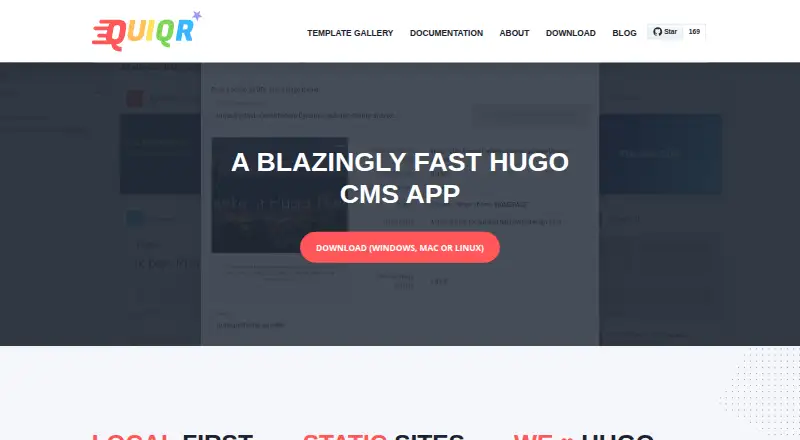
What Quiqr is
Quiqr is a free offline desktop CMS focused on Hugo and static HTML websites. It runs on the user's computer, keeps content local and lets users publish when ready. Its embedded Hugo server, Hugo-focused features and theme importing support site creation, while a gallery of community templates provides ready-to-use CMS starting points. A site library helps users switch between and maintain multiple sites. Quiqr's built-in Git client can push sites to GitHub, BitBucket or GitLab, and users can prepare sites for other static hosting services. Developers can create CMS forms from YAML, JSON or TOML files. The software is available for Windows, macOS and Linux; the Linux download is an AppImage described as intended to run on any Linux distribution. Quiqr identifies website owners and website developers as its audience. It also invites contributions through GitHub, including bug reports, templates, documentation, translations and interface work.
Who it suits
Quiqr suits website owners and developers who want to create Hugo-based static sites while keeping content on their own computer. It also fits developers who want to build CMS forms using YAML, JSON or TOML.
What it does well
- Free and open source.
- Keeps content local until publication.
- Includes an embedded Hugo server.
- Git publishing supports GitHub, BitBucket and GitLab.
- Community template gallery offers starting points.
What to know first
- Specialized for Hugo.
- Desktop installers are listed for Mac, Windows and Linux.
- Git publishing options are listed for GitHub, BitBucket and GitLab.
Plans
| Plan | Billed and limits | Price |
|---|---|---|
| Quiqr | Open source · Free forever | Free |
| Quiqr Free | Open-source desktop CMS · Windows, macOS and Linux · Hugo-focused · local-first editing | Free |
As quiqr.org lists them, read 4 Oct 2026. The maker's own page has the final word.
Getting started
- Visit quiqr.org.
- Download the installer for Windows, macOS, or Linux.
- Install and open the desktop app.
- Choose a community template or work with a Hugo site.
- Use the built-in Git client to publish, or pre-publish for a static hoster.
Overview
Quiqr is a free, offline CMS for building static websites, with Hugo at its center. It suits site owners and developers who want to edit on their own computer and publish through Git. Its narrow focus is an advantage for Hugo projects, but it is not a general-purpose site platform.
Key features
Quiqr keeps content on the user’s computer, letting users work locally and decide when to publish. Its embedded Hugo server, Hugo-specific tools and theme importing make it a particularly practical fit for Hugo sites; projects using another publishing system will get less from that specialization.
A gallery of community templates offers starting points that already include a CMS, and a site library helps users maintain and move between multiple sites. The visual editor and live preview provide a more direct way to work with content, while developers can define CMS forms in YAML, JSON or TOML. That flexibility comes with a configuration-oriented workflow, and the basic media management may fall short for sites with demanding asset needs.
The built-in Git client pushes sites to GitHub, BitBucket or GitLab. Users can also pre-publish for static hosts, so the workflow accommodates more than one publishing route, but it still expects users to arrange hosting separately. Quiqr frames static HTML output as secure by design and needing no updates; that is its security positioning, not a substitute for managing the rest of a site’s infrastructure.
Pricing
Quiqr costs nothing and is described as open source and free forever. The single plan includes the visual editor, live preview, multiple Git providers, basic media management and Git-commit deployment. There is no free trial because the product is already free, and there are no paid tiers or seat quotas to weigh. This is a strong fit for individuals and developers who want a no-cost Hugo CMS, though it does not bundle managed hosting.
Platforms
Quiqr lists Linux, macOS, Windows, web and self-hosted among its platforms. Desktop installers are offered for Mac, Windows and Linux; the Linux download is an AppImage intended to run on any Linux distribution. The combination of local desktop work and web/self-hosted platform labels gives it flexibility, but its central workflow remains computer-based editing.
Who it's for
Quiqr is best for website owners and developers creating static sites with Hugo, especially those who want to keep content local, reuse community templates and publish through Git. Developers who are comfortable defining forms in YAML, JSON or TOML can make use of its configurable CMS approach. It is a weaker fit for people who want a hosted, all-in-one publishing service or extensive media management.
Pros and cons
Pros
- Free forever and open source: the 0.00 USD plan avoids subscription costs for a Hugo-focused workflow.
- Local editing with flexible publishing: content stays on the user’s computer, with Git pushes to three named providers and pre-publishing for static hosts.
- Useful Hugo starting points: the embedded server, theme importing and community templates are tailored to Hugo site creation.
Cons
- Specialized around Hugo: its strongest tools are aimed at Hugo, so other site-building workflows are not its natural home.
- Basic media management: sites that depend on more involved asset organization may need another approach.
- Hosting remains separate: Git deployment and pre-publishing offer routes to a host, not a managed hosting service.
Alternatives
Git-Based CMS is a useful category page for comparing tools built around Git workflows.
Choose deco CMS instead if an open-source, self-hostable CMS with a free core better fits your setup.
Decap CMS is another free Git-oriented option; its free plan is capped at one site and one seat, so it suits a smaller setup with explicit limits.
HugoCMS is worth considering for a Hugo-focused alternative with a free per-domain plan and a paid lifetime-use Pro plan.
Keystatic may suit teams looking for a free option that supports up to three users per team.
Kiln offers a free, open-source self-hosted plan for users willing to run the worker and GitHub App and provide their own site host.
Netlify is the alternative to consider when a broader web platform and a defined free allowance of 300 credits per month, one concurrent build and one team owner matter more than Quiqr’s desktop CMS focus.
Sveltia CMS offers free personal and commercial use with no account or subscription and no hard content or user limits; its performance depends on Git repository performance.
TinaCMS is another free-tier option, with its plan capped at two users and two roles.
Verdict
Choose Quiqr for a Hugo static site if you want a free, locally managed CMS with templates, a visual editor and Git publishing options. Its focused toolkit and zero price are the case for it; look elsewhere if you need extensive media management, a broader CMS workflow or hosting included.
Verdict
Quiqr pairs local desktop editing with Hugo-focused site creation and Git publishing. Its stated focus is static websites, with community templates and several publishing routes for site owners and developers.
Questions
How much does Quiqr cost?
Quiqr is free, with a listed plan at no cost and described as free forever.
Which platforms does Quiqr support?
Quiqr lists Linux, macOS, Windows, web, and self-hosted. Its downloads page lists desktop installers for Linux, macOS, and Windows.
What can Quiqr publish to?
Its Git client can push sites to GitHub, BitBucket, or GitLab. Users can also pre-publish sites for static hosting services.
Does Quiqr support Hugo?
Yes. Quiqr is specialized for Hugo and includes an embedded Hugo server, Hugo-focused features, and Hugo theme imports.
Is Quiqr open source?
The listed Quiqr plan describes the software as open source and free forever.
Facts from Quiqr's own pages
- API status
- The repository changelog records an incremental API migration with stubs, so the public API work is documented as ongoing rather than presented as a finished SDK. · github.com, 14 Oct 2026
- Audience
- Quiqr says it is for website owners and website developers. · quiqr.org, 4 Oct 2026
- CMS forms
- Developers can create CMS forms using YAML, JSON, or TOML files. · quiqr.org, 4 Oct 2026
- Documentation depth
- The Quiqr Book contains installation guidance, user roles, content-model reference, field-type reference, preferences, examples and developer how-to material. · book.quiqr.org, 14 Oct 2026
- Documentation version
- The documentation landing page says its reference is up to date for Quiqr version 0.13.x. · book.quiqr.org, 14 Oct 2026
- Downloads
- Quiqr lists installers for Mac, Windows, and Linux; its Linux download page describes an AppImage intended to run on any Linux distribution. · quiqr.org, 4 Oct 2026
- Editor workflow
- The product is marketed as a simple CMS that does not require a terminal or text editor for routine editing. · quiqr.org, 14 Oct 2026
- Embedded Hugo server
- Quiqr downloads and runs the appropriate Hugo binary so sites can be previewed locally. · quiqr.org, 14 Oct 2026
- Field library
- The documentation lists numerous field types, including Markdown, date, color, image selection, sliders, accordions and bundle management. · book.quiqr.org, 14 Oct 2026
- Folder publishing
- Quiqr can synchronize a site to a folder that must then be copied manually to a public server. · book.quiqr.org, 14 Oct 2026
- Form model structure
- Models support build, serve, Hugo-version, collections, singles, menus and dynamic-form definitions, with reusable includes and partials. · book.quiqr.org, 14 Oct 2026
- Generic builder support
- The project says systems that work with static serialized data can be integrated through its generic builder approach. · github.com, 14 Oct 2026
- Git publishing
- The built-in Git client can publish to GitHub, GitLab and Bitbucket. · github.com, 14 Oct 2026
- Hugo specialization
- Quiqr is designed specifically for Hugo and includes Hugo-oriented features. · quiqr.org, 14 Oct 2026
- Hugo support
- Quiqr includes an embedded Hugo server, optimized Hugo features, and the ability to import Hugo themes. · quiqr.org, 4 Oct 2026
- Independent concern: maintenance
- A Reddit user questioned whether Quiqr was still maintained because they perceived little recent activity and wanted confirmation of compatibility with current macOS and Hugo. · reddit.com, 14 Oct 2026
- Independent workflow note
- A Reddit reply explained that Hugo handles multilingual sitemaps and hreflang in templates while Quiqr mainly edits front-matter fields rather than implementing SEO itself. · reddit.com, 14 Oct 2026
- Integrated Git component
- Quiqr identifies Embgit, a Git client written in Go, as one of its main projects. · quiqr.org, 14 Oct 2026
- Licence
- The public desktop repository is distributed under the MIT licence. · github.com, 14 Oct 2026
- Limit: import problem
- In that Hacker News discussion, a user reported importing a Hugo blog but seeing no content in Quiqr, possibly because the blog was old. · news.ycombinator.com, 14 Oct 2026
- Limit: issue backlog
- A Reddit commenter reported that the repository had 114 open issues at the time of their comment and described that as a concern despite a recent update. · reddit.com, 14 Oct 2026
- Limit: migration uncertainty
- The same Reddit discussion raised questions about how easily a site, configuration and other files could be moved away if the application stopped working. · reddit.com, 14 Oct 2026
- Limit: older hardware
- A Reddit user said an older computer could only run an old Quiqr version, limiting their ability to evaluate current Hugo support. · reddit.com, 14 Oct 2026
- Limit: rough edges
- A Hacker News commenter recommending Quiqr warned that the product was rough around the edges. · news.ycombinator.com, 14 Oct 2026
Where Quiqr stands on Freedom251
- Git-Based CMS#5 of 23