QUILL
What QUILL is
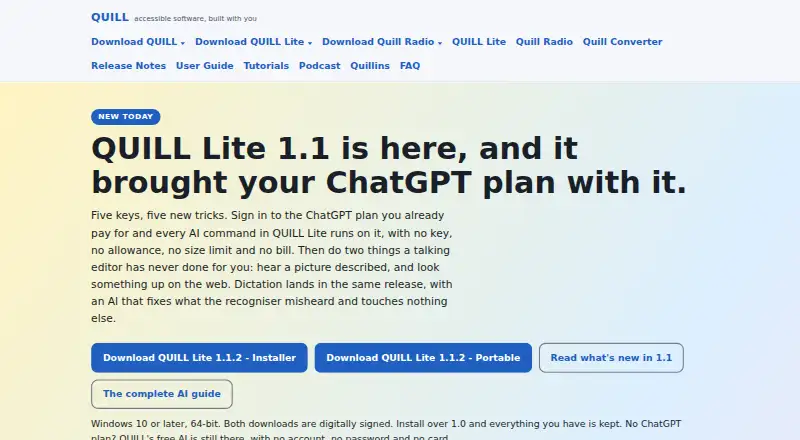
QUILL is a free, screen-reader-first writing studio from Community Access for Windows and macOS. It opens documents, reads text aloud, supports dictation and transcription on the user’s computer, and provides tools for writing and document work. Formatting, search and replace, spelling tools, document comparison, snippets, macros, word prediction, bookmarks, and an outline navigator are included. QUILL supports NVDA, JAWS, and Narrator, with keyboard commands and spoken feedback. It opens Word, RTF, EPUB, PDF, PowerPoint, Excel, Apple Pages, OpenDocument, Markdown, HTML, and braille files, and offers extensive export formats. Files can be opened or saved through FTP, SFTP, WebDAV, S3, and HTTPS, with a GitHub repository browser. Mastodon posting is available, while WordPress access is experimental and read-only. Optional AI can use local models or providers including OpenAI, Claude, Gemini, and OpenRouter. The maker describes QUILL as local-first, with network requests only after explicit user action. QUILL 1.0 is not released; version 0.9.0 Beta 2 is the listed download.
Who it suits
QUILL is designed for screen-reader users writing notes, letters, long projects, technical work, research, or edits. It suits users on Windows 10 or later (64-bit) and macOS 12 or later.
What it does well
- Supports NVDA, JAWS, and Narrator
- Opens many document formats
- Includes dictation and transcription
- Offers extensive export formats
- Free plan includes every feature
What to know first
- QUILL 1.0 is not released
- Current download is a beta
- User guide may describe unavailable features
- WordPress connection is read-only and experimental
Limits
The available release is version 0.9.0 Beta 2, and the maker says the 1.0 release is not yet available. The user guide may describe features that are absent from the current beta.
Plans
| Plan | Billed and limits | Price |
|---|---|---|
| QUILL | Free; every feature is free. · Version 0.9.0 Beta 2; Windows 10 or later (64-bit) and macOS 12 or later | Free |
As quillforall.org lists them, read 12 Oct 2026. The maker's own page has the final word.
Getting started
- Open https://quillforall.org/
- Download QUILL 0.9.0 Beta 2
- Install it on Windows 10 or later (64-bit) or macOS 12 or later
- Use the free QUILL plan
- Connect a supported screen reader such as NVDA, JAWS, or Narrator
Verdict
QUILL combines screen-reader access, broad document support, and writing tools in a free Windows and macOS studio. The beta status and possible differences between the guide and current software are important to consider.
Questions
How much does QUILL cost?
The QUILL plan costs nothing and is billed Free. Every feature is free.
Which operating systems are supported?
QUILL supports Windows 10 or later (64-bit) and macOS 12 or later.
Which screen readers work with QUILL?
QUILL supports NVDA, JAWS, and Narrator, with keyboard commands that provide spoken feedback.
Can QUILL work with files stored remotely?
Yes. It can open and save files over FTP, SFTP, WebDAV, S3, and HTTPS, and includes a GitHub browser for repository files.
Does QUILL include AI assistance?
AI is optional. The maker describes support for local models and online providers including OpenAI, Claude, Gemini, and OpenRouter.
Facts from QUILL's own pages
- Accessibility
- QUILL supports NVDA, JAWS, and Narrator, and its commands provide spoken feedback and can be used from the keyboard. · quillforall.org, 12 Oct 2026
- Current release status
- The site says QUILL 1.0 is not out yet and identifies version 0.9.0 Beta 2 as the download to use. · quillforall.org, 12 Oct 2026
- Dictation and transcription
- QUILL supports dictation and transcription on the user's computer. · quillforall.org, 12 Oct 2026
- Document formats
- QUILL opens formats including Word, RTF, EPUB, PDF, PowerPoint, Excel, Apple Pages, OpenDocument, Markdown, HTML, and braille files. · quillforall.org, 12 Oct 2026
- Export formats
- extensive · quillforall.org, 21 Sept 2026
- Free plan
- Yes · quillforall.org, 21 Sept 2026
- Maker
- The maker identifies QUILL as made by Community Access. · quillforall.org, 12 Oct 2026
- Notable limitation
- The maker says QUILL 1.0 is not yet released and that the user guide may describe features absent from the current beta. · quillforall.org, 12 Oct 2026
- Offline mode
- Yes · quillforall.org, 21 Sept 2026
- Optional AI
- AI assistance is optional; the maker describes local models and online providers including OpenAI, Claude, Gemini, and OpenRouter. · quillforall.org, 12 Oct 2026
- Other integrations
- QUILL can post to Mastodon and offers an experimental read-only connection to WordPress; sending to WordPress is not available yet. · quillforall.org, 12 Oct 2026
- Privacy
- QUILL's privacy statement says it is local-first, makes no network requests without explicit user action, and does not persist AI chat transcripts by default. · quillforall.org, 12 Oct 2026
- Publishing tools
- Yes · quillforall.org, 21 Sept 2026
- Remote integrations
- QUILL can open and save files over FTP, SFTP, WebDAV, S3, and HTTPS, and includes a GitHub browser for repository files. · quillforall.org, 12 Oct 2026
- Security
- QUILL stores AI API keys in Windows Credential Manager when available, otherwise in DPAPI-encrypted local storage, and does not store them in plaintext. · quillforall.org, 12 Oct 2026
- Support
- Users can contact QUILL support at [email protected]. · quillforall.org, 12 Oct 2026
- Version history
- Yes · quillforall.org, 21 Sept 2026
- What it does
- QUILL is a screen-reader-first writing studio that opens documents, reads text aloud, supports dictation, and offers tools for writing and document work. · quillforall.org, 12 Oct 2026
- Who it is for
- QUILL is designed for people who use screen readers and spend their day writing notes, letters, long projects, technical writing, research, or edits. · quillforall.org, 12 Oct 2026
- Writing features
- Features include formatting, search and replace, spelling tools, document comparison, snippets, macros, word prediction, bookmarks, and an outline navigator. · quillforall.org, 12 Oct 2026
Where QUILL stands on Freedom251
- Writing Apps#36 of 135