
Quant-UX
by Quant-UX
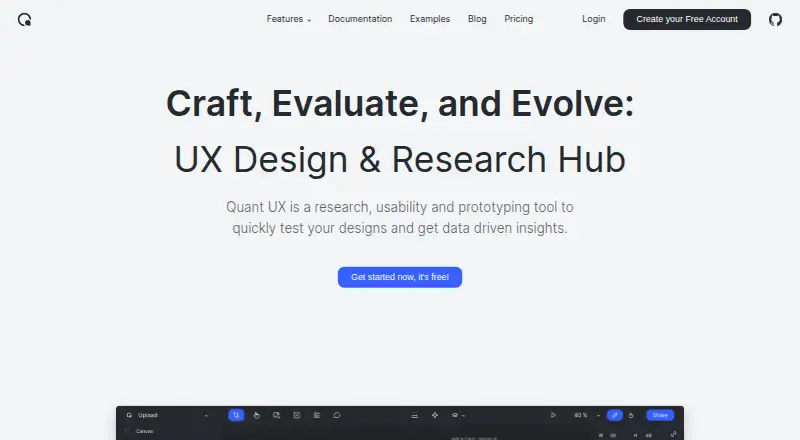
What Quant-UX is
Quant-UX is a research, usability, and prototyping tool for testing designs and gathering data-driven insights. Its visual designer lets users create screens, add functional components, and connect them with interactions. Design systems can include reusable components, design tokens, and master screens. Testers can open a shared prototype link without an app, or scan a QR code to launch one on a phone. Built-in analytics include heatmaps, user journey and drop-off graphs, task KPIs, and visual comparisons for A/B tests. The Free plan includes unlimited prototypes and user tests. Quant-UX also lists real-time collaboration, variables and tokens, and prototype sharing, and it connects with Figma. It is available through the web or as a self-hosted deployment; the maker says the code is open source and can be downloaded, improved, and contributed back. The maker says its servers and databases are in the EU and that traffic is encrypted with SSL/TLS. Optional AI features send prompts and design data to a selected provider, which may process them outside the user’s country; most AI features require the user’s own provider API key.
Who it suits
Quant-UX suits solo designers, researchers, educators, and project teams that need to prototype, test, and analyze designs. Its web and self-hosted options may also suit teams that want a choice of deployment.
What it does well
- Free plan includes unlimited prototypes and tests
- Testers can use links without an app
- Phone prototype launch via QR code
- Built-in heatmaps and user journey graphs
- Open-source code can be downloaded and improved
What to know first
- Optional AI data may be processed outside your country
- Most AI features require your own provider API key
- Self-hosted setup may be needed for some deployments
Plans
| Plan | Billed and limits | Price |
|---|---|---|
| Free | Unlimited Prototypes · Unlimited User Tests · Prototyping Canvas · Real-Time Collaboration · Analytics · Questionnaires | Free |
As quant-ux.com lists them, read 9 Oct 2026. The maker's own page has the final word.
Getting started
- Visit https://www.quant-ux.com/.
- Choose the web option or use the self-hosted deployment.
- Start with the Free plan for unlimited prototypes and user tests.
- Create screens, add components, and connect them with interactions.
- Share a prototype link or use its QR code for phone testing.
Verdict
Quant-UX combines interactive prototyping with testing and built-in analytics, with unlimited prototypes and tests on its Free plan. Review its optional AI data handling if you plan to use those features.
Questions
Does Quant-UX have a free plan?
Yes. Its Free plan includes unlimited prototypes and unlimited user tests.
Which platforms and deployment options does it support?
Quant-UX is available on the web and through self-hosted deployment. Its deployment options are cloud and self-hosted.
Does Quant-UX integrate with Figma?
Yes, Figma is listed as an integration.
Is Quant-UX open source?
The maker says its code is open source and can be downloaded, improved, and contributed back to the community.
What analytics does it provide?
Built-in analytics include heatmaps, user journey and drop-off graphs, task KPIs, and visual A/B-test comparisons.
How does Quant-UX handle data for optional AI features?
Prompts and design data go to the selected third-party provider, which may process them outside your country. Most AI features require your own provider API key.
Facts from Quant-UX's own pages
- AI data handling
- Optional AI features send prompts and design data to the selected third-party provider, which may process them outside the user's country; most AI features require the user's own provider API key. · docs.quant-ux.com, 9 Oct 2026
- Analytics
- Built-in analytics include heatmaps, user journey graphs, drop-off graphs, task KPIs, and visual comparisons for A/B tests. · docs.quant-ux.com, 9 Oct 2026
- Audience
- The maker describes Quant-UX as a tool for prototyping, user testing, and analytics, and its site includes testimonials from researchers, designers, educators, and project teams. · quant-ux.com, 9 Oct 2026
- Company size fit
- solo, small, mid market · quant-ux.com, 21 Sept 2026
- Deployment
- cloud, self hosted · quant-ux.com, 21 Sept 2026
- Design systems
- Users can build design systems with components, design tokens, and master screens. · quant-ux.com, 9 Oct 2026
- Free plan
- Yes · quant-ux.com, 21 Sept 2026
- Headquarters
- Warburg, Germany · quant-ux.com, 28 Sept 2026
- Hosting and security
- The maker says its servers and databases are in the EU, internet traffic is encrypted with SSL/TLS, and server access is restricted and secured. · docs.quant-ux.com, 9 Oct 2026
- Integrations
- Users can import Figma projects and image files; prototypes can also send or load data from external servers when configured to do so. · docs.quant-ux.com, 9 Oct 2026
- Interactive prototyping
- Its visual designer lets users create screens, add functional components, and connect them through interactions. · quant-ux.com, 9 Oct 2026
- Open source
- Quant-UX says its code is open source and can be downloaded, improved, and contributed back to the community. · quant-ux.com, 9 Oct 2026
- Purpose
- Quant-UX is a research, usability and prototyping tool for testing designs and getting data-driven insights. · quant-ux.com, 9 Oct 2026
- Support
- The maker invites users to contact it through a form or Discord chat. · quant-ux.com, 9 Oct 2026
- Support channels
- email, community, docs · quant-ux.com, 21 Sept 2026
- User testing
- Testers can use a shared link to try prototypes, with no app required; prototypes can also be launched on phones by scanning a QR code. · docs.quant-ux.com, 9 Oct 2026
Where Quant-UX stands on Freedom251
- User Testing#8 of 25
- Prototyping tools#11 of 30
- Interface Design Tools#15 of 26
- Prototyping Software#18 of 30
- Ui Ux Designing Software#14 of 22
- UI design tools#24 of 37
- UI/UX Design Tools#17 of 26
- Game UI Design Software#21 of 32
- Wireframe Tools#15 of 22