Pyto
What Pyto is
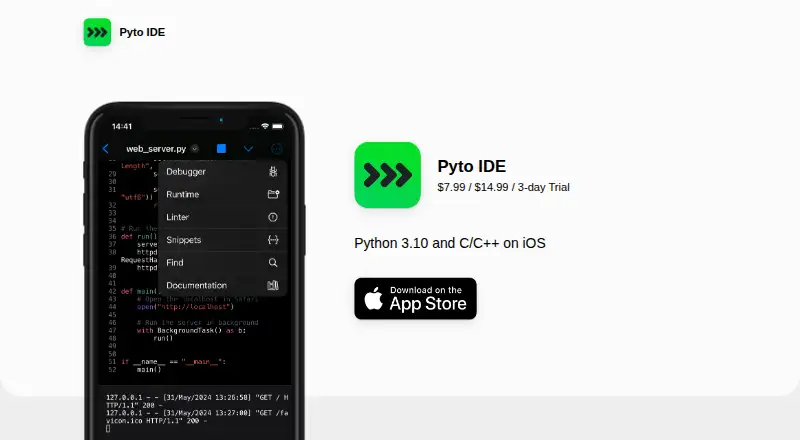
Pyto is an IDE for running Python 3.10 and C/C++ on iPhone and iPad. The app’s site says Python, clang, and an LLVM bitcode interpreter run locally on those devices. Its editor provides syntax highlighting and code completion, while a terminal handles UNIX commands and scripts. Pyto includes libraries such as NumPy, Matplotlib, Pandas, Statsmodels, SciPy, scikit-learn, scikit-image, and OpenCV. Those libraries can schedule notifications and access location and the music library. A traceback interface helps users inspect exceptions, and projects use an integrated file browser; C/C++ programs can use setuptools or build_cproj. Pyto can run scripts or custom code with Shortcuts, create Home Screen widgets, and install Python modules from PyPI. It is listed for iOS and macOS, including Mac computers with macOS 11 or later and Apple M1 or later; Apple Watch and Apple Vision compatibility are also listed. Pyto is a free download with in-app purchases. Lite Version costs 7.99 USD once and unlocks Pyto without its third-party libraries; Full Version costs 14.99 USD once and includes all of them. A 3-day trial is also listed. The developer reports that the app does not collect data, with a note that Apple has not verified that information.
Who it suits
Pyto suits people who want to write or run Python and C/C++ on iPhone or iPad, with local runtimes, an editor, and a terminal. It may also suit Mac users on macOS 11 or later with Apple M1 or later, particularly if they want the listed libraries, Shortcuts support, or widgets.
What it does well
- Runs Python, clang, and an LLVM bitcode interpreter locally.
- Editor includes syntax highlighting and code completion.
- Includes scientific and machine-learning libraries such as NumPy and scikit-learn.
- Traceback interface supports debugging exceptions.
- Can run scripts with Shortcuts and create Home Screen widgets.
What to know first
- Lite Version costs 7.99 USD once and excludes third-party libraries.
- Full Version costs 14.99 USD once.
- Mac support requires macOS 11 or later and Apple M1 or later.
Limits
The free download has in-app purchases. Lite Version costs 7.99 USD once and does not include third-party libraries; Full Version costs 14.99 USD once and includes them.
Plans
| Plan | Billed and limits | Price |
|---|---|---|
| Free app | Free download; in-app purchases available | Free |
| Full Version | Unlock Pyto with all its 3rd-party libraries | $14.99, paid once |
| Lite Version | Unlock Pyto without its 3rd-party libraries | $7.99, paid once |
As pyto.app lists them, read 9 Oct 2026. The maker's own page has the final word.
Getting started
- Visit https://pyto.app/.
- Download the free app for a listed iOS or macOS device.
- Use the free download or start the listed 3-day trial.
- Choose Lite Version for 7.99 USD once or Full Version for 14.99 USD once if you want an unlock.
- Open a project in the integrated file browser, or install Python modules from PyPI.
Verdict
Choose Pyto if you want to run Python or C/C++ locally on an iPhone, iPad, or supported Mac, with an editor, terminal, and listed libraries. Look elsewhere if you need third-party libraries without paying for Full Version, or your Mac does not meet the listed requirements.
Questions
Is Pyto free?
A free download is available with in-app purchases. A 3-day trial is also listed.
How much do the paid versions cost?
Lite Version costs 7.99 USD once and unlocks Pyto without its third-party libraries. Full Version costs 14.99 USD once and includes all its third-party libraries.
Which platforms and devices are listed?
Pyto is listed for iOS and macOS, including iPhone and iPad and Mac with macOS 11 or later and Apple M1 or later. Apple Watch and Apple Vision compatibility are also listed.
What can Pyto run?
It is an IDE for Python 3.10 and C/C++ on iPhone and iPad. Its site says Python, clang, and an LLVM bitcode interpreter run locally on iPhone or iPad.
Can I install Python modules?
Yes. The site says Python modules can be installed from PyPI.
What does the developer say about data collection?
The developer reports that the app does not collect data. Apple says that information has not been verified by Apple.
Facts from Pyto's own pages
- Debugging
- The site describes a traceback interface for debugging exceptions. · pyto.app, 9 Oct 2026
- Editor and terminal
- It includes a code editor with syntax highlighting and code completion, plus a terminal for UNIX commands and scripts. · pyto.app, 9 Oct 2026
- Free trial
- The App Store listing offers a 3-day trial. · apps.apple.com, 9 Oct 2026
- Libraries
- The site lists NumPy, Matplotlib, Pandas, Statsmodels, SciPy, scikit-learn, scikit-image and OpenCV among included libraries. · pyto.app, 9 Oct 2026
- Local runtime
- The site says Python, clang and an LLVM bitcode interpreter run locally on iPhone or iPad. · pyto.app, 9 Oct 2026
- Package source
- The site says Python modules can be installed from PyPI. · pyto.app, 9 Oct 2026
- Privacy
- The developer reports that the app does not collect data; Apple says this information has not been verified by Apple. · apps.apple.com, 9 Oct 2026
- Projects
- Projects use an integrated file browser and setuptools or build_cproj for C/C++ programs. · pyto.app, 9 Oct 2026
- Purpose
- Pyto is an IDE for running Python 3.10 and C/C++ on iPhone and iPad. · pyto.app, 9 Oct 2026
- Shortcuts and widgets
- Pyto can run scripts or custom code with Shortcuts and can create Home Screen widgets. · pyto.app, 9 Oct 2026
- Support
- The official site lists [email protected] for support contact. · pyto.app, 9 Oct 2026
- Supported devices
- The listing specifies iPhone and iPad, plus Mac with macOS 11 or later and Apple M1 or later; it also lists Apple Watch and Apple Vision compatibility. · apps.apple.com, 9 Oct 2026
- System integrations
- Its libraries can schedule notifications and access location and the music library. · pyto.app, 9 Oct 2026
Where Pyto stands on Freedom251
- Python IDEs#16 of 26