PyScripter
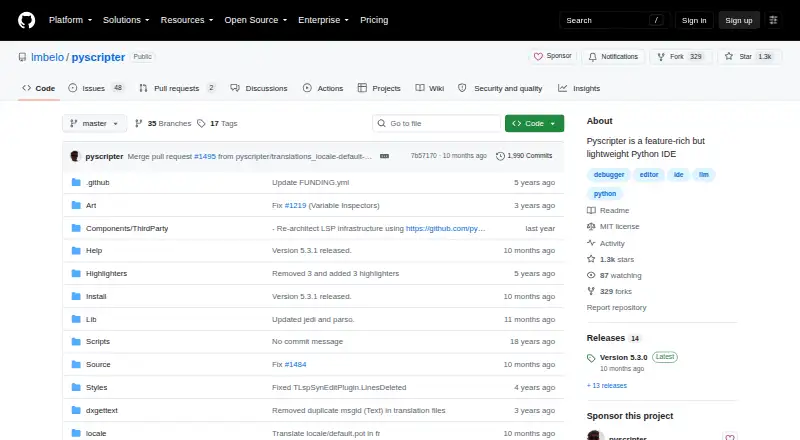
What PyScripter is
PyScripter is a free, open-source Python integrated development environment for Windows. Its editor provides syntax highlighting, code folding, completion, call tips, and syntax checking while you type. An integrated interpreter and debugger include remote debugging, conditional breakpoints, call stacks, variable and watch views, thread debugging, and post-mortem analysis. For testing and maintenance, it offers a unit-testing interface, automatic test generation, and refactoring tools for organizing imports, renaming, and extracting functions. The file explorer integrates version control through Tortoise Git, Tortoise SVN, or Tortoise CVS, and external tools can include PyLint, TabNanny, and Profile. Built-in LLM assistance offers editor help and chat with OpenAI, Gemini, Grok, DeepSeek, and local models. OpenAI usage requires a paid plan or pay-as-you-go credit; light Gemini use is free, and Ollama runs local models. Windows users need Python 3.8 or newer. Portable zip packages require no installation after unzipping.
Who it suits
PyScripter suits Python developers and novice programmers using Windows who want an IDE with editing, debugging, testing, and refactoring tools. Its built-in LLM assistance may also suit users working with supported hosted or local models.
What it does well
- Free and open-source under the MIT license.
- Integrated interpreter and remote debugger.
- Includes unit testing and automatic test generation.
- Portable zip packages need no installation.
- Supports several hosted and local LLM options.
What to know first
- Requires Windows and Python 3.8 or newer.
- 64-bit build requires 64-bit Windows and Python.
- OpenAI use requires paid access or credit.
Plans
| Plan | Billed and limits | Price |
|---|---|---|
| PyScripter | Windows · Python ≥3.8 | Free |
As github.com lists them, read 30 Sept 2026. The maker's own page has the final word.
Getting started
- Install Python 3.8 or later on the Windows machine.
- Choose the 64-bit build only with 64-bit Windows and 64-bit Python; use the 32-bit build with 32-bit Python.
- Download PyScripter from its GitHub project website.
- Unzip a portable package to use it without installation.
Verdict
PyScripter combines Python editing, debugging, testing, and refactoring in a free Windows IDE. Check its Python and architecture requirements before choosing a build; its portable zip packages avoid an installation step.
Questions
How much does PyScripter cost?
PyScripter is free. Its listed plan is free.
Which operating system does it support?
PyScripter supports Windows.
Is PyScripter open source?
Yes. The repository identifies its license as MIT.
What does it require on Windows?
Python 3.8 or later must be installed. The 64-bit build requires 64-bit Windows and 64-bit Python; the 32-bit build requires 32-bit Python and works on either Windows architecture.
Are the built-in LLM features free to use?
OpenAI use requires a paid plan or pay-as-you-go credit. Light Gemini use is free, and Ollama runs local models.
Can I use PyScripter without installing it?
Yes. Its zip packages are portable and need no installation after unzipping.
Facts from PyScripter's own pages
- Architecture support
- The 64-bit build works only on 64-bit Windows with 64-bit Python; the 32-bit build works on 32-bit or 64-bit Windows with 32-bit Python. · sourceforge.net, 30 Sept 2026
- Audience
- The creator described PyScripter as Python-centric, lightweight and suitable for novice programmers and Python developers. · blogs.embarcadero.com, 30 Sept 2026
- Debugging
- It includes integrated and remote Python debugging with call stacks, variables, watches, conditional breakpoints, thread debugging and post-mortem analysis. · github.com, 30 Sept 2026
- Design
- The project describes PyScripter as a feature-rich but lightweight Python IDE. · github.com, 30 Sept 2026
- Editor
- Its editor offers syntax highlighting, code folding, code completion, call tips, and syntax checking as you type. · github.com, 30 Sept 2026
- External tools
- PyScripter can integrate external tools such as PyLint, TabNanny, and Profile. · github.com, 30 Sept 2026
- Founded
- 2005 · github.com, 28 Sept 2026
- Initial release
- The project history lists PyScripter version 1.0 as released on April 13, 2005. · github.com, 30 Sept 2026
- Interpreter and debugging
- The IDE includes an integrated Python interpreter and debugger, with remote debugging, conditional breakpoints, and post-mortem analysis. · github.com, 30 Sept 2026
- License
- The repository identifies its license as MIT. · github.com, 30 Sept 2026
- LLM costs
- The project documentation says OpenAI use requires a paid plan or pay-as-you-go credit, while light Gemini use is free; Ollama runs local models. · github.com, 30 Sept 2026
- LLM features
- Built-in LLM support includes editor assistance and a chat window, with OpenAI, Gemini, Grok, DeepSeek, and local models supported. · github.com, 30 Sept 2026
- LLM support
- Built-in LLM coding assistance supports OpenAI, Gemini, DeepSeek, Grok and local Ollama models. · github.com, 30 Sept 2026
- Portable distribution
- PyScripter zip files are portable and require no installation after unzipping. · sourceforge.net, 30 Sept 2026
- Portable version
- The download page says zip packages are portable and need no installation. · sourceforge.net, 30 Sept 2026
- Product
- PyScripter is a free, open-source Python integrated development environment. · github.com, 30 Sept 2026
- Purpose
- PyScripter is a free and open-source Python integrated development environment. · github.com, 30 Sept 2026
- Python tools
- External-tool integration includes PyLint, TabNanny and Profile. · github.com, 30 Sept 2026
- Remote engines
- Remote Python engines run in a separate process, and the SSH engine starts a Python engine on a remote server using rpyc. · github.com, 30 Sept 2026
- Support
- The project links to GitHub Discussions for support. · github.com, 30 Sept 2026
- Support channels
- The GitHub project exposes Issues and Discussions for community support and collaboration. · github.com, 30 Sept 2026
- System requirements
- The download page requires Python 3.8 or newer on Windows; the x64 build requires 64-bit Windows and 64-bit Python. · sourceforge.net, 30 Sept 2026
- Testing and refactoring
- Features include a unit testing GUI, automatic test generation, and refactoring tools such as organize imports, rename, and extract function. · github.com, 30 Sept 2026
- Version control
- The file explorer offers integrated version control using Tortoise Git, Tortoise SVN, or Tortoise CVS. · github.com, 30 Sept 2026
Where PyScripter stands on Freedom251
- Python IDEs#15 of 26