Freedom251 › Wireframing Software

PuMi
What PuMi is
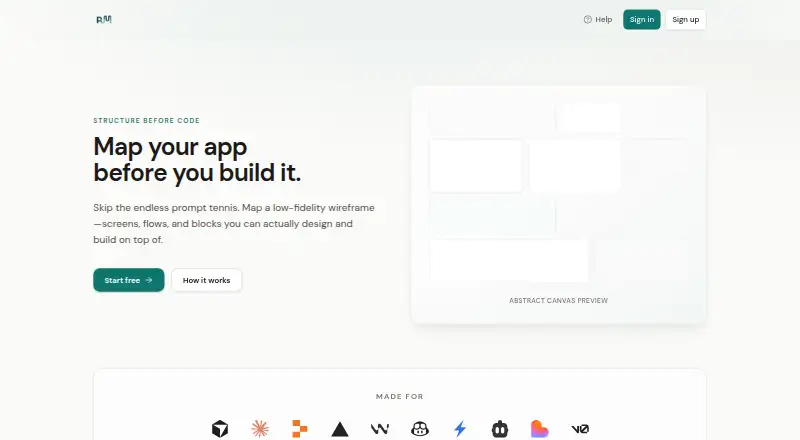
PuMi is a web canvas for planning an app’s structure before coding. Users map screens as pages, arrange blocks within each page, and connect pages to show navigation. The site map displays pages as nodes and links as edges, while the page canvas can include optional low-fidelity wireframes to preserve layout intent. Projects can be exported as Markdown, .cursorrules, CLAUDE.md, or JSON for use with tools such as Cursor and Claude. The Free plan costs nothing and includes one project, the core site map and page canvas with wireframes, and all four export formats. Premium lists more projects, AI blueprint templates, canvas appearance options, and team-related features where available; no price is listed. An account is required to create projects and save work. Project information is stored in a Supabase database tied to the user’s workspace and account. PuMi needs a network connection to load and sync saves, so it cannot be used offline. Help materials include guides, and users are invited to join Slack; the FAQ says there is no in-app ticket queue by default.
Who it suits
PuMi suits people who want to plan screens, page content, and navigation before building an app. It may also suit users who want to carry wireframe and structure details into coding tools through exports.
What it does well
- Free plan includes one project.
- Maps screens, page blocks, and navigation.
- Optional wireframes preserve layout intent in exports.
- Exports Markdown, .cursorrules, CLAUDE.md, and JSON.
What to know first
- Requires a network connection; no offline use.
- An account is required to create and save projects.
- No in-app ticket queue by default.
Limits
The Free plan is limited to one project. Premium lists more projects, AI blueprint templates, canvas appearance options and team-related features where available.
Plans
| Plan | Billed and limits | Price |
|---|---|---|
| Free | One project · Markdown, .cursorrules, CLAUDE.md, and JSON export · Core site map and page canvas with wireframes | Free |
| Premium | More projects · AI blueprint templates · Canvas appearance options · Team-related features where available | On request |
As buildwithpumi.ai lists them, read 8 Oct 2026. The maker's own page has the final word.
Getting started
- Visit the PuMi website.
- Create an account to create projects and save work.
- Create a project and map pages, blocks and navigation in the canvas.
- Add optional wireframe elements to pages as needed.
- Export the project as Markdown, .cursorrules, CLAUDE.md or JSON.
Verdict
PuMi provides a focused way to map app structure and export the plan in several formats. The free plan is limited to one project, and the app requires connectivity and an account to save work.
Questions
Does PuMi have a free plan?
Yes. The Free plan costs nothing and includes one project, the core site map and page canvas with wireframes, and Markdown, .cursorrules, CLAUDE.md and JSON exports.
Which export formats does PuMi support?
PuMi exports work as Markdown, .cursorrules, CLAUDE.md or JSON. The formats can be used with tools such as Cursor and Claude.
Can I use PuMi offline?
No. PuMi requires a network connection to load the app and sync saves.
Do I need an account?
Yes. An account is required to create projects and save canvas, site map and wireframe data.
How can I get support?
PuMi directs users to its Help hub and how-to guides, and its help pages invite users to join Slack. Its FAQ says there is no in-app ticket queue by default.
Facts from PuMi's own pages
- Accounts
- An account is required to create projects and save canvas, site map, and wireframe data. · buildwithpumi.ai, 8 Oct 2026
- Community
- The help pages invite users to join Slack for feature requests and more. · buildwithpumi.ai, 8 Oct 2026
- Connectivity
- PuMi requires a network connection to load the app and sync saves; it cannot be used offline. · buildwithpumi.ai, 8 Oct 2026
- Data storage
- Projects, pages, blocks, and related canvas data are stored in a Supabase database tied to the user's workspace and account. · buildwithpumi.ai, 8 Oct 2026
- Exports
- PuMi can export work as Markdown, .cursorrules, CLAUDE.md, or JSON for use with tools such as Cursor and Claude. · buildwithpumi.ai, 8 Oct 2026
- Page canvas
- Users can place blocks and optional wireframe elements inside a page canvas. · buildwithpumi.ai, 8 Oct 2026
- Product
- PuMi is a structure-before-code canvas for mapping screens, blocks within screens, and navigation between them. · buildwithpumi.ai, 8 Oct 2026
- Site map
- The site map displays pages as nodes and edges to show how users move between screens. · buildwithpumi.ai, 8 Oct 2026
- Support
- PuMi directs users to its Help hub and how-to guides; the FAQ says there is no in-app ticket queue by default. · buildwithpumi.ai, 8 Oct 2026
- Wireframes
- Pages can include low-fidelity wireframes so exports retain layout intent. · buildwithpumi.ai, 8 Oct 2026
Where PuMi stands on Freedom251
- Wireframing Software#15 of 29