Freedom251 › Wireframing Software
Snapwire
What Snapwire is
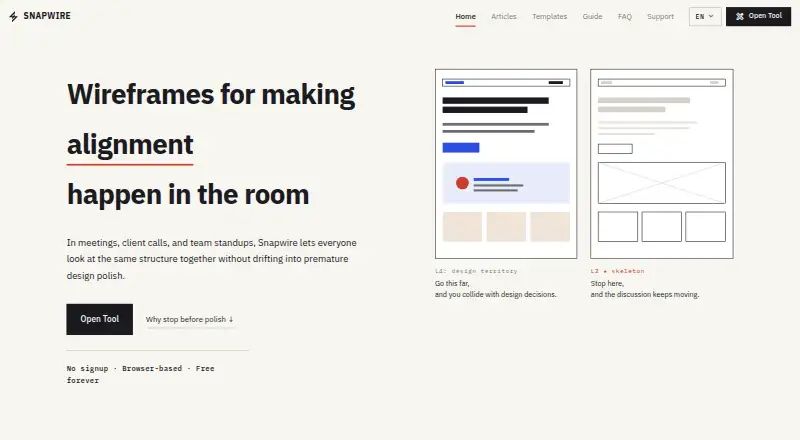
Snapwire is a web-based wireframing tool for shaping page structure with a team. It focuses on L2 skeleton wireframes, keeping attention on layout rather than visual polish such as real colors and fonts. Users can add sections by dragging them into the canvas or inserting them, then adjust text, height, alignment, width, and repeated item counts. Desktop, Tablet, and Mobile canvas presets are available, with custom width and zoom controls for other views.
A file can contain multiple screens, and users can attach notes to individual sections. Templates cover SaaS landing pages, company pages, blogs, e-commerce, portfolios, and dashboards. Projects can be saved as .snw files; PNG export can include the current page, a selected range, or all pages. Wireframes, project files, and settings are stored in browser localStorage unless explicitly exported. Snapwire has no accounts, server-side storage, or cloud sync, and its terms advise saving important work as .snw files. The free web app requires no account. It is made and maintained by Noh Hyunil.
Who it suits
Snapwire suits PMs, engineers, planners, and teams who need to align on page structure in meetings. It also fits people who want to review or make quick edits on mobile, or keep wireframes stored locally in their browser.
What it does well
- Free plan costs nothing.
- No account is required to use the browser-based tool.
- Multiple screens and section notes fit in one file.
- Templates cover six types of websites and dashboards.
- Projects export as SNW files or PNGs.
What to know first
- No real-time collaboration is provided.
- Projects have no server-side storage or cloud sync.
- The tool leaves real colors and fonts out of scope.
Limits
The free plan has no paid plan or hidden subscription. Projects and settings stay in browser localStorage, with no server-side storage or cloud sync; the terms advise saving important work as .snw files.
Plans
| Plan | Billed and limits | Price |
|---|---|---|
| Free | No paid plan or hidden subscription · No account required · Browser-local storage | Free |
As snapwire.site lists them, read 7 Oct 2026. The maker's own page has the final word.
Getting started
- Open https://snapwire.site/en in a web browser.
- Choose a template or start a wireframe.
- Add sections and adjust their text, size, and alignment.
- Select a Desktop, Tablet, or Mobile canvas preset, or set a custom width and zoom.
- Save the project as an .snw file or export pages as PNGs.
Verdict
Choose Snapwire to map page structure with a team using section editing, templates, and multi-screen files. Look elsewhere if you need real-time collaboration, cloud sync, or polished visual styling within the wireframing tool.
Questions
How much does Snapwire cost?
The Free plan is listed as free. There is no paid plan or hidden subscription.
Do I need an account?
No. Snapwire says no account is required.
Which platforms does Snapwire support?
Snapwire is available on the web. Its FAQ describes touch interaction and a mobile-friendly interface.
Can I export my wireframes?
Yes. Projects can be saved as .snw files, and pages can be exported as PNGs.
Does Snapwire support real-time collaboration?
No. Real-time collaboration is listed as unavailable.
Who makes Snapwire?
Snapwire is made and maintained by Noh Hyunil.
Facts from Snapwire's own pages
- Canvas presets
- The editor has Desktop, Tablet, and Mobile presets, plus custom width and zoom controls. · snapwire.site, 7 Oct 2026
- Data storage
- Wireframes, project files, and settings are stored in browser localStorage and do not leave the device unless explicitly exported. · snapwire.site, 7 Oct 2026
- Design scope
- Snapwire focuses on L2 skeleton wireframes and intentionally limits visual polish such as real colors and fonts. · snapwire.site, 7 Oct 2026
- Editing
- Users can add sections by dragging and dropping them or inserting them, then edit text, height, alignment, width, and repeated item counts. · snapwire.site, 7 Oct 2026
- Export
- Users can save projects as .snw files and export the current page, a selected range, or all pages as PNGs. · snapwire.site, 7 Oct 2026
- Intended audience
- It is designed for PMs, engineers, planners, and teams aligning on structure in meetings. · snapwire.site, 7 Oct 2026
- Limits
- Snapwire does not provide server-side storage, accounts, or cloud sync, and the terms advise saving important projects as .snw files. · snapwire.site, 7 Oct 2026
- Maker
- Snapwire is made and maintained by Noh Hyunil. · snapwire.site, 7 Oct 2026
- Mobile use
- The FAQ says touch interaction and a mobile-friendly interface are built in, while the guide describes mobile as suitable for review and quick edits. · snapwire.site, 7 Oct 2026
- Pages and notes
- Users can keep multiple screens in one file and add notes to individual sections. · snapwire.site, 7 Oct 2026
- Purpose
- Snapwire is a browser-based wireframing tool for helping teams agree on page structure. · snapwire.site, 7 Oct 2026
- Support
- Snapwire is a personal project sustained by ads and voluntary support, with feedback, bug reports, and questions accepted through its contact page. · snapwire.site, 7 Oct 2026
- Templates
- Snapwire provides wireframe templates for SaaS landing pages, company pages, blogs, e-commerce, portfolios, and dashboards. · snapwire.site, 7 Oct 2026
- Third-party services
- The privacy policy says Google Analytics, Google AdSense, and A8.net may independently collect usage, advertising, or affiliate attribution data. · snapwire.site, 7 Oct 2026
Where Snapwire stands on Freedom251
- Wireframing Software#17 of 29