Freedom251 › Static Application Security Testing Software
Puma Scan
What Puma Scan is
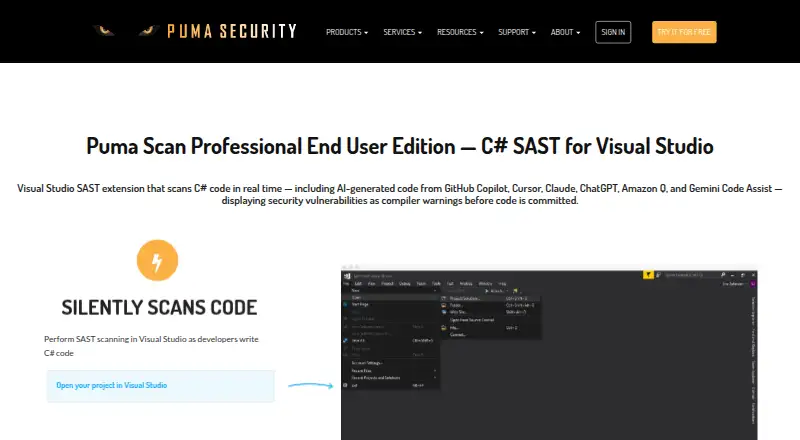
Puma Scan is a static application security testing tool for C# code in Visual Studio. Its End User Edition scans as developers write and reports vulnerabilities as compiler warnings before code is committed. It supports .NET Framework and .NET Core projects, including Web Forms and MVC, and the product page says it also covers AI-generated code from GitHub Copilot, Cursor, Claude, ChatGPT, Amazon Q, and Gemini Code Assist. The End User extension does not support legacy website projects or cross-platform editors such as VS Code. For automated scanning, Puma Scan lists GitHub Actions, GitLab CI, and Azure DevOps integrations. CI editions can apply severity thresholds and stop builds when requirements are not met. The Server Edition supports command-line scans, on-premises Azure DevOps build tasks, and exports findings in several formats. Community costs nothing. End User costs $299 a year; Server costs $4,999 a year; Cloud CI Standard costs $5,999 a year; and Cloud CI Unlimited costs $10,999 a year. Trials last 30 days, require no credit card, and have no reporting.
Who it suits
Puma Scan suits .NET security engineers and developers working with supported C# projects in Visual Studio. Its pipeline editions are positioned for development, security, and operations teams.
What it does well
- Scans C# code as developers write in Visual Studio.
- Reports vulnerabilities as compiler warnings before code is committed.
- Lists integrations for GitHub Actions, GitLab CI, and Azure DevOps.
- CI editions can stop builds at configured severity thresholds.
- Community Edition is available for free.
What to know first
- End User extension does not support VS Code.
- Legacy Web Site projects are unsupported.
- Trials last 30 days and do not include reporting.
- Static-analysis findings may include false positives and false negatives.
Limits
The Community edition's analyzers run locally and do not contact Puma Scan servers for rule updates. The 30-day trial has no reporting. End User supports C# in .NET Framework and .NET Core, but excludes legacy Web Site projects and does not support VS Code.
Plans
| Plan | Billed and limits | Price |
|---|---|---|
| Community | Open source project | Free |
| Cloud CI Unlimited | Annual renewal · Unlimited scanning within one organization · includes 5 End User licenses | $10,999 a year |
| End User | Annual subscription; license valid for one year and renewed annually · 1 named user · up to 3 workstations | $299 a year |
| Server | Annual renewal · Up to 5 build agents per license · additional bundles of 5 for $1,000 · includes 5 End User licenses | $4,999 a year |
| Cloud CI Standard | Annual renewal · Up to 20 build pipelines · includes 5 End User licenses | $5,999 a year |
As pumasecurity.io lists them, read 2 Oct 2026. The maker's own page has the final word.
Getting started
- Visit https://pumasecurity.io/product/.
- Choose the Community edition or a paid plan; End User is $299 a year, Server is $4,999 a year, Cloud CI Standard is $5,999 a year, and Cloud CI Unlimited is $10,999 a year.
- Use the 30-day trial if you want to try a paid edition; no credit card is required.
- For End User scanning, use the extension with supported C# projects in Visual Studio.
- For automated scanning, connect a listed GitHub Actions, GitLab CI, or Azure DevOps integration, or use Server command-line scans.
Puma Scan is a C# static-analysis tool built around Visual Studio and automated build pipelines. It is best suited to .NET developers and security, development, and operations teams that want findings during coding and enforceable checks in CI. Its focused Microsoft-stack workflow is a strength, while editor and project coverage limits its fit for broader teams.
Overview
Puma Scan analyzes source code and reports vulnerabilities as compiler warnings before a commit. The End User Edition runs locally in Visual Studio, making security feedback part of everyday coding rather than a separate review step. Pipeline editions extend that approach to automated checks and on-premises build environments.
The product targets C# in .NET Framework and .NET Core, including Web Forms and MVC. Legacy Web Site projects are unsupported, and the End User extension does not work with cross-platform editors such as VS Code. Those constraints make Puma Scan a deliberate choice for Visual Studio-centered teams, not a general editor-agnostic scanner.
Key features
Developer scanning
Visual Studio scanning surfaces findings while code is being written, so developers can investigate issues before they reach a shared branch. Community Edition analyzers run locally and do not contact Puma Scan servers for rule updates, which suits organizations that want local analysis without that server communication. The maker documents its vulnerability-analysis rules and cautions that static analysis can produce both false positives and false negatives; findings still require engineering judgment.
AI-generated code coverage
Puma Scan says the scanner covers code produced with GitHub Copilot, Cursor, Claude, ChatGPT, Amazon Q, and Gemini Code Assist. That is relevant when generated code is part of a C# workflow, but it does not replace review or validation of the results.
Pipeline controls and reports
Integrations for GitHub Actions, GitLab CI, and Azure DevOps support automated scanning. CI editions can apply configurable vulnerability-severity thresholds and stop builds that fail the required level, giving security teams a practical release gate. Server Edition adds command-line scans and an on-premises Azure DevOps command-line build task. It can export findings in HTML, JSON, MSBuild, VSO, VSTest, and CSV formats, which is useful when results must move into different build or reporting processes.
Pricing
The Community plan is free for open source projects. It is the sensible starting point for eligible open-source work, but it does not provide the paid editions' named-user, build-agent, or pipeline capacities.
End User costs $299 a year on an annual subscription. One named user may use it on up to three workstations; the license is valid for one year and renews annually. It fits an individual developer or a small .NET team that primarily needs Visual Studio feedback. The Professional End User Edition includes email support and scheduled telephone support, while the annual subscription includes product support and updates.
Server costs $4,999 a year with annual renewal. Each license covers up to five build agents; additional five-agent bundles cost $1,000, and five End User licenses are included. This is aimed at organizations running self-managed build infrastructure rather than a single developer.
Cloud CI Standard costs $5,999 a year, renews annually, supports up to 20 build pipelines, and includes five End User licenses. Cloud CI Unlimited costs $10,999 a year with annual renewal, removes the scanning limit within one organization, and also includes five End User licenses. Standard is the more controlled choice for a known pipeline count; Unlimited is justified when that ceiling would otherwise constrain a large organization.
A 30-day trial is offered without a credit card, but reporting is unavailable during the trial. That makes the trial useful for validating scanning and workflow fit, not for evaluating the full reporting process.
Platforms
Puma Scan supports Linux, macOS, Windows, and self-hosted deployment. Its IDE support is Visual Studio for the supported C# project types, with CI/CD integrations for the listed pipeline systems. It includes software-composition analysis and fix guidance, alongside its source-analysis focus.
Who it's for
Choose Puma Scan for a Visual Studio and .NET Framework or .NET Core environment where early compiler-warning feedback matters and CI gates need severity thresholds. Server Edition is the better fit for on-premises Azure DevOps and command-line build tasks; the cloud editions suit teams managing many hosted pipelines. Look elsewhere if developers work mainly in VS Code, rely on legacy Web Site projects, or need language coverage beyond C#.
Pros and cons
- Pro: Findings appear during Visual Studio coding, before commit, shortening the path from discovery to remediation.
- Pro: Severity thresholds can block failing CI builds, turning policy into an enforceable control.
- Pro: Server Edition offers broad export formats and an on-premises Azure DevOps build option.
- Con: The End User extension excludes VS Code and legacy Web Site projects, narrowing IDE and project compatibility.
- Con: Static-analysis false positives and false negatives mean results cannot be treated as conclusive without review.
- Con: Trial users cannot evaluate reporting because reports are unavailable during the 30-day period.
Alternatives
For a wider directory of tools, see Static Application Security Testing Software.
Skylos is a better comparison when local CLI scans, a web cloud project, or broader platform coverage including API and extensions matter.
Pick Snyk Open Source instead when software-composition analysis for open-source dependencies and a free tier of five projects are the priority.
Horusec is the free, Apache-licensed option for teams wanting open-source CLI and platform components.
MobSF is the free GPL v3 choice for mobile-focused Android and iOS analysis.
Pysa is the free MIT-licensed alternative for Python static analysis.
Semgrep Code is worth choosing when code and supply-chain scanning across up to 10 repositories is more important than Puma Scan's C# and Visual Studio focus.
Flawfinder is a free GPL-2.0+ option for teams seeking a lightweight open-source scanner.
Microsoft DevSkim is a free MIT-licensed choice with CLI, library, and IDE-extension components.
Verdict
Puma Scan is a strong match for .NET teams committed to Visual Studio that want immediate C# vulnerability warnings and CI policies capable of stopping non-compliant builds. Its paid tiers provide a clear path from one developer to on-premises agents or larger cloud pipeline estates. Choose another tool if VS Code, legacy Web Site projects, multiple programming languages, or trial reporting are central requirements.
Verdict
Puma Scan provides Visual Studio scanning for supported C# projects and pipeline options for automated checks. Check the project and editor limitations first; the 30-day trial does not include reporting.
Questions
Is Puma Scan free?
Yes. The Community plan is free. Paid plans start at $299 a year for End User.
How much do the paid plans cost?
End User costs $299 a year, Server $4,999 a year, Cloud CI Standard $5,999 a year, and Cloud CI Unlimited $10,999 a year. Each is billed annually.
Can I try a paid plan?
Yes. Puma Scan offers a 30-day trial without requiring a credit card. Reporting is unavailable during the trial.
Which code and editors does the End User extension support?
It supports C# in .NET Framework and .NET Core, including .NET Web Forms and .NET MVC, in Visual Studio. It does not support VS Code or legacy Web Site projects.
Which CI systems are supported?
Puma Scan lists GitHub Actions, GitLab CI, and Azure DevOps integrations. The Server Edition also supports command-line scans and on-premises Azure DevOps build tasks.
Is Puma Scan open source?
The Community plan is described as an open source project. Its analyzers run locally in Visual Studio and do not communicate with Puma Scan servers for rule updates.
Facts from Puma Scan's own pages
- AI-assisted code
- The product page says the scanner covers AI-generated code from GitHub Copilot, Cursor, Claude, ChatGPT, Amazon Q, and Gemini Code Assist. · pumasecurity.io, 2 Oct 2026
- CI integrations
- The maker lists GitHub Actions, GitLab CI, and Azure DevOps pipeline integrations for automated scanning. · pumasecurity.io, 2 Oct 2026
- Community edition behavior
- The Community Edition analyzers run locally in Visual Studio and do not communicate with Puma Scan servers to obtain rule updates. · pumasecurity.io, 2 Oct 2026
- Headquarters
- West Des Moines, Iowa, United States · pumasecurity.io, 28 Sept 2026
- Intended users
- Puma Scan describes its product as created for .NET security engineers and developers and positions pipeline editions for development, security, and operations teams. · pumasecurity.io, 2 Oct 2026
- Notable limitations
- Cross-platform code editors such as VS Code are not supported for the End User extension, and legacy Web Site projects are unsupported. · pumasecurity.io, 2 Oct 2026
- On-premises integration
- The Server Edition supports command-line scans and integration with on-premises Azure DevOps through a command-line build task. · pumasecurity.io, 2 Oct 2026
- Purpose
- Puma Scan is a static application security testing tool that scans C# code in Visual Studio and reports vulnerabilities as compiler warnings before code is committed. · pumasecurity.io, 2 Oct 2026
- Real-time scanning
- The End User Edition scans C# code in Visual Studio as developers write it. · pumasecurity.io, 2 Oct 2026
- Reports
- The Server Edition can export findings in HTML, JSON, MSBuild, VSO, VSTest, and CSV formats. · pumasecurity.io, 2 Oct 2026
- Security documentation
- The maker documents vulnerability-analysis rules and warns that static-analysis findings may include false positives and false negatives. · pumascan.com, 2 Oct 2026
- Security thresholds
- CI editions can apply configurable vulnerability severity thresholds and stop builds when requirements are not met. · pumasecurity.io, 2 Oct 2026
- Support
- The Professional End User Edition includes email support and scheduled telephone support; the annual subscription includes product support and updates. · pumasecurity.io, 2 Oct 2026
- Supported code
- The End User extension supports C# in .NET Framework and .NET Core, including .NET Web Forms and .NET MVC; legacy website projects are unsupported. · pumasecurity.io, 2 Oct 2026
- Trial terms
- The product page offers 30-day trials with no credit card required and says reporting is unavailable during the trial. · pumasecurity.io, 2 Oct 2026