Freedom251 › Desktop Publishing Software
Publisher Plus
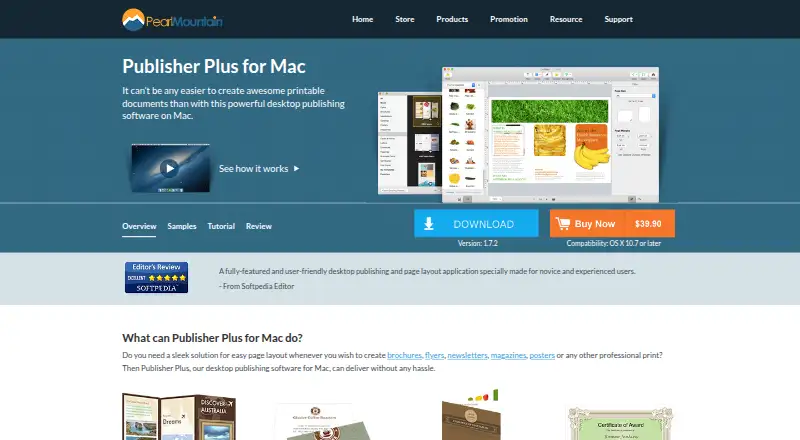
What Publisher Plus is
Publisher Plus is a macOS desktop publishing and page layout app for creating printable materials such as brochures, flyers, newsletters, magazines, posters, business cards, and calendars. You can set page size, orientation, and margins, then create and edit documents with multiple pages. The app includes more than 170 templates, hundreds of clipart items, over 230 backgrounds, and more than 40 photo frames and masks.
Editing tools cover text, shapes, calendars, object styling, layers, alignment, grouping, image cropping, frames, masks, and filters. Photo objects can use formats including JPG, TIFF, PNG, GIF, PDF, EPS, AI, and SVG. Finished pages can be printed directly or exported as PDF, JPG, PNG, TIFF, BMP, or PSD. The product page also lists sharing through Email, Message, AirDrop, Twitter, Facebook, and Flickr, as well as web image search inside the app.
Publisher Plus costs $39.90, paid once and includes a 30-day money-back guarantee; minor upgrades are free until the next major version. A free version, Publisher Lite for Mac, is available through the App Store, and a free trial is offered.
Who it suits
Publisher Plus suits Mac users who need to lay out print materials across multiple pages, from flyers and business cards to magazines and calendars. Its templates, image tools, direct printing, and export formats are useful for people assembling designed documents for print or sharing.
What it does well
- Offers 170-plus templates and more than 230 backgrounds.
- Supports multi-page documents with customizable page setup.
- Exports pages to PDF, JPG, PNG, TIFF, BMP, and PSD.
- Supports multiple photo formats, including AI, EPS, and SVG.
- Includes direct printing and several sharing options.
What to know first
- The desktop app is for macOS only.
- The listed Publisher Plus plan costs $39.90, paid once.
- The free version is Publisher Lite for Mac, rather than Publisher Plus.
Limits
Publisher Lite for Mac is identified as the free version. The paid Publisher Plus plan is $39.90, paid once, with minor upgrades free until the next major version.
Plans
| Plan | Billed and limits | Price |
|---|---|---|
| Publisher Plus | Mac desktop app · 30-day money-back guarantee · minor upgrades free until the next major version | $39.90, paid once |
As pearlmountainsoft.com lists them, read 9 Oct 2026. The maker's own page has the final word.
Getting started
- Open the Publisher Plus website.
- Use the free trial or choose the Publisher Plus plan for $39.90, paid once.
- For the free version, find Publisher Lite for Mac on the App Store.
- Install on a Mac meeting the listed OS X compatibility requirements.
- Set page dimensions and margins, then create a multi-page document.
Verdict
Choose Publisher Plus if you want a Mac app for composing printable documents with templates, layout controls, and several export formats. Look elsewhere if you need a platform beyond macOS or require Publisher Plus itself to be free; Publisher Lite is the free Mac version.
Questions
How much does Publisher Plus cost?
The Publisher Plus plan costs $39.90, paid once. It includes a 30-day money-back guarantee.
Is there a free version?
Yes. The FAQ identifies Publisher Lite for Mac on the App Store as the free version of Publisher Plus for Mac.
Is a free trial available?
Yes, a free trial is offered.
Which platforms does Publisher Plus support?
The listed platform is macOS. The product page says OS X 10.7 or later; the FAQ says Mac OS X 10.6.8 or above with an Intel processor of 1 GHz or higher.
What can I export?
Pages can be exported as PDF, JPG, PNG, TIFF, BMP, or PSD.
How are upgrades handled?
Minor upgrades are free. Purchased version 1.x updates are included until version 2.0.
Facts from Publisher Plus's own pages
- Compatibility
- The product page lists compatibility as OS X 10.7 or later, while the FAQ lists Mac OS X 10.6.8 or above and an Intel processor of 1 GHz or higher. · pearlmountainsoft.com, 9 Oct 2026
- Editing
- The app supports text, shapes, calendars, object styling, layers, alignment, grouping, image cropping, frames, masks, and filters. · pearlmountainsoft.com, 9 Oct 2026
- Export and print
- Pages can be printed directly or exported as PDF, JPG, PNG, TIFF, BMP, and PSD. · pearlmountainsoft.com, 9 Oct 2026
- Founded
- 2006 · pearlmountainsoft.com, 28 Sept 2026
- Free version
- The FAQ identifies Publisher Lite for Mac on the App Store as the free version of Publisher Plus for Mac. · pearlmountainsoft.com, 9 Oct 2026
- Headquarters
- Chengdu, Sichuan, China · pearlmountainsoft.com, 28 Sept 2026
- Image formats
- The maker says photo objects support formats including JPG, TIFF, PNG, GIF, PDF, EPS, AI, and SVG. · pearlmountainsoft.com, 9 Oct 2026
- Page setup
- Users can customize page size, orientation, and margins, and create and edit multiple pages. · pearlmountainsoft.com, 9 Oct 2026
- Privacy
- PearlMountain’s privacy policy says purchase data is handled by registration providers and that PearlMountain does not know users’ credit card numbers or other sensitive payment information. · pearlmountainsoft.com, 9 Oct 2026
- Purpose
- Publisher Plus is a Mac desktop publishing and page layout application for creating printable documents such as brochures, flyers, newsletters, magazines, posters, business cards, and calendars. · pearlmountainsoft.com, 9 Oct 2026
- Sharing
- The product page lists sharing through Email, Message, AirDrop, Twitter, Facebook, and Flickr within Publisher Plus for Mac. · pearlmountainsoft.com, 9 Oct 2026
- Support
- The maker directs users with product problems or questions to its technical support team by email. · pearlmountainsoft.com, 9 Oct 2026
- Template purchases
- The FAQ says additional template packs can be purchased through the in-app Store using an Apple account. · pearlmountainsoft.com, 9 Oct 2026
- Templates
- The maker lists 170-plus templates, hundreds of clipart items, 230-plus backgrounds, and 40-plus photo frames and masks. · pearlmountainsoft.com, 9 Oct 2026
- Updates
- The FAQ says minor upgrades are free, with purchased version 1.x updates included until version 2.0. · pearlmountainsoft.com, 9 Oct 2026
- Web image search
- The maker says users can search the web for images inside the app. · pearlmountainsoft.com, 9 Oct 2026
Where Publisher Plus stands on Freedom251
- Desktop Publishing Software#13 of 30