Freedom251 › Secure Video Conferencing Software
Proton Meet
What Proton Meet is
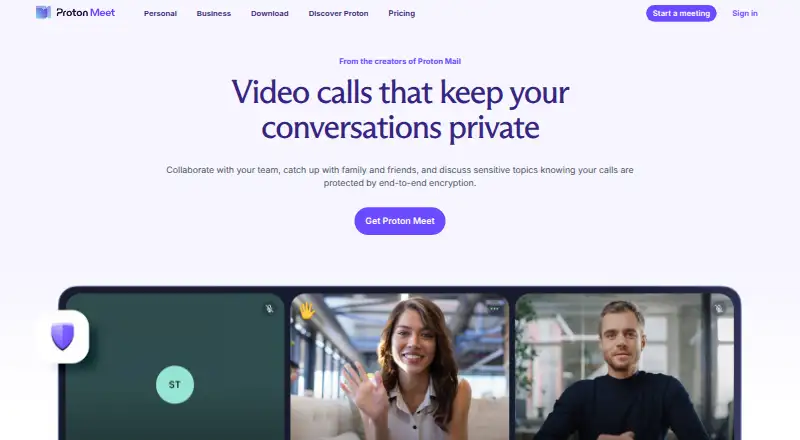
Proton Meet provides video calls for teams, friends, and family, with end-to-end encryption for audio, video, screen shares, and chats using Messaging Layer Security. People outside Proton can join through a meeting link without creating an account. Hosts can blur backgrounds, reduce noise, lock meetings, stop new participants from joining, mute audio, turn off video, and remove attendees. Meet integrates with Proton Calendar to add calls to schedules and supports appointment scheduling. Proton says all Meet apps are open source for independent auditing, and states that it does not retain meeting passwords, audio, video, chat messages, or metadata linking participants after calls end. It lists compliance with GDPR, HIPAA, CJIS, and PCI. Apps are available for web, Windows, macOS, Linux, iOS, and Android. The free plan allows up to 50 participants for meetings of up to 60 minutes, with five meeting links per day. Paid pricing starts at $7.99/user/mo (annual).
Who it suits
Proton Meet suits security-conscious teams and people who need confidentiality for work meetings. Its guest links also suit calls with participants who do not have Proton accounts.
What it does well
- End-to-end encryption covers calls, screen shares, and chats.
- Guests can join without Proton accounts.
- Hosts can lock meetings and manage attendees.
- Integrates with Proton Calendar.
- Available on web, desktop, and mobile platforms.
What to know first
- Free meetings are limited to 60 minutes.
- Free plan allows up to 50 participants.
- Free plan allows five meeting links per day.
- Paid pricing starts at $7.99/user/mo (annual).
Limits
Meet Free limits each meeting to 60 minutes and 50 participants, with up to five meeting links per day. Meet Professional supports meetings up to 24 hours and 100 participants, and lists recording, screen sharing, built-in chat, appointment scheduling, and unlimited meetings per day.
Plans
| Plan | Billed and limits | Price |
|---|---|---|
| Meet Free | $0.00/month · 60 minutes per meeting · up to 50 participants · up to five meeting links per day | Free |
| Workspace Standard | $155.88 every 12 months · Meet Professional features · 1 TB storage per user · 15 custom email domains | $12.99 a month |
| Workspace Premium | $239.88 every 12 months · 250-person meetings · 3 TB storage per user · 20 custom email domains · Lumo AI · data retention policies | $19.99 a month |
| Meet Professional | $95.88 every 12 months · 24 hours per meeting · up to 100 participants · unlimited meetings per day · recording · scheduling | $7.99 a month |
As proton.me lists them, read 21 Oct 2026. The maker's own page has the final word.
Getting started
- Open the Proton Meet website or use an app for Windows, macOS, Linux, iOS, or Android.
- Choose Meet Free or review the paid plans, with a 14-day trial available.
- Create meeting links for guests to join without Proton accounts.
- Connect Proton Calendar to add calls to schedules or set appointments.
Proton Meet is a privacy-focused video conferencing service for teams, families, and friends across browsers, computers, and phones. It is best suited to security-conscious organisations and individuals who need confidential calls without forcing every guest to open an account. Choose it for strong encryption and meeting governance; look elsewhere if long free meetings or a broad, all-in-one collaboration workspace matters more.
Overview
Meet is built around private conversations rather than a large productivity bundle. Proton says audio, video, screen sharing, and chat are protected with Messaging Layer Security end to end, while its apps are fully open source for independent auditing. That combination gives buyers a clear security rationale, especially for sensitive work meetings.
Its privacy position extends beyond encryption. Proton says it does not retain meeting passwords, recordings of audio or video, chat messages, or metadata that links participants after a call ends. Recording is local, so organisations can keep control of files, but they must also manage storage and sharing themselves.
Key features
Hosts get controls that matter in real meetings: they can blur backgrounds, reduce noise, mute audio, stop video, lock a session, block additional people from joining, and remove attendees. These controls are useful for confidential briefings and for keeping larger calls orderly, though the free tier restricts how long and how often such meetings can run.
External participants can enter through a meeting link without a Proton account. That removes a common barrier when inviting clients, relatives, or contractors outside your organisation. Proton Calendar integration adds calls to schedules, and appointment scheduling is included from the Professional tier upward.
Professional also adds screen sharing, built-in chat, and meeting recording. Proton cites ISO 27001 certification, SOC 2 Type II attestation, and compliance with GDPR, HIPAA, CJIS, and PCI. Those claims will matter to regulated teams evaluating a vendor, while the published support centre provides setup, feature, and troubleshooting guidance.
Pricing
Meet has a free plan and paid service starting at $7.99 per user per month when billed annually, plus a 14-day trial. The entry plan, Meet Free, costs nothing per month and allows meetings of up to 60 minutes, 50 participants, and five meeting links per day. It is suitable for short personal calls or occasional small-team check-ins, but the daily-link quota and hour limit make it a poor fit for a full day of workshops or recurring customer sessions.
Meet Professional has custom pricing. It extends meetings to 24 hours, supports 100 participants, and removes the daily meeting limit. Screen sharing, built-in chat, appointment scheduling, and meeting recording are included, making this the sensible tier for teams that need a complete meeting workflow rather than a basic encrypted call.
Workspace Standard also uses custom pricing and includes Professional features, 1 TB of storage per user, and 15 custom email domains. Workspace Premium adds 3 TB per user, 20 custom domains, and meetings for up to 250 participants. Standard suits organisations combining conferencing with substantial mail and storage needs; Premium is for larger events and heavier storage requirements. The advertised 100-participant ceiling applies to Professional, while Premium raises that meeting capacity to 250.
Platforms
Meet runs in a web app and has applications for Windows, macOS, Linux, iOS, and Android. That breadth supports mixed-device teams and guests joining from a browser, without requiring a single desktop operating system.
Who it's for
Choose Proton Meet for confidential internal meetings, regulated work, or family conversations where end-to-end encryption and limited post-call data retention are priorities. Guest links make it practical when invitees are not Proton users. It is less compelling for groups that need generous free usage, cloud-based recording, or a single suite centred on broad collaboration tools.
Pros and cons
Pros
- End-to-end encryption: Messaging Layer Security covers calls, screen shares, and chats rather than only account sign-in.
- Strong host authority: Locking meetings, blocking newcomers, removing attendees, and controlling audio and video help manage sensitive sessions.
- Low-friction guest access: Participants can use a link without making Proton accounts.
- Open-source applications: Proton says every Meet app can be independently audited.
- Broad compliance claims: ISO 27001, SOC 2 Type II, GDPR, HIPAA, CJIS, and PCI coverage address formal procurement concerns.
Cons
- Restrictive free tier: 60-minute meetings, 50 participants, and five links per day exclude many long or frequent sessions.
- Paid pricing is not fully shown: Professional and Workspace plans require a custom quote, complicating direct budget comparisons.
- Local recording: Keeping recordings on your devices preserves control but leaves storage, backup, and distribution to you.
Alternatives
Secure Video Conferencing Software is a useful starting point when you want to compare privacy-oriented meeting products.
Microsoft Teams is the better pick when a free plan with 100 participants, 60-minute group meetings, and 5 GB of cloud storage fits your priorities.
VSee suits buyers who want a freemium service with a free trial and provider-based plans.
Apache OpenMeetings is preferable if free software and self-hosting are more important than Proton's managed service.
Jami is an alternative free communications project available across desktop, mobile, web, and extension platforms.
Jitsi Meet is another free option with web, mobile, desktop, and self-hosted availability.
OpenTalk is worth considering if auditable open-source code and free community use are central requirements.
TrueConf offers a freemium route with a free trial and self-hosted availability.
Webex App fits users who prefer a free service offering meetings up to 40 minutes for as many as 100 attendees.
Verdict
Proton Meet is a strong choice for privacy-first teams and individuals who value encrypted calls, controllable guest access, and credible security and compliance commitments. Its main reason to choose it is the combination of end-to-end protection and practical host controls. Look elsewhere if your budget depends on a generous free tier, transparent plan pricing, or cloud recording and wider collaboration features.
Verdict
Proton Meet combines encrypted calls with host controls, calendar integration, and guest access. The free plan has limits on meeting length, participants, and daily meeting links.
Questions
Is Proton Meet free?
Yes. Meet Free costs nothing, billed $0.00 every month.
What does Meet Free include?
It allows meetings of up to 60 minutes and 50 participants, and up to five meeting links per day.
What is the paid starting price?
Paid service starts at $7.99/user/mo (annual). A 14-day trial is available.
Which platforms does Proton Meet support?
It is available on the web, Windows, macOS, Linux, iOS, and Android.
Can people without Proton accounts join?
Yes. External participants can join through a meeting link without creating a Proton account.
Is Proton Meet open source?
Proton says every Proton Meet app is fully open source for independent auditing.
Facts from Proton Meet's own pages
- Appointment scheduling
- Paid plans provide private Calendar booking pages that create meetings automatically when appointments are booked. · proton.me, 21 Oct 2026
- Calendar integration
- Meet integrates with Proton Calendar to add calls to schedules and supports Calendar appointment scheduling. · proton.me, 30 Sept 2026
- Chat
- In-call chat is encrypted, visible to everyone in the meeting, and normally disappears when the call ends. · proton.me, 21 Oct 2026
- Chat threads
- Threaded replies became available to all users on October 14, 2026, while chat remains temporary and end-to-end encrypted. · proton.me, 21 Oct 2026
- Company founded
- Proton’s LinkedIn company page lists 2014 as its founding year. · linkedin.com, 21 Oct 2026
- Company headquarters
- Proton lists its address in Plan-les-Ouates, Geneva, Switzerland. · proton.me, 21 Oct 2026
- Company history
- Proton says it was founded in Switzerland in 2014 by scientists who met at CERN. · proton.me, 30 Sept 2026
- Company legal name
- The download page identifies the maker as Proton AG. · proton.me, 21 Oct 2026
- Company size
- Proton’s LinkedIn page lists 501–1,000 employees. · linkedin.com, 21 Oct 2026
- Data handling
- Proton says it does not store meeting passwords, audio, video, chat messages, or metadata linking participants after a call ends. · proton.me, 30 Sept 2026
- Developer documentation
- Proton’s Meet support documentation covers setup, web use, camera and microphone troubleshooting, screen sharing, chat, and recording; the reviewed Meet pages do not present a public Meet API or SDK. · proton.me, 21 Oct 2026
- Downloads
- Proton distributes native iOS, Android, macOS, Windows, and Linux apps plus an Android APK and browser access. · proton.me, 21 Oct 2026
- Encryption
- Meet uses Messaging Layer Security for end-to-end encryption of audio, video, screen shares, and chats. · proton.me, 30 Sept 2026
- End-to-end encryption
- Audio, video, screen sharing, and chat are encrypted on participants’ devices with Messaging Layer Security so Proton cannot decrypt them. · proton.me, 21 Oct 2026
- Founded
- 2014 · proton.me, 23 Sept 2026
- Guest access
- Guests can join from a link without a Proton account or installed app. · proton.me, 21 Oct 2026
- Headquarters
- Geneva, Switzerland · proton.me, 23 Sept 2026
- Host controls
- Hosts can mute participants, disable video, remove attendees, and lock meetings against new joins. · proton.me, 21 Oct 2026
- Intended users
- Proton describes Meet as suitable for security-conscious teams and for work meetings where confidentiality matters. · proton.me, 30 Sept 2026
- Launch news
- Proton announced Proton Meet publicly on March 31, 2026, describing it as privacy-first conferencing for work and personal use. · proton.me, 21 Oct 2026
- License
- The public ProtonMeet meet-common repository is licensed under GNU GPL version 3 or later. · github.com, 21 Oct 2026
- Limit: feature depth
- EuropeanStack notes missing breakout rooms, polling, webinar mode, and very large events compared with Zoom. · europeanstack.com, 21 Oct 2026
- Limit: interface maturity
- Reddit reviewers described missing self-view controls, pixelation, audio synchronization problems, and a less polished interface than Zoom. · reddit.com, 21 Oct 2026
- Limit: mobile screen audio
- An App Store reviewer reported that iOS screen sharing could not transmit video audio, with Proton saying web support existed instead. · apps.apple.com, 21 Oct 2026