Freedom251 › Game Asset Extractors
Project IGI Game Converter
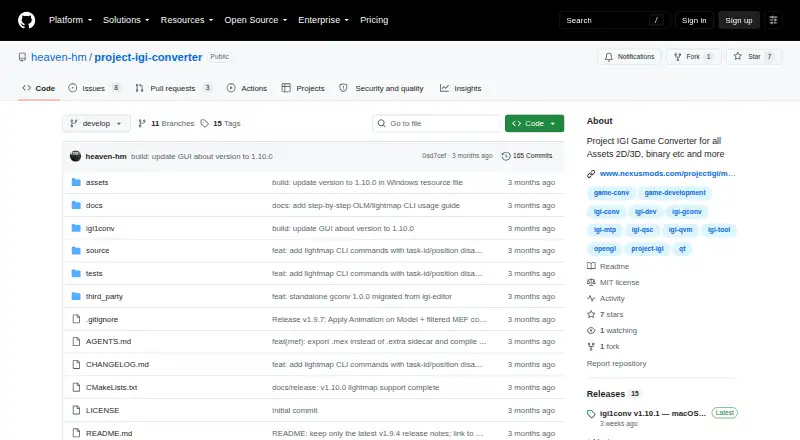
What Project IGI Game Converter is
Project IGI Game Converter is a free tool for inspecting and converting Project IGI 1 game files. It is designed for modders and researchers who want to extract assets, edit them with modern tools and reinject them into the game. The software reads or converts proprietary textures, meshes, scripts, archives, terrain, fonts, skeletal animations, audio, AI graphs and lightmaps. Its graphical interface combines a searchable file tree with model and texture viewers, a texture editor, script and hex inspectors, and conversion actions. Users can render MEF and OBJ models, export MEF to OBJ, convert TEX, SPR and PIC images, export PNGs, resize images and save edits in native game formats. It can decompile QVM bytecode to QSC source and compile QSC back to QVM; DAT mappings can move through JSON and binary DAT or MTP packages. A command-line tool supports batch and recursive processing. The Windows release has a GUI; the macOS v1.10.1 release provides an Apple Silicon arm64 CLI build requiring macOS 12.0 or later. Applying model textures in the GUI requires selecting the active level folder in Settings.
Who it suits
It suits Project IGI 1 modders and researchers working with game assets. Users who want the GUI can use the Windows build; the listed macOS build is command-line only.
What it does well
- Free tool with an MIT license
- Converts MEF models to OBJ
- Supports batch and recursive command-line processing
- Edits textures and saves them in native formats
What to know first
- macOS build is CLI-only
- macOS build requires macOS 12.0 or later
- Model textures require an active level folder setting
Getting started
- Open the project website on GitHub.
- Choose the build for Windows or macOS; the macOS CLI build requires Apple Silicon and macOS 12.0 or later.
- Use the GUI file tree and viewers to inspect game assets, or use the command-line tool for scripted and batch work.
- For model textures in the GUI, select the active level folder in Settings.
- Use the available conversion tools to export assets, make edits, and reinject them into the game.
Verdict
Project IGI Game Converter covers inspection, editing and conversion across many Project IGI 1 asset types. Check the platform-specific interface and texture-mapping setup before choosing a workflow.
Questions
Is Project IGI Game Converter free?
Yes. It is listed as free, with a free plan.
Which platforms does it support?
The listed platforms are macOS and Windows. The Windows release notes describe the GUI as the default build; macOS has a native Apple Silicon arm64 CLI build requiring macOS 12.0 or later.
What assets can it convert or inspect?
It covers textures, meshes, scripts, archives, terrain, fonts, skeletal animations, audio, AI navigation graphs, and lightmaps. Examples include exporting MEF models to OBJ and converting TEX, SPR, and PIC images.
Does it have command-line support?
Yes. The CLI supports scripting, automated builds, batch tasks, and recursive folder processing.
What license does it use?
The repository lists an MIT license.
Does it integrate with other services?
The project describes workflows using standard OBJ and PNG files and JSON metadata export. It does not state third-party service integrations.
Facts from Project IGI Game Converter's own pages
- 3D formats
- The GUI can render native .mef and .obj models, and the CLI can export .mef models to .obj. · github.com, 5 Oct 2026
- Animation
- The v1.9.4 notes describe an animation mode that plays IFF bone animations on textured 3D MEF models with skeletal skinning. · github.com, 5 Oct 2026
- Asset workflow
- It is intended for modders and researchers to extract game assets, modify them with modern tools, and inject them back into the game. · github.com, 5 Oct 2026
- CLI
- The CLI supports archive packing and unpacking, mesh and texture conversion, script decompilation and compilation, metadata editing, and recursive batch operations. · github.com, 5 Oct 2026
- File formats
- It reads and converts proprietary textures, meshes, scripts, archives, terrain, fonts, and AI graphs. · github.com, 4 Oct 2026
- GUI
- The GUI includes file tree navigation, interactive 3D model viewing, 2D texture previews, texture editing, script and hex inspectors, and conversion commands. · github.com, 5 Oct 2026
- GUI requirement
- Applying textures to 3D models requires selecting the active level folder in Settings so the converter can resolve texture mappings. · github.com, 4 Oct 2026
- Integration
- The project describes conversion workflows to standard OBJ and PNG files and metadata export to JSON; it does not state integrations with third-party services. · github.com, 4 Oct 2026
- License
- The repository lists an MIT license. · github.com, 5 Oct 2026
- Lightmaps
- The changelog documents lightmap support for MEF Type 3 models and commands for inspecting and exporting OLM lightmaps. · github.com, 4 Oct 2026
- macOS availability
- The v1.10.1 release provides a native Apple Silicon arm64 CLI build requiring macOS 12.0 or later, with no Qt dependency. · github.com, 5 Oct 2026
- Maker
- The maker profile describes Heaven-HM as a game developer and reverse engineer focused on Project I.G.I. modding, scripting, and engine tooling. · github.com, 5 Oct 2026
- Mesh conversion
- It exports proprietary MEF models to standard OBJ files. · github.com, 4 Oct 2026
- Metadata
- It can export DAT mappings to JSON and compile them into binary DAT or MTP packages. · github.com, 4 Oct 2026
- Purpose
- The project describes itself as a standalone converter and inspector for Project IGI 1 game files. · github.com, 5 Oct 2026
- Script conversion
- It decompiles QVM bytecode to QSC source and compiles QSC back to QVM. · github.com, 4 Oct 2026
- Security
- GitHub’s repository security page says the project has no detected security policy and no published security advisories. · github.com, 5 Oct 2026
- Support
- The repository exposes GitHub Issues as a place to report or track project issues. · github.com, 4 Oct 2026
- Supported assets
- The README names textures, meshes, scripts, archives, terrain, fonts, and AI graphs among the proprietary formats it can inspect or convert. · github.com, 5 Oct 2026
- Texture conversion
- It converts TEX, SPR, and PIC images, including PNG export and resizing. · github.com, 4 Oct 2026
- Texture editing
- The GUI can preview .tex, .spr, and .pic assets and save texture edits back to the native game format. · github.com, 5 Oct 2026
- Texture mapping limit
- To apply textures to 3D models in the GUI, the user must first select the active level folder in Settings so the correct texture mappings can be resolved. · github.com, 5 Oct 2026
- Windows availability
- The release notes say the Windows GUI remains the default build. · github.com, 5 Oct 2026
Where Project IGI Game Converter stands on Freedom251
- Game Asset Extractors#18 of 24