Freedom251 › Game Asset Extractors
MeltyTool
What MeltyTool is
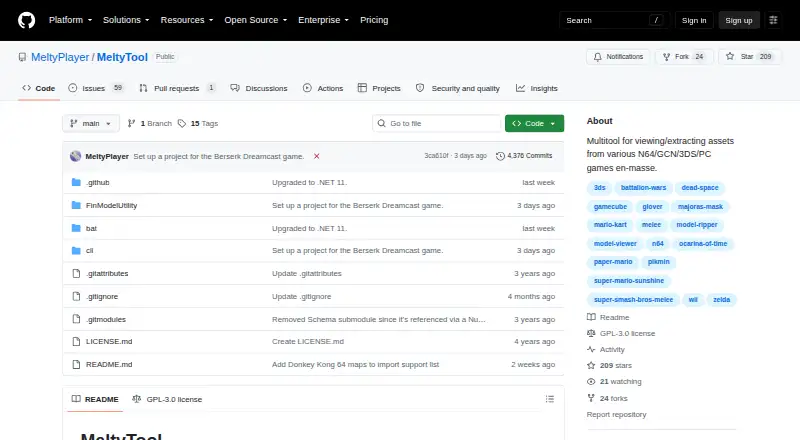
MeltyTool is a Windows utility for viewing and extracting assets in bulk from supported N64, GameCube, 3DS, and PC games. Its WinForms interface lets users browse supported models and render them to approximate their appearance in the original game. Users can extract models from a directory, with progress displayed while the task runs in the background. Separate batch scripts are available for supported games, including Paper Mario, Super Mario Sunshine, Pikmin, Super Smash Bros. Melee, and several Zelda games. The command-line tool converts model files and selects a plugin based on the input. Model exports are available in GLTF/GLB and FBX formats. Other listed asset types include textures, animations, rigs, maps, audio, MIDI, and Picross puzzles. GameCube image inputs include CISO, GCM, ISO, and NKit ISO; listed 3DS inputs include 3DS, CCI, and CIA. Some models or features may not be supported or accurately recreated, and exported materials may need manual repair. MeltyTool is free and licensed under GPL-3.0.
Who it suits
MeltyTool suits Windows users who want to browse or batch-extract assets from supported games. It also offers command-line model conversion for users working with those files.
What it does well
- Free to use under the GPL-3.0 license
- Batch extraction includes progress updates
- Exports models as GLTF/GLB and FBX
- Includes scripts for supported games
What to know first
- Windows only
- Some models or features may be unsupported or inaccurate
- Exported materials may need manual repair
Limits
Some models and model features may not be supported or accurately recreated. Exported materials may be broken or incomplete and can require manual reconstruction in another program.
Getting started
- Download a release for stability, or use the repository Code button for the latest version.
- Extract the download on a Windows machine.
- Launch the interface with the provided Windows .bat file.
- Browse supported models, or use the per-game batch scripts for extraction.
Verdict
MeltyTool combines a model viewer, game-specific batch scripts, and command-line conversion for supported games. Check its supported titles and expect that some exported materials may need additional work.
Questions
Is MeltyTool free?
Yes. Its pricing model is free, and it has a free plan.
Which platforms does it support?
MeltyTool runs on Windows. The usage guide describes launching its interface with a Windows .bat file.
What export formats does it create?
Model exports are available in GLTF/GLB and FBX formats.
Which games does it support?
Listed titles include Paper Mario, Super Mario Sunshine, Pikmin, Super Smash Bros. Melee and several Zelda games.
Is MeltyTool open source?
Its public repository identifies the license as GPL-3.0.
How can I report an issue or suggest a game?
Broken or missing models can be reported through GitHub Issues. A linked form accepts game or feature suggestions.
Facts from MeltyTool's own pages
- Batch extraction
- Users can extract all models in a directory, with progress shown while extraction runs in the background. · github.com, 7 Oct 2026
- Batch workflows
- It provides a separate batch script for each supported game to simplify extraction. · github.com, 7 Oct 2026
- Command line
- The command-line tool can convert model files, and it automatically selects a plugin based on the input files. · github.com, 7 Oct 2026
- Conversion
- Its command-line tool converts assets and automatically selects a plugin based on the input files. · github.com, 7 Oct 2026
- Desktop use
- The usage guide instructs users to extract the download on their machine and launch the UI with a Windows .bat file. · github.com, 7 Oct 2026
- Downloading
- The README recommends downloading a release for stability or using the repository Code button for the latest version. · github.com, 7 Oct 2026
- Export formats
- Model exports include both GLTF (.glb) and FBX files. · github.com, 7 Oct 2026
- Game image inputs
- The README says GameCube images with .ciso, .gcm, .iso, or .nkit.iso extensions should work, and 3DS images with .3ds, .cci, or .cia extensions should work. · github.com, 7 Oct 2026
- Game-specific scripts
- It provides separate batch scripts for supported games to simplify asset extraction. · github.com, 7 Oct 2026
- Integrations and dependencies
- The project credits external tools and libraries used for format support, including Noesis plugins, IronPython for calling Python plugins from C#, and SharpGLTF for writing GLTF models. · github.com, 7 Oct 2026
- License
- The public repository identifies its license as GPL-3.0. · github.com, 7 Oct 2026
- Limitations
- The maintainer cautions that not all models in supported games are supported and exported models may not accurately reproduce every feature. · github.com, 7 Oct 2026
- Maker profile
- The maker's GitHub profile describes the maintainer as interested in video-game model ripping and reverse engineering. · github.com, 7 Oct 2026
- Materials
- Some exported model materials are broken or incomplete and may need to be recreated manually in an importing program. · github.com, 7 Oct 2026
- Model viewing
- Its UI loads and renders supported models to approximate their appearance in the original game. · github.com, 7 Oct 2026
- Purpose
- MeltyTool is a multitool for viewing and extracting assets in bulk from various N64, GameCube, 3DS, and PC games. · github.com, 7 Oct 2026
- Release downloads
- The README recommends downloading a release for stability or using the repository Code button for the latest version. · github.com, 7 Oct 2026
- Suggestions and feedback
- The README links to a form for suggesting games or features and invites users to report broken or missing models through GitHub Issues. · github.com, 7 Oct 2026
- Support and feedback
- Users can report broken or missing models through GitHub Issues and suggest games or features through a linked Google Form, with no promise about when suggestions will be implemented. · github.com, 7 Oct 2026
- Supported games
- The README lists support for assets from games including Pikmin, Super Mario Sunshine, Super Smash Bros. Melee, Ocarina of Time 3D, and Dead Space. · github.com, 7 Oct 2026
- Viewer
- The current user interface is WinForms based and lets users browse and view supported models before extracting them. · github.com, 7 Oct 2026
Where MeltyTool stands on Freedom251
- Game Asset Extractors#16 of 24