Freedom251 › Game Asset Extractors
Game Extractor
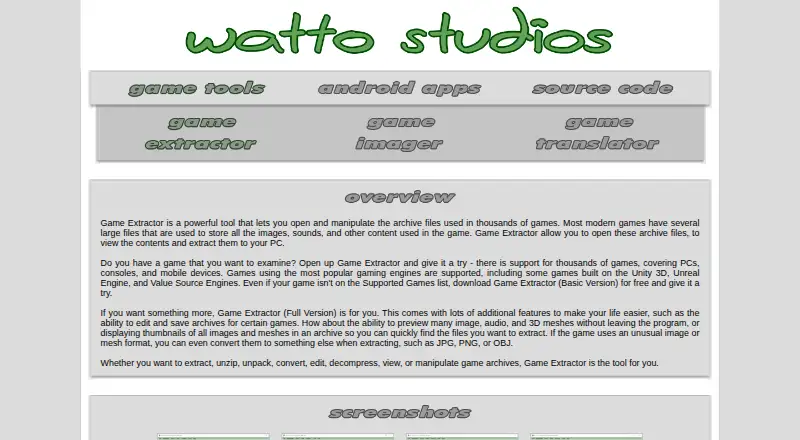
What Game Extractor is
Game Extractor opens game archive files so you can inspect their contents and extract files to a PC. Its maker lists support for archives from over 5,700 games across PC, mobile, and console platforms, including games built with Unity 3D, Unreal Engine, and Value Source Engines. The free Basic Version reads archives and extracts files. The Full Version costs $10, paid once and adds archive editing and saving, previews for many image, audio, and 3D mesh files, image and mesh conversion, thumbnails, and a scanner that can search unknown or unsupported archives for images and audio. Optional FFmpeg and Java Media Framework integrations can extend audio and video previews. All versions require the 32-bit Java Runtime Environment 8, which the site says comes with the application. Game Extractor runs on Windows. Some archives from supported games may not open, and edited archives are not guaranteed to work in games, so the maker advises keeping the original as a backup. Tutorials and in-program help are available.
Who it suits
Game Extractor suits Windows users who need to inspect or extract files from game archives, with optional paid tools for editing, previews, conversion, and archive scanning. It may also suit users working with archives from the listed PC, mobile, and console games.
What it does well
- Free version reads archives and extracts files
- Supports archives from over 5,700 games
- Full Version edits and saves archives
- Includes PDF, video, and in-program tutorials
What to know first
- Requires 32-bit Java Runtime Environment 8
- Some archives from supported games may not open
- Edited archives are not guaranteed to work in games
Limits
The free Basic Version is limited to reading archives and extracting files. Archive editing and saving, previews, image and mesh conversion, thumbnails, and the format scanner are in the Full Version, priced at $10, paid once.
Plans
| Plan | Billed and limits | Price |
|---|---|---|
| Basic Version | Read archives from over 5700 games · Extract files | Free |
| Full Version | Archive editing and saving · File previews · Image and mesh conversion · Thumbnails · Format scanner | $10, paid once |
As watto.org lists them, read 8 Oct 2026. The maker's own page has the final word.
Getting started
- Visit https://www.watto.org/extract.
- Download the installer through GitHub or SourceForge.
- Install Game Extractor; Java Runtime Environment 8 in its 32-bit version is included, according to the site.
- Use the Basic Version to read archives and extract files, or choose the Full Version for editing and additional tools.
- Consult the PDF tutorials, YouTube tutorials, or in-program General Help as needed.
Verdict
Game Extractor offers a free way to browse and extract game archive files, with editing and additional inspection tools in its one-time Full Version. Check archive compatibility for your game, and keep an original copy before editing.
Questions
What does Game Extractor do?
It opens game archive files so you can view their contents and extract files to a PC. The Full Version also offers archive editing and additional inspection tools.
Is there a free version?
Yes. The Basic Version costs nothing and can read archives and extract files. A free trial is also listed.
How much does the Full Version cost?
The Full Version is $10, paid once.
What platforms does it run on?
Game Extractor runs on Windows. All versions require 32-bit Java Runtime Environment 8, which the site says comes with the application.
Which games and engines are supported?
The site says it supports archives from over 5,700 games across PC, mobile, and gaming consoles. It names Unity 3D, Unreal Engine, and Value Source Engines among supported engines.
Can I edit archives and use the edited files in games?
The Full Version can add, remove, rename, and replace archive files and save the archive, depending on the game. The site does not guarantee edited archives will work in games and advises keeping a backup of the original.
Facts from Game Extractor's own pages
- Archive editing
- The Full Version can add, remove, rename, and replace files in archives and save them for use in games, with availability depending on the game. · watto.org, 8 Oct 2026
- Compatibility limits
- The site says a supported game may use archives that the plugin cannot open, and some demos or unofficial copies may have different archives. · watto.org, 8 Oct 2026
- Downloads
- The site links to GitHub and SourceForge downloads and describes installing the Game Extractor installer. · watto.org, 8 Oct 2026
- Editing limits
- The site does not guarantee edited archives will work in games and advises keeping a backup of the original archive. · watto.org, 8 Oct 2026
- Format scanner
- The Full Version includes a format scanner for finding images and audio in unknown and unsupported game archives. · watto.org, 8 Oct 2026
- Game coverage
- The site says it supports archives from over 5,700 games across PC, mobile, and gaming consoles. · watto.org, 8 Oct 2026
- Game engines
- The site names Unity 3D, Unreal Engine, and Value Source Engines among the supported game engines. · watto.org, 8 Oct 2026
- Optional integrations
- The Full Version can optionally use FFmpeg and Java Media Framework to preview additional audio and video files. · watto.org, 8 Oct 2026
- Preview and conversion
- The Full Version can preview many image, audio, and 3D mesh files and convert game-specific images and meshes to formats such as JPG, PNG, and OBJ. · watto.org, 8 Oct 2026
- Purpose
- Game Extractor opens game archive files so users can view their contents and extract files to a PC. · watto.org, 8 Oct 2026
- Runtime requirement
- All versions require Java Runtime Environment 8 in its 32-bit version, which the site says comes with the application. · watto.org, 8 Oct 2026
- Support materials
- The site provides PDF tutorials, YouTube video tutorials, and an in-program General Help file. · watto.org, 8 Oct 2026
Where Game Extractor stands on Freedom251
- Game Asset Extractors#12 of 24
- Game Modding Tools#14 of 25