Freedom251 › Text-to-Speech Software
Pocket TTS
by Pocket TTS
What Pocket TTS is
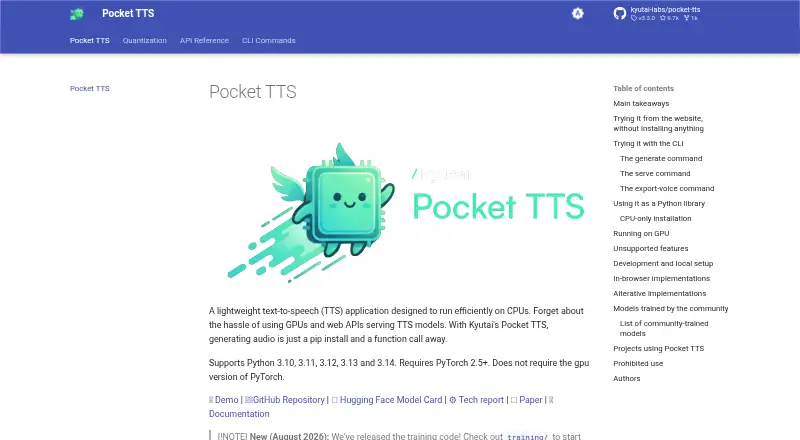
Pocket TTS is a lightweight text-to-speech application built to run efficiently on CPUs. Its model has 100 million parameters, supports streaming audio and takes about 200 milliseconds to produce the first audio chunk. The documentation reports around six times real-time speed on a MacBook Air M4 CPU using two cores. It can process very long text inputs, supports six languages and exports WAV audio.
Users can access Pocket TTS through a Python API, a command-line interface or a local HTTP server. A browser demo can generate speech without installation, and the maker says the model can run in a browser, although browser implementations are not officially supported. Installation is documented for Linux, macOS and Windows. The package supports Python 3.10 through 3.14 and requires PyTorch 2.5 or later; a GPU build of PyTorch is not required. On Linux, the default PyTorch installation may download several gigabytes of CUDA runtime wheels unless users select the CPU-only index. Pocket TTS is free, permits commercial use and supports voice cloning, subject to restrictions against impersonation without explicit lawful consent and other prohibited uses. The model files are listed under CC-BY-4.0, and access requires agreeing to share contact information.
Who it suits
Pocket TTS suits developers and other users who want CPU-based speech generation through a Python API, command line or local server. It can also suit commercial projects and voice-cloning workflows, provided they follow the stated use restrictions.
What it does well
- Free to use, with commercial use permitted.
- Runs on CPUs without requiring GPU PyTorch.
- Offers a Python API, command-line interface and local HTTP server.
- Streams audio with a first chunk in about 200 milliseconds.
- Handles long inputs and supports six languages.
- Provides a browser demo without installation.
What to know first
- Browser implementations are not officially supported.
- Linux’s default PyTorch installation may download several gigabytes of CUDA runtime wheels.
- Model file access requires agreeing to share contact information.
- Text input cannot add silence to create pauses.
Limits
Adding silence in text input to create pauses is unsupported. The browser implementation is not officially supported, and model file access requires agreeing to share contact information.
Plans
| Plan | Billed and limits | Price |
|---|---|---|
| Pocket TTS | Open source · CPU-based text-to-speech · Python API and CLI | Free |
As kyutai-labs.github.io lists them, read 12 Oct 2026. The maker's own page has the final word.
Getting started
- Open the Pocket TTS website at https://kyutai-labs.github.io/pocket-tts/.
- For speech generation without installation, open the linked browser demo.
- For local use, install the package on Linux, macOS or Windows.
- Use Python 3.10 through 3.14 and PyTorch 2.5 or later.
- On Linux, select the CPU-only PyTorch index to avoid the default CUDA runtime wheel downloads.
- Agree to share contact information to access the model files.
Verdict
Choose Pocket TTS if you need a free, CPU-oriented text-to-speech tool with API, command-line and local server access. It supports commercial use and voice cloning under its stated restrictions. Look elsewhere if you need browser use with official support or pause insertion through silence in the text.
Questions
Is Pocket TTS free?
Yes. Its listed plan is free, and there is no free trial.
Can I use Pocket TTS commercially?
Yes, commercial use is permitted. Voice impersonation or cloning requires explicit lawful consent, and other illegal, harmful, deceptive or privacy-invasive uses are prohibited.
Which platforms does Pocket TTS support?
Its listed platforms are API, Linux, macOS, self-hosted, web and Windows. Installation is documented for Linux, macOS and Windows; browser implementations are not officially supported.
What interfaces and audio format does it offer?
It provides a Python API, command-line interface and local HTTP server. WAV is the listed export format.
What does it require to run locally?
The package supports Python 3.10 through 3.14 and requires PyTorch 2.5 or newer. It does not require the GPU version of PyTorch.
What license applies to the model files?
The model card lists CC-BY-4.0. Access requires agreeing to share contact information.
Facts from Pocket TTS's own pages
- API access
- Yes · kyutai-labs.github.io, 20 Sept 2026
- Browser availability
- The maker offers a browser demo and says the model can run client-side in a browser, while noting that browser implementations are not officially supported. · kyutai-labs.github.io, 11 Oct 2026
- Browser demo
- The documentation links to a Kyutai website demo that can generate speech in the browser without installation. · kyutai-labs.github.io, 12 Oct 2026
- Commercial use
- Yes · kyutai-labs.github.io, 20 Sept 2026
- CPU performance
- The project reports about six times real-time generation on a MacBook Air M4 CPU using two CPU cores. · kyutai-labs.github.io, 12 Oct 2026
- Export formats
- WAV · kyutai-labs.github.io, 20 Sept 2026
- Free plan
- Yes · kyutai-labs.github.io, 20 Sept 2026
- Headquarters
- Paris, France · kyutai-labs.github.io, 28 Sept 2026
- Integrations
- The project lists community projects including a Wyoming protocol Docker container for Home Assistant Voice and a Unity 6 integration. · kyutai-labs.github.io, 12 Oct 2026
- Interfaces
- It offers a Python library, command-line interface, and local HTTP server with a web interface at localhost:8000. · kyutai-labs.github.io, 12 Oct 2026
- Languages
- 6 · kyutai-labs.github.io, 20 Sept 2026
- Languages
- The documented pretrained language models cover English, French, German, Portuguese, Italian, and Spanish. · kyutai-labs.github.io, 12 Oct 2026
- License and access
- The Hugging Face model card lists the model license as CC-BY-4.0 and says users must agree to share contact information to access the model files. · huggingface.co, 11 Oct 2026
- Long inputs
- Pocket TTS can handle infinitely long text inputs. · kyutai-labs.github.io, 12 Oct 2026
- Long text
- The model can handle infinitely long text inputs. · kyutai-labs.github.io, 11 Oct 2026
- Model size
- The model has 100 million parameters. · kyutai-labs.github.io, 12 Oct 2026
- Platforms
- windows,macos,linux,api,self_hosted · kyutai-labs.github.io, 20 Sept 2026
- Platform setup
- The maker documents installation on Linux, macOS, and Windows; on Linux, its default PyTorch installation may download several gigabytes of CUDA runtime wheels unless users choose the CPU-only index. · kyutai-labs.github.io, 11 Oct 2026
- Purpose
- Pocket TTS is a lightweight text-to-speech application designed to run efficiently on CPUs. · kyutai-labs.github.io, 11 Oct 2026
- Requirements
- The package supports Python 3.10 through 3.14 and requires PyTorch 2.5 or later. · github.com, 11 Oct 2026
- Runtime requirements
- The package supports Python 3.10 through 3.14 and requires PyTorch 2.5 or newer; it does not require the GPU version of PyTorch. · kyutai-labs.github.io, 12 Oct 2026
- Security and use policy
- The project prohibits voice impersonation or cloning without explicit and lawful consent, along with deceptive, harmful, or privacy-invasive uses. · kyutai-labs.github.io, 12 Oct 2026
- Streaming and latency
- It supports audio streaming and reports about 200 ms to produce the first audio chunk. · kyutai-labs.github.io, 12 Oct 2026
- Support
- The maker invites users to open issues or pull requests on GitHub and accepts contributions. · kyutai-labs.github.io, 11 Oct 2026
Where Pocket TTS stands on Freedom251
- Text-to-Speech Software#53 of 223
- Text-to-speech tools#82 of 232