Freedom251 › Image Compression Software
PngOptimizer
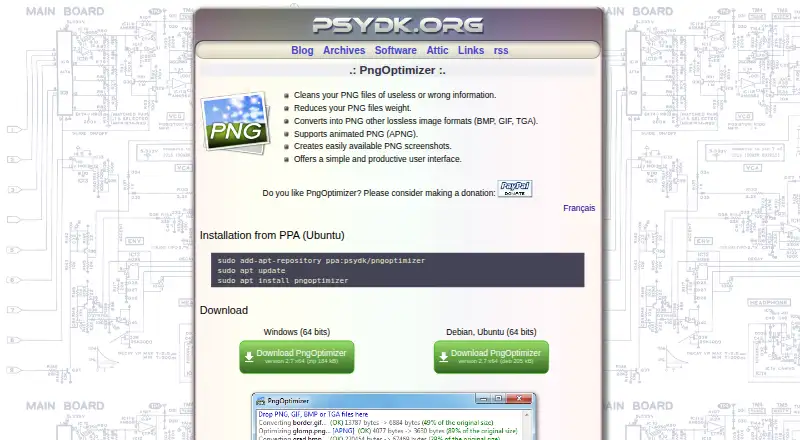
What PngOptimizer is
PngOptimizer is a free, open-source utility for cleaning PNG files and reducing their size with lossless compression. It removes useless or incorrect information and provides metadata controls. The program converts BMP, GIF, and TGA images to PNG, supports animated PNG files, and can create PNG screenshots. Supported formats also include PNG and APNG. PngOptimizer runs on Windows and Linux, with version 2.7 downloads listed for Windows 64-bit and 32-bit, plus a Debian/Ubuntu 64-bit package and Ubuntu PPA installation. PngOptimizerCL provides command-line operation for Windows x64, Windows x86, and Linux x64. Both editions use the GNU General Public License. The Linux graphical version does not support screenshot pasting, and the Linux command-line build may not work on every distribution; the maker cites testing on Ubuntu 14.04 x64. The listed plan costs nothing.
Who it suits
It suits users who need lossless PNG optimization, format conversion, metadata control, screenshots, or command-line processing on Windows or Linux.
What it does well
- Lossless compression
- Converts BMP, GIF, and TGA
- Supports animated PNG
- Graphical and command-line editions
- GPL-licensed and free
What to know first
- Linux screenshot pasting is unavailable
- Linux command-line build may not work everywhere
- Version 2.7 downloads are listed
Plans
| Plan | Billed and limits | Price |
|---|---|---|
| PngOptimizer | GPL-licensed; version 2.7 downloads listed for Windows and Debian/Ubuntu | Free |
As psydk.org lists them, read 12 Oct 2026. The maker's own page has the final word.
Verdict
PngOptimizer offers free PNG cleanup, conversion, and compression with both graphical and command-line options. Linux users should review the stated screenshot and distribution compatibility limits.
Facts from PngOptimizer's own pages
- Animation
- It supports animated PNG (APNG). · psydk.org, 12 Oct 2026
- Command line
- PngOptimizerCL is offered as a command-line version for Windows x64, Windows x86, and Linux x64. · psydk.org, 12 Oct 2026
- Compression modes
- lossless · psydk.org, 22 Sept 2026
- Format conversion
- It converts BMP, GIF, and TGA images to PNG. · psydk.org, 12 Oct 2026
- Interface
- The product page describes its user interface as simple and productive. · psydk.org, 12 Oct 2026
- License
- PngOptimizer and PngOptimizerCL are distributed under the GNU General Public License (GPL). · psydk.org, 12 Oct 2026
- Linux compatibility
- The maker says the Linux command-line build was tested on Ubuntu 14.04 x64 and may not work on every Linux distribution. · psydk.org, 12 Oct 2026
- Linux downloads
- The page lists a Debian/Ubuntu 64-bit package and an Ubuntu PPA installation method. · psydk.org, 12 Oct 2026
- Linux GUI limitation
- The maker states that screenshot pasting is not supported in the Linux version. · psydk.org, 12 Oct 2026
- Metadata controls
- Yes · psydk.org, 22 Sept 2026
- Purpose
- PngOptimizer cleans PNG files of useless or incorrect information and reduces their file size. · psydk.org, 12 Oct 2026
- Screenshots
- It can create PNG screenshots. · psydk.org, 12 Oct 2026
- Supported formats
- PNG,BMP,GIF,TGA,APNG · psydk.org, 22 Sept 2026
- Windows downloads
- The page lists version 2.7 downloads for Windows 64-bit and 32-bit. · psydk.org, 12 Oct 2026
Where PngOptimizer stands on Freedom251
- Image Compression Software#67 of 85