Freedom251 › Image Compression Software
PicLift
What PicLift is
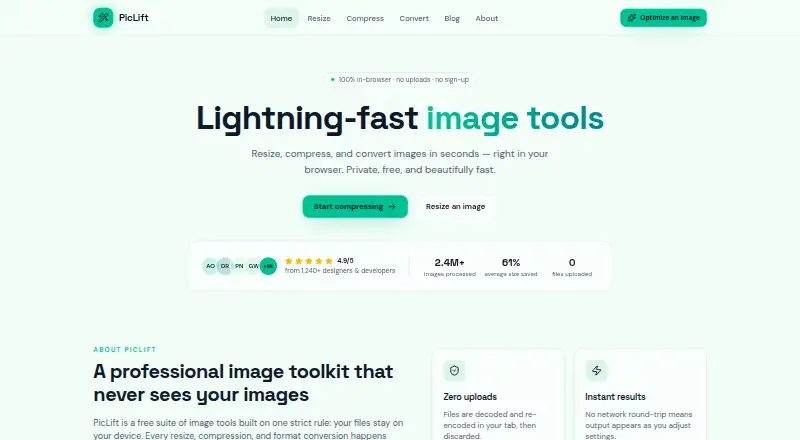
PicLift is a free web tool for resizing, compressing, and converting images inside the browser. Files are decoded and re-encoded in the browser tab rather than uploaded to a server. The resizer supports exact pixel dimensions, percentage scaling from 1% to 200%, aspect-ratio locking, and presets. Compression uses a quality slider from 1 to 100 and reports resulting file size and percentage saved. Before downloading, users can compare original and processed previews with dimensions, byte counts, and savings. Supported formats include PNG, JPEG, WebP, AVIF, and GIF; AVIF has a fallback when encoding is unavailable. PicLift says there is no sign-up, watermark, daily limit, upsell wall, or server-imposed file-size ceiling. It is intended for designers, developers, marketers, photographers, and people preparing image attachments. Batch processing, smart cropping, and metadata stripping are described as in development.
Who it suits
It suits people who need quick browser-based image conversion, resizing, or compression without sending files to a server. The controls also fit users preparing images for design, marketing, development, photography, or attachments.
What it does well
- Processes files locally in the browser
- Supports PNG, JPEG, WebP, AVIF, and GIF
- Resize scaling ranges from 1% to 200%
- Shows size and savings before download
- No sign-up or daily limits
What to know first
- No batch processing
- No API access
- No metadata controls
- Planned features are still in development
Plans
| Plan | Billed and limits | Price |
|---|---|---|
| Free | No sign-up · no watermarks · no daily limits | Free |
As piclift.io lists them, read 9 Oct 2026. The maker's own page has the final word.
Verdict
PicLift provides straightforward local image processing with useful resize and compression feedback. It works well for individual files, but users needing batch workflows, APIs, or metadata editing should note those limits.
Facts from PicLift's own pages
- API access
- No · piclift.io, 24 Sept 2026
- Audience
- PicLift names designers, developers, marketers, photographers, and people preparing image attachments as intended users. · piclift.io, 9 Oct 2026
- Batch processing
- No · piclift.io, 24 Sept 2026
- Compression
- The compressor has a 1–100 quality slider and shows the resulting file size and percentage saved. · piclift.io, 9 Oct 2026
- Compression modes
- both · piclift.io, 24 Sept 2026
- Formats
- PicLift supports WebP, PNG, JPEG, and AVIF, with a fallback when AVIF encoding is unavailable. · piclift.io, 9 Oct 2026
- Free access
- PicLift says it has no sign-up, watermarks, daily limits, or upsell wall. · piclift.io, 9 Oct 2026
- Free plan
- Yes · piclift.io, 24 Sept 2026
- Image toolkit
- PicLift resizes, compresses, and converts images in the browser. · piclift.io, 9 Oct 2026
- Integrations
- The maker describes PicLift as using browser Canvas and File APIs; no third-party integrations are stated on the pages reviewed. · piclift.io, 9 Oct 2026
- Limits
- The maker says browser-side compression has no server-imposed file-size ceiling. · piclift.io, 9 Oct 2026
- Live preview
- Users can compare before and after previews and see dimensions, byte counts, and savings before downloading. · piclift.io, 9 Oct 2026
- Local processing
- Files are decoded and re-encoded in the browser tab and are not uploaded to a server. · piclift.io, 9 Oct 2026
- Metadata controls
- No · piclift.io, 24 Sept 2026
- Planned features
- The maker says batch processing, smart cropping, and metadata stripping are in development. · piclift.io, 9 Oct 2026
- Resize controls
- The resizer supports exact pixel dimensions, percentage scaling from 1% to 200%, aspect-ratio locking, and presets. · piclift.io, 9 Oct 2026
- Image resizing
- Yes · piclift.io, 24 Sept 2026
- Security and privacy
- The maker says the browser processes images locally and makes no request carrying the image. · piclift.io, 9 Oct 2026
- Supported formats
- PNG,JPEG,WebP,AVIF,GIF · piclift.io, 24 Sept 2026
Where PicLift stands on Freedom251
- Image Compression Software#69 of 85