Freedom251 › Image Compression Software
Shrink Me
What Shrink Me is
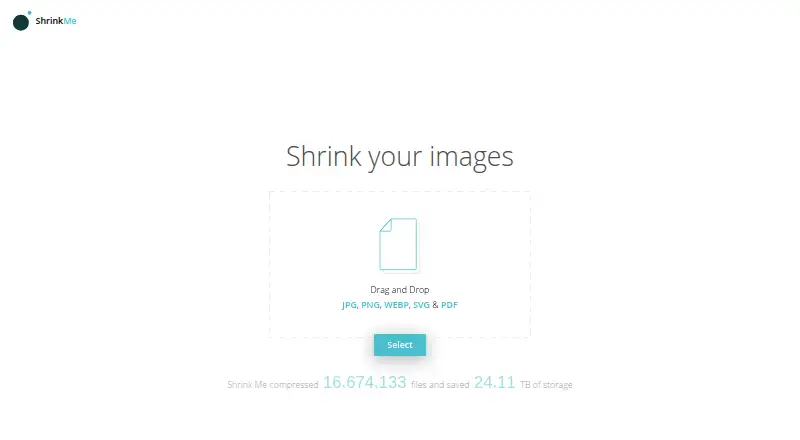
Shrink Me is a free web tool for reducing the size of image and PDF files. It accepts JPG, PNG, WEBP, SVG, and PDF files, and batch processing lets you handle multiple files together. The service says compressed images should look identical to the human eye. JPG and WEBP compression uses a fixed 60% quality setting that cannot currently be changed. There is no stated maximum file size, although larger files take longer to process, while image compression usually takes a few seconds. Shrink Me works offline in any modern browser and has no ads. Smaller files may help websites and apps load faster, save storage space, and reduce email attachment sizes. It runs on the web, and its Free plan costs nothing, allowing unlimited compression.
Who it suits
It suits anyone needing browser-based image or PDF compression, including people preparing website files, saving storage, or reducing email attachments. Batch processing is useful when several files must be handled together.
What it does well
- Supports JPG, PNG, WEBP, SVG, and PDF
- Batch processing handles multiple files
- No maximum file size is stated
- Works offline in modern browsers
- No ads and unlimited free compression
What to know first
- JPG and WEBP quality is fixed at 60%
- Larger files take longer to compress
- Listed platform is web only
Plans
| Plan | Billed and limits | Price |
|---|---|---|
| Free | Compress as much as you like | Free |
As shrinkme.app lists them, read 12 Oct 2026. The maker's own page has the final word.
Verdict
Shrink Me offers straightforward, unlimited file compression at no cost. Its fixed JPG and WEBP setting may matter if you need adjustable quality.
Facts from Shrink Me's own pages
- Ads
- The page says Shrink Me has no ads. · shrinkme.app, 12 Oct 2026
- Batch processing
- You can compress multiple files at once, with no stated limit on how many. · shrinkme.app, 12 Oct 2026
- File size limit
- The page says there is currently no maximum file size limit and that large files take longer to compress. · shrinkme.app, 12 Oct 2026
- Free plan
- Yes · shrinkme.app, 22 Sept 2026
- JPG and WEBP setting
- Compression quality for JPG and WEBP images is 60%, and the page says this value cannot currently be changed. · shrinkme.app, 12 Oct 2026
- Listed formats
- The page lists JPG, PNG, WEBP, SVG, and PDF files. · shrinkme.app, 12 Oct 2026
- Maker's motivation
- The maker says they created Shrink Me to compress their own images and PDF files and to learn by creating product experiences. · shrinkme.app, 12 Oct 2026
- Offline use
- Shrink Me works offline in any modern browser. · shrinkme.app, 12 Oct 2026
- Quality
- The page says compressed images should look identical to the human eye. · shrinkme.app, 12 Oct 2026
- Speed
- The page says image compression takes a few seconds. · shrinkme.app, 12 Oct 2026
- Supported formats
- JPG,PNG,WEBP,SVG · shrinkme.app, 22 Sept 2026
- Use cases
- The page says compression can help websites and apps load faster, save storage space, and reduce email attachment sizes. · shrinkme.app, 12 Oct 2026
- What it does
- Shrink Me compresses image and PDF files to reduce their size. · shrinkme.app, 12 Oct 2026
Where Shrink Me stands on Freedom251
- Image Compression Software#71 of 85