Freedom251 › Image Compression Software
Pingo
What Pingo is
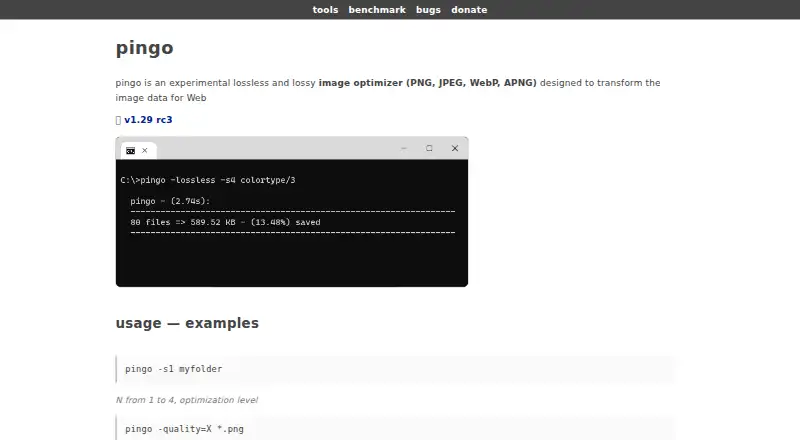
Pingo is a free, experimental Windows image optimizer for transforming image data for the Web. It handles PNG, JPEG, WebP, and APNG files, with both lossless and lossy modes. Batch processing examples show applying it to folders or wildcard-selected files from the command line. Those examples include optimization levels from 1 through 4 and quality settings of approximately 60 to 100. Metadata controls are listed as a feature. The product page offers a 64-bit Windows download. Pingo’s Free plan costs nothing, but the license permits exclusive private use and places use at the user’s own risk. The license prohibits repackaging, redistribution, downloading, resale, or reuse through another service, including non-commercial and nonprofit use. PNG files produced by Pingo may be used for any purpose. These conditions matter when deciding whether the optimizer fits a distribution or service workflow.
Who it suits
Pingo suits Windows users who want command-line, batch optimization for supported web-image formats. It is intended for exclusive private use under the stated license conditions.
What it does well
- Supports PNG, JPEG, WebP, and APNG
- Offers lossless and lossy optimization
- Processes folders or wildcard-selected files
- Provides optimization levels one through four
- Includes metadata controls
What to know first
- Windows download is 64-bit only
- License restricts redistribution and service reuse
- Use is at the user’s own risk
- Designed as an experimental optimizer
Plans
| Plan | Billed and limits | Price |
|---|---|---|
| Free | exclusive private use · at your own risk · redistribution or reuse through other services is not permitted | Free |
As css-ig.net lists them, read 11 Oct 2026. The maker's own page has the final word.
Verdict
Pingo provides configurable batch image optimization at no listed purchase cost. Its private-use license and redistribution restrictions are the main considerations before adopting it.
Facts from Pingo's own pages
- Batch processing
- Yes · css-ig.net, 20 Sept 2026
- Compression modes
- both · css-ig.net, 20 Sept 2026
- Download
- The product page offers a 64-bit Windows download. · css-ig.net, 11 Oct 2026
- Formats
- Pingo supports PNG, JPEG, WebP, and APNG. · css-ig.net, 11 Oct 2026
- Free plan
- Yes · css-ig.net, 20 Sept 2026
- License
- The license says Pingo is free for exclusive private use and is used at the user's own risk. · css-ig.net, 11 Oct 2026
- Metadata controls
- Yes · css-ig.net, 20 Sept 2026
- Optimization levels
- The command-line examples show optimization levels from 1 to 4. · css-ig.net, 11 Oct 2026
- Optimization modes
- The page demonstrates both lossless and lossy optimization. · css-ig.net, 11 Oct 2026
- Output use
- The license says PNG files produced by Pingo may be used for any purpose. · css-ig.net, 11 Oct 2026
- Purpose
- Pingo is an experimental image optimizer designed to transform image data for the Web. · css-ig.net, 11 Oct 2026
- Quality setting
- The command-line examples show a quality setting from approximately 60 to 100. · css-ig.net, 11 Oct 2026
- Redistribution limit
- The license prohibits repackaging, redistributing, downloading, reselling, or reusing Pingo through another service, including for non-commercial or non-profit purposes. · css-ig.net, 11 Oct 2026
- Supported formats
- PNG,JPEG,WebP,APNG · css-ig.net, 20 Sept 2026
- Usage
- Examples show running Pingo on a folder or on wildcard-matched image files from the command line. · css-ig.net, 11 Oct 2026
Where Pingo stands on Freedom251
- Image Compression Software#66 of 85