Freedom251 › Image Compression Software
imgmin
by imgmin
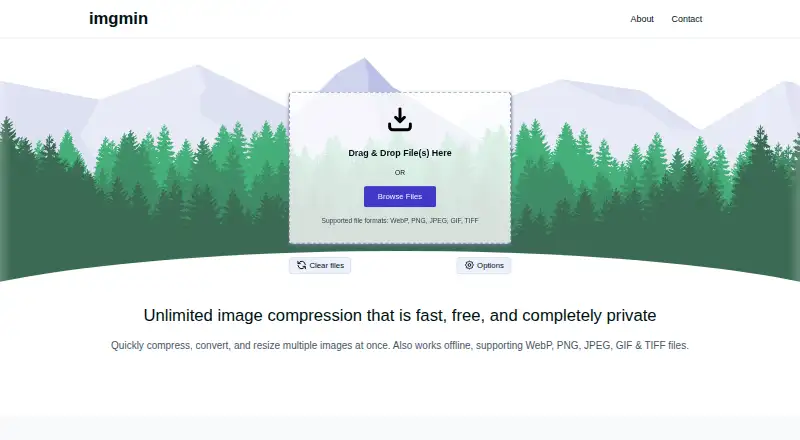
What imgmin is
imgmin is a free web tool for compressing, converting, and resizing multiple images at once. It supports WebP, PNG, JPEG, GIF, and TIFF files, with controls for output format, image dimensions, and quality. Processing happens locally in the browser, so images are not uploaded to a server. The site says imgmin also works offline. Its Free plan costs nothing and allows unlimited files with no file-size limits. imgmin uses WebAssembly with libvips through wasm-vips for image processing. Safari is not supported; the site recommends Chrome or Firefox instead. The tool is made by imgmin, headquartered in Oakland, California, and is available on the web. Users can use the site’s Contact button for suggestions, feedback, or questions. This combination makes imgmin a focused option for batch image preparation when local processing, offline use, and broad format support are important.
Who it suits
imgmin suits people who need browser-based batch compression, conversion, or resizing without uploading images. It is especially relevant to users with unlimited files and no file-size limits who can use Chrome or Firefox.
What it does well
- Processes images locally in the browser
- Works offline
- Unlimited files with no size limits
- Supports five image formats
- Batch resizing and conversion
What to know first
- Safari is not supported
- Web-only platform
- No free trial is offered
Plans
| Plan | Billed and limits | Price |
|---|---|---|
| Free | Unlimited files · no file size limits · image processing happens locally | Free |
As imgmin.com lists them, read 11 Oct 2026. The maker's own page has the final word.
Verdict
imgmin provides straightforward batch image processing with local, offline-capable browser operation. Its free plan removes file-count and size limits, but Safari users need another supported browser.
Facts from imgmin's own pages
- Batch processing
- Yes · imgmin.com, 24 Sept 2026
- Browser support
- Safari is not supported; the site recommends Chrome or Firefox. · imgmin.com, 11 Oct 2026
- Formats
- It supports WebP, PNG, JPEG, GIF, and TIFF files. · imgmin.com, 11 Oct 2026
- Free plan
- Yes · imgmin.com, 24 Sept 2026
- Headquarters
- Oakland, California · imgmin.com, 19 Oct 2026
- Image options
- Users can convert formats, resize images, and adjust output quality. · imgmin.com, 11 Oct 2026
- Limits
- The site says there is no limit on the number of files or their size. · imgmin.com, 11 Oct 2026
- Maker
- The site says it was made by Tim Scanlin in Oakland, California. · imgmin.com, 11 Oct 2026
- Offline use
- The site says imgmin works offline without internet access. · imgmin.com, 11 Oct 2026
- Processing
- Image processing happens locally in the browser, so images are not uploaded to a server. · imgmin.com, 11 Oct 2026
- Purpose
- imgmin compresses, converts, and resizes multiple images at once. · imgmin.com, 11 Oct 2026
- Image resizing
- Yes · imgmin.com, 24 Sept 2026
- Support
- The site directs users to its Contact button for suggestions, feedback, or questions. · imgmin.com, 11 Oct 2026
- Supported formats
- WebP,PNG,JPEG,GIF,TIFF · imgmin.com, 24 Sept 2026
- Technology
- imgmin uses WebAssembly with libvips through wasm-vips. · imgmin.com, 11 Oct 2026
Where imgmin stands on Freedom251
- Image Compression Software#64 of 85