Freedom251 › Game recording software

PlayShot
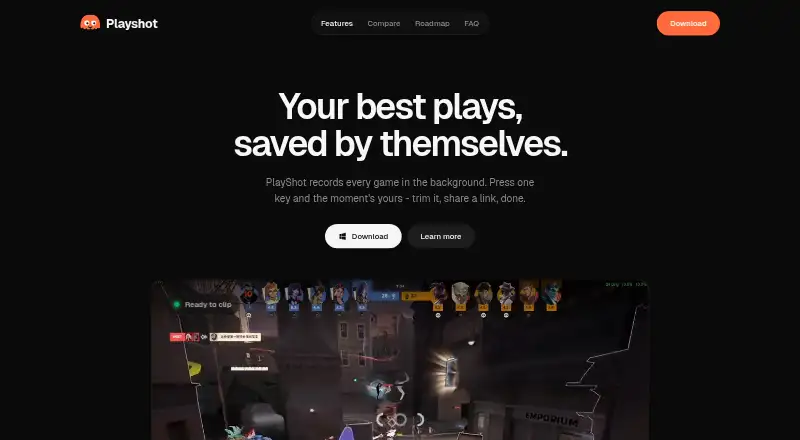
What PlayShot is
PlayShot is a free Windows app for saving recent PC gameplay footage. It continuously records into an in-memory replay loop that can be set from 30 seconds to 5 minutes; a hotkey saves the recent moment. Other listed controls let users record a session or take a screenshot. Clips are automatically filed under the game launched and stored on the user's drive as ordinary video files. PlayShot supports Windows 10 and 11, and its maker says it works with most PC games using DirectX, Vulkan, or OpenGL, launched from any launcher or as a standalone executable. Recording uses the GPU's dedicated video hardware, and capture resolution is 1080p. Users can trim clips, choose a thumbnail, and export to MP4 or GIF. Game, microphone, and Discord audio have separate faders that can be remixed on export. Users can create a browser-viewable link to share a clip. No account is needed, and the maker says clips leave the PC only when users choose to create a share link. The free plan has no watermark, trial timer, or saving paywall.
Who it suits
It suits Windows 10 and 11 gamers who want to save gameplay moments after they happen. It may fit users who prefer local video files and optional link-based sharing.
What it does well
- Replay buffer ranges from 30 seconds to 5 minutes.
- Captures at 1080p with no watermark.
- Exports trimmed clips as MP4 or GIF.
- Game, microphone, and Discord audio have separate faders.
- No account or saving paywall is required.
What to know first
- Supports Windows 10 and 11 only.
- Windows SmartScreen may show an unrecognized-app warning.
- Sharing a clip link sends it off the PC.
Limits
The free plan is listed as free. The facts list no trial timer or saving paywall; the replay buffer can be set from 30 seconds to 5 minutes.
Plans
| Plan | Billed and limits | Price |
|---|---|---|
| Free | No account · no watermark · no trial timer · no paywall on saving | Free |
As playshot.tv lists them, read 5 Oct 2026. The maker's own page has the final word.
Getting started
- Visit playshot.tv.
- Use a Windows 10 or 11 PC.
- Install PlayShot and launch a game; the maker says it supports games from launchers or standalone executables.
- Set the replay buffer from 30 seconds to 5 minutes.
- Use a hotkey to save a clip, record a session, or take a screenshot.
Verdict
PlayShot combines background replay capture with clip trimming, audio controls, and MP4 or GIF export. It is limited to Windows 10 and 11, and sharing requires choosing to create a link.
Questions
How much does PlayShot cost?
The Free plan is listed as free.
Is there a free plan or trial?
Yes, there is a free plan. There is no free trial, and the plan has no trial timer or saving paywall.
Which platforms does PlayShot support?
It supports Windows 10 and 11.
Does PlayShot need an account?
No account is needed. The maker says a clip leaves the PC only if the user chooses to create a share link.
What video formats can I export?
Clips can be exported to MP4 or GIF.
Can friends watch a clip without downloading it?
Yes. PlayShot can create a link that opens in a browser for viewing.
Facts from PlayShot's own pages
- Account and privacy
- The maker says no account is needed and a clip leaves the PC only if the user chooses to create a share link. · playshot.tv, 5 Oct 2026
- Audio tracks
- Game, microphone, and Discord audio have separate faders and can be remixed on export. · playshot.tv, 5 Oct 2026
- Capture resolution
- 1080p · playshot.tv, 20 Sept 2026
- Clip library
- Clips are automatically filed under the game launched. · playshot.tv, 5 Oct 2026
- Editing and export
- Users can trim clips, choose a thumbnail, and export to MP4 or GIF. · playshot.tv, 5 Oct 2026
- Encoding
- The maker says recording uses the GPU's dedicated video hardware and describes PlayShot as GPU-encoded. · playshot.tv, 5 Oct 2026
- Free plan
- Yes · playshot.tv, 20 Sept 2026
- Game compatibility
- The maker says PlayShot works with most PC games using DirectX, Vulkan, or OpenGL, from any launcher or a standalone executable. · playshot.tv, 5 Oct 2026
- GPU encoding
- Yes · playshot.tv, 20 Sept 2026
- Instant replay
- Yes · playshot.tv, 20 Sept 2026
- Intended audience
- The maker describes PlayShot as made for gamers who want to clip gameplay moments after they happen. · playshot.tv, 5 Oct 2026
- Local storage
- Clips are stored on the user's drive as ordinary video files. · playshot.tv, 5 Oct 2026
- Product
- PlayShot records PC gameplay in the background and lets users save a recent moment with a hotkey. · playshot.tv, 5 Oct 2026
- Recording controls
- The page lists hotkeys for saving a clip, recording a session, and taking a screenshot. · playshot.tv, 5 Oct 2026
- Recording modes
- multi-mode · playshot.tv, 20 Sept 2026
- Replay buffer
- The continuous in-memory recording loop can be set from 30 seconds to 5 minutes. · playshot.tv, 5 Oct 2026
- Sharing
- PlayShot can create a clip link that friends can watch in a browser without downloading. · playshot.tv, 5 Oct 2026
- Supported platforms
- Windows 10 and 11 · playshot.tv, 20 Sept 2026
- Watermark-free video
- Yes · playshot.tv, 20 Sept 2026
- Windows warning
- The FAQ says Windows SmartScreen may show an unrecognized app warning because the app is newer. · playshot.tv, 5 Oct 2026
Where PlayShot stands on Freedom251
- Game recording software#13 of 31