Freedom251 › Photo Backup Software
PicBackMan
What PicBackMan is
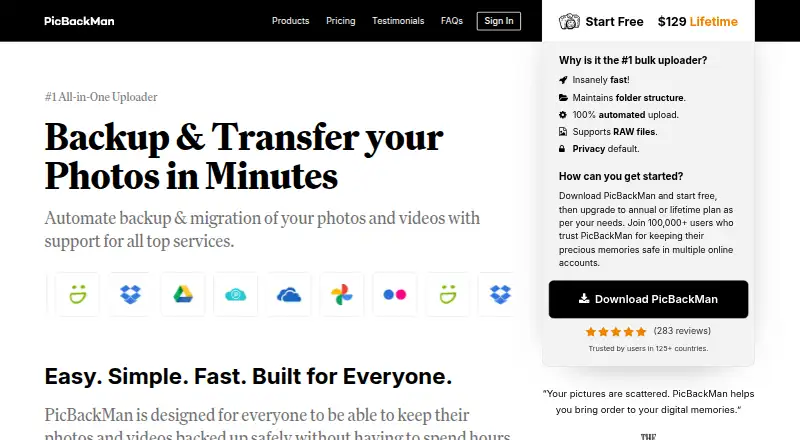
PicBackMan is desktop software for backing up, downloading, and transferring photos and videos between a computer and online photo or storage accounts. Available for Windows and macOS, it can monitor connected folders and automatically upload new media, including files in subfolders. Uploads can retain folder structure and metadata, and duplicate photos can be skipped. Listed services include Google Photos, Flickr, SmugMug, Dropbox, OneDrive, Google Drive, pCloud, and YouTube; its feature list also names Box and Amazon S3 for photo backups, and Amazon S3 for video backups. The software uses your connected storage accounts rather than supplying storage, and says uploaded media is private by default. The free plan allows 500 photos, 10 videos, 500 migrated files, and 500 deduped files per month. The Yearly plan costs $99 a year and the Life Time plan costs $129, paid once; each lists unlimited uploads and downloads and 10x upload speed. Paid plans have a 30-day money-back guarantee. Support is available by email, help center, and video tutorials; email support is stated as within 12–36 hours at most.
Who it suits
PicBackMan suits Windows and Mac users who want to transfer or back up media across connected photo and storage services. Its folder monitoring, metadata retention, and duplicate skipping may help people managing recurring uploads.
What it does well
- Automatically uploads new media from monitored folders
- Includes items in subfolders
- Can preserve folder structure and metadata
- Can skip duplicate photos
- Free plan includes monthly photo, video, and file allowances
What to know first
- YouTube is not supported in the Mac version
- Some listed migrations and Instagram uploads are unsupported
- Free plan limits monthly photos, videos, and files
Limits
The free plan allows 500 photos, 10 videos, 500 migrated files, and 500 deduped files per month. The Yearly plan costs $99 a year and the Life Time plan costs $129, paid once; both offer unlimited uploads and downloads and 10x upload speed.
Plans
| Plan | Billed and limits | Price |
|---|---|---|
| Free | 500 photos/month · 10 videos/month · 500 migrated files/month · 500 deduped files/month | Free |
| Life Time | $129 one time · Unlimited uploads and downloads · 10x upload speed | $129, paid once |
| Yearly | $99 per year · Unlimited uploads and downloads · 10x upload speed | $99 a year |
As picbackman.com lists them, read 8 Oct 2026. The maker's own page has the final word.
Getting started
- Visit the PicBackMan website.
- Choose the Windows or macOS version.
- Select the Free, Yearly, or Life Time plan.
- Connect the photo or storage services you want to use.
- Choose folders to monitor for automatic uploads.
Verdict
PicBackMan provides automated media transfers using accounts and storage you already connect. Check the listed monthly limits and unsupported migration paths against your services before choosing a plan.
Questions
How much does PicBackMan cost?
The Free plan costs nothing. The Yearly plan is $99 a year, and the Life Time plan is $129, paid once.
What does the free plan include?
It allows 500 photos, 10 videos, 500 migrated files, and 500 deduped files per month.
Which platforms does PicBackMan support?
PicBackMan is available for Windows and macOS. The maker lists Apple Photos support; YouTube is unsupported in the Mac version.
Which online services are listed as supported?
The pricing page lists Google Photos, Flickr, SmugMug, Dropbox, OneDrive, Google Drive, pCloud, and YouTube. The feature list also names Box and Amazon S3 for photo backups, and Amazon S3 for video backups.
What do the paid plans include?
Yearly and Life Time provide unlimited uploads and downloads and 10x upload speed. The homepage also states that paid plans have a 30-day money-back guarantee.
What support is available?
Support is available by email, through a help center, and with video tutorials. The feature list says email support is provided within 12–36 hours at most.
Facts from PicBackMan's own pages
- Automation
- It monitors connected folders and automatically uploads new photos and videos, including items in subfolders. · picbackman.com, 8 Oct 2026
- Company
- The about page identifies Vaibhav Domkundwar as founder and says the team is based in Silicon Valley and Pune, India. · picbackman.com, 8 Oct 2026
- Headquarters
- Santa Clara, California, United States; team also based in Pune, India · picbackman.com, 28 Sept 2026
- Integrations
- The pricing page lists Google Photos, Flickr, SmugMug, Dropbox, OneDrive, Google Drive, pCloud, and YouTube as supported services. · picbackman.com, 8 Oct 2026
- Migration limits
- The maker says migration to Amazon S3, Instagram, and Foursquare, migration from Amazon S3 and Google Drive, and upload to Instagram are unsupported. · picbackman.com, 8 Oct 2026
- Organization
- It can retain folder structure, preserve metadata, and skip duplicate photos during upload. · picbackman.com, 8 Oct 2026
- Other listed services
- The feature list also names Box and Amazon S3 for photo backups and Amazon S3 for video backups. · picbackman.com, 8 Oct 2026
- Platform limitation
- YouTube service is not supported in the Mac version, according to the maker's unsupported-features page. · picbackman.com, 8 Oct 2026
- Privacy defaults
- The maker says uploaded photos and videos are marked private by default. · picbackman.com, 8 Oct 2026
- Privacy policy
- The privacy policy says PicBackMan collects information needed for account operation and states it will not share personal information with third parties. · picbackman.com, 8 Oct 2026
- Purpose
- PicBackMan backs up, downloads, and transfers photos and videos between a computer and online photo and storage accounts. · picbackman.com, 8 Oct 2026
- Refund
- The homepage says paid plans have a 30-day money-back guarantee. · picbackman.com, 8 Oct 2026
- Support
- Support is available by email, help center, and video tutorials; the feature list says email support is provided within 12–36 hours at most. · picbackman.com, 8 Oct 2026
- Supported desktop systems
- The maker says PicBackMan is available for Windows and Mac and lists Apple Photos support. · picbackman.com, 8 Oct 2026
Where PicBackMan stands on Freedom251
- Photo Backup Software#15 of 25