Freedom251 › Image Upscaling Software

PhotoZoom Pro
What PhotoZoom Pro is
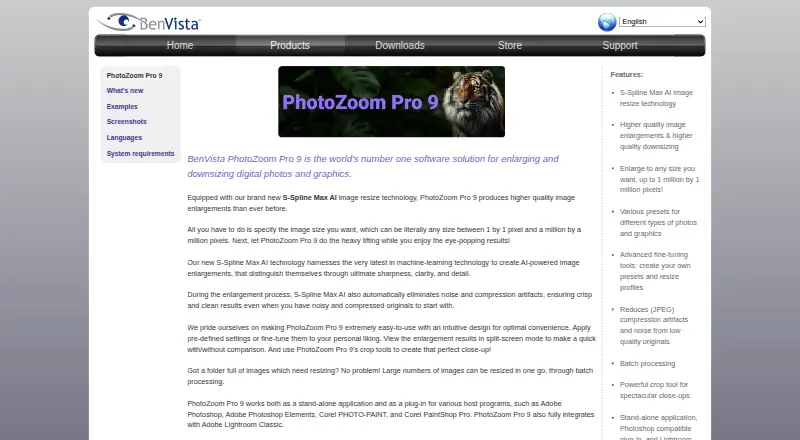
PhotoZoom Pro 9 is a desktop application for enlarging and downsizing digital photos and graphics on Windows and macOS. It uses S-Spline Max AI image resizing technology and can produce images up to 1 million by 1 million pixels, with a custom maximum scale. Batch processing handles multiple images, while automatic cleanup reduces noise and JPEG compression artifacts during enlargement. Presets, fine-tuning controls, resize profiles, crop tools, and split-screen previews support editing decisions. Inputs include Raw, PSD, EXR, and WebP files. The software works standalone or as a plug-in for Adobe Photoshop, Adobe Photoshop Elements, Corel PHOTO-PAINT, and Corel PaintShop Pro, and integrates with Adobe Lightroom Classic. A free trial saves watermarked images until an unlock code is entered. PhotoZoom Pro 9 costs €79 a month; an upgrade costs $49, paid once.
Who it suits
It suits home users and professionals who resize images on Windows or macOS. Photoshop, Corel, Lightroom Classic, and batch-processing users can use its listed integrations and workflows.
What it does well
- Supports Windows and macOS
- Processes images in batches
- Accepts Raw, PSD, EXR, and WebP
- Works with Photoshop and Lightroom Classic
- Resizes up to 1 million by 1 million pixels
What to know first
- No free plan
- Trial outputs are watermarked
- Windows version requires a Vulkan-capable graphics card
- Listed plan costs €79 a month
Limits
The trial saves watermarked images until an unlock code is entered after purchase. The listed PhotoZoom Pro 9 plan is €79 a month; the upgrade option is 49.00 USD once for customers upgrading from any previous PhotoZoom version.
Plans
| Plan | Billed and limits | Price |
|---|---|---|
| Upgrade to PhotoZoom Pro 9 | Upgrade from any previous PhotoZoom version · Windows or Mac version | $49, paid once |
| PhotoZoom Pro 9 | Windows or Mac version | $89, paid once |
As benvista.com lists them, read 8 Oct 2026. The maker's own page has the final word.
Getting started
- Open the PhotoZoom Pro website
- Download the Windows or Mac trial
- Install the desktop application on a supported system
- Use it standalone or load its plug-in in a supported Adobe or Corel application
- Enter the unlock code received after purchasing a plan
Verdict
PhotoZoom Pro 9 provides large-scale resizing, cleanup, batch processing, and editing controls in a desktop package. Its plug-ins and Lightroom Classic integration make it suitable for established image-editing workflows.
Questions
Does PhotoZoom Pro have a free plan?
No. A free trial is available, but trial downloads save watermarked images until purchase unlocks them.
What platforms does it support?
PhotoZoom Pro supports Windows and macOS desktop systems. Windows requires 10 or 11 64-bit, while the Mac version supports macOS Catalina 10.15 through Golden Gate 27.
What does the PhotoZoom Pro 9 plan include?
The plan includes S-Spline Max AI image enlargement, batch processing, the standalone application, Photoshop-compatible plug-ins, and Lightroom Classic integration.
Which image formats can it open?
Listed inputs are Raw, PSD, EXR, and WebP.
Can it work with Photoshop and Lightroom Classic?
Yes. It offers plug-ins for Adobe Photoshop, Adobe Photoshop Elements, Corel PHOTO-PAINT, and Corel PaintShop Pro, and integrates with Adobe Lightroom Classic.
Facts from PhotoZoom Pro's own pages
- Batch processing
- The application can resize large numbers of images in one go through batch processing. · benvista.com, 8 Oct 2026
- Current listed version
- The downloads page lists PhotoZoom Pro 9 version 9.0.2, released July 26, 2024, for Windows and Mac. · benvista.com, 8 Oct 2026
- Desktop app
- Yes · benvista.com, 20 Sept 2026
- Editing tools
- The product includes presets, fine-tuning tools, resize profiles, crop tools, and split-screen previews. · benvista.com, 8 Oct 2026
- Free plan
- No · benvista.com, 20 Sept 2026
- Headquarters
- Arnhem, Netherlands · benvista.com, 28 Sept 2026
- Image cleanup
- The product automatically reduces noise and JPEG compression artifacts during enlargement. · benvista.com, 8 Oct 2026
- Input formats
- Raw, PSD, EXR, WebP · benvista.com, 20 Sept 2026
- Integrations
- PhotoZoom Pro 9 works as a standalone application and plug-in for Adobe Photoshop, Adobe Photoshop Elements, Corel PHOTO-PAINT, and Corel PaintShop Pro, and integrates with Adobe Lightroom Classic. · benvista.com, 8 Oct 2026
- Intended users
- BenVista says it aims to make its digital imaging software accessible to both professionals and home users. · benvista.com, 8 Oct 2026
- Mac requirements
- The Mac version supports macOS Catalina 10.15 through Golden Gate 27, requires 8 GB RAM and 1 GB free disk space, and supports Apple silicon or Intel systems. · benvista.com, 8 Oct 2026
- Maximum output size
- The product page says images can be resized up to 1 million by 1 million pixels. · benvista.com, 8 Oct 2026
- Maximum scale
- custom · benvista.com, 20 Sept 2026
- Privacy
- BenVista says its software applications collect anonymous information such as application name and version, language, and operating-system version for product update notifications, but no personal data. · benvista.com, 8 Oct 2026
- Purpose
- PhotoZoom Pro 9 enlarges and downsizes digital photos and graphics using S-Spline Max AI image resizing technology. · benvista.com, 8 Oct 2026
- Support
- The EULA says BenVista may provide support services and lists [email protected] for questions about the EULA or other contact reasons. · benvista.com, 8 Oct 2026
- Trial limitation
- The free download saves watermarked images until an unlock code received upon purchase is entered. · benvista.com, 8 Oct 2026
- Upscaling method
- both · benvista.com, 20 Sept 2026
- Windows requirements
- The Windows version requires Windows 10 or 11 (64-bit), 8 GB memory, 1 GB free disk space, and a Vulkan-capable graphics card for S-Spline Max AI. · benvista.com, 8 Oct 2026
Where PhotoZoom Pro stands on Freedom251
- Image Upscaling Software#76 of 99
- Photo Resizing Software#23 of 28