Freedom251 › Image Upscaling Software
Upscaler
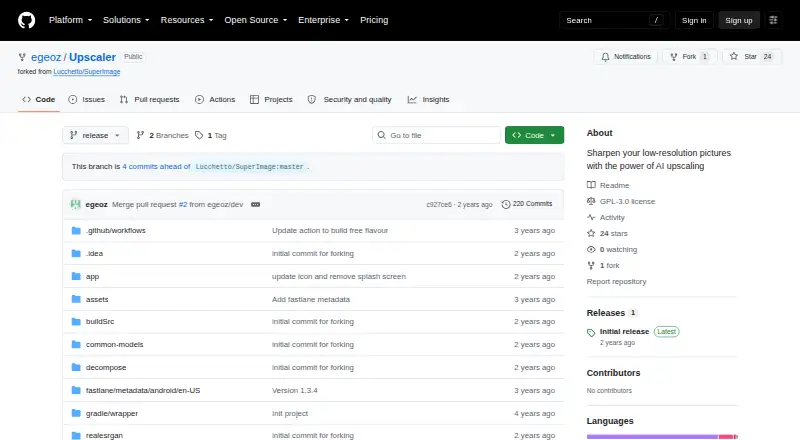
What Upscaler is
Upscaler is a free Android application that enlarges and sharpens low-resolution images with an AI model. It divides pictures into tiles, processes them on the device GPU, and combines the results into a higher-resolution image. The app uses a pretrained Real-ESRGAN model with the MNN deep-learning framework. Listed modes include generic 4×, generic 16×, and 16× drawing upscaling, while the maximum scale is custom. Images are handled individually because batch processing is unavailable. Upscaler requires Android 7 or newer and hardware with Vulkan or OpenCL support. The project points to its GitHub Releases section for the latest APK and is licensed under GNU GPL v3.0. A listed Vulkan benchmark on a Qualcomm Snapdragon 855 converted a 1920×1080 image to 3840×2160 with generic 4× scaling in three minutes. Release 1.0.0 notes removal of telemetry and internet permission.
Who it suits
It suits Android users who need GPU-based enlargement for individual images and have Vulkan or OpenCL support. The drawing mode may help users handling illustrated images.
What it does well
- Free Android image upscaling app
- Uses pretrained Real-ESRGAN
- Runs processing on the device GPU
- Includes 4× and 16× modes
- GNU GPL v3.0 licensed
What to know first
- Requires Android 7 or newer
- Needs Vulkan or OpenCL support
- No batch processing
- Latest APK comes from GitHub Releases
Verdict
Upscaler provides device-based AI enlargement with several scaling modes and a drawing option. Hardware requirements and the lack of batch processing define how practical it will be for a particular Android workflow.
Facts from Upscaler's own pages
- Batch processing
- Batch processing is listed as a TODO. · github.com, 12 Oct 2026
- Benchmark
- On a Qualcomm Snapdragon 855 using Vulkan, the listed 4x benchmark converts 1920×1080 to 3840×2160 in 3 minutes. · github.com, 12 Oct 2026
- Device requirements
- The app requires Vulkan or OpenCL support and Android 7 or above. · github.com, 12 Oct 2026
- Distribution
- The repository directs users to its Releases section for the latest APK. · github.com, 12 Oct 2026
- Download
- The README directs users to the Releases section for the latest APK. · github.com, 12 Oct 2026
- Framework
- The app is built with the MNN deep learning framework. · github.com, 12 Oct 2026
- Free plan
- Yes · github.com, 22 Sept 2026
- License
- The project is licensed under GNU GPL v3.0. · github.com, 12 Oct 2026
- Maker
- The GitHub profile identifies the maker as Ege Öz and lists Turkey. · github.com, 12 Oct 2026
- Maximum scale
- custom · github.com, 22 Sept 2026
- Model
- It uses a pretrained Real-ESRGAN model. · github.com, 12 Oct 2026
- Performance
- On a Qualcomm Snapdragon 855 with Vulkan, the README reports 3 minutes for generic 4× upscaling of a 1920×1080 image to 3840×2160. · github.com, 12 Oct 2026
- Processing
- The app processes image tiles on the device GPU and merges them into a high-resolution image. · github.com, 12 Oct 2026
- Product type
- Upscaler is a neural-network-based image upscaling application for Android. · github.com, 12 Oct 2026
- Purpose
- Upscaler is an AI image upscaling app for sharpening low-resolution pictures. · github.com, 12 Oct 2026
- Release changes
- The 1.0.0 release notes say telemetry and internet permission were removed, along with the Google Play variant and Patreon/Telegram links and prompts. · github.com, 12 Oct 2026
- Requirements
- It requires Vulkan or OpenCL support and Android 7 or above. · github.com, 12 Oct 2026
- Scaling modes
- The README lists generic 4× and 16× modes and a 16× drawing mode. · github.com, 12 Oct 2026
- Upscaling method
- ai · github.com, 22 Sept 2026
- Upscaling modes
- The README lists generic 4x, generic 16x, and drawing 16x benchmark modes. · github.com, 12 Oct 2026
Where Upscaler stands on Freedom251
- Image Upscaling Software#72 of 99