Freedom251 › AI Video Upscalers
QualityScaler
What QualityScaler is
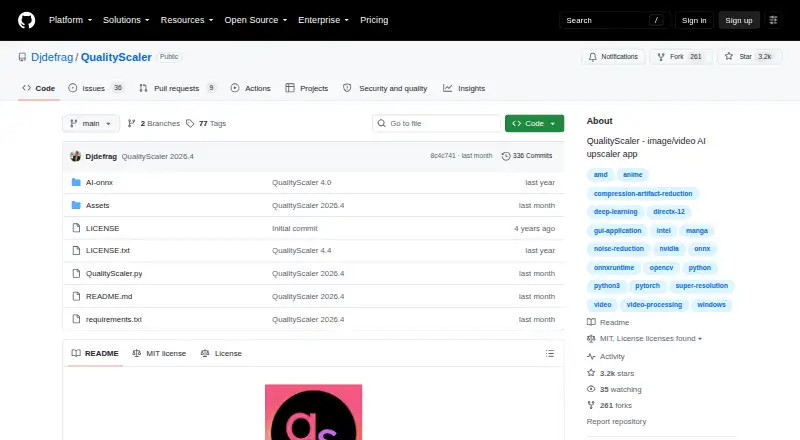
QualityScaler is a free, open-source Windows app that uses AI to enhance, upscale, and denoise photographs and videos. It supports batch processing, with images in JPG, PNG, TIF, BMP, WebP, and HEIC formats and videos in MP4, WebM, MKV, FLV, GIF, AVI, MOV, MPG, QT, and 3GP formats. Users can resize media before upscaling, interpolate between original and enlarged files, and stop or resume video processing. Automatic image tiling helps handle large pictures within GPU memory limits. Processing runs locally without an internet connection. The app supports multiple GPUs but requires a DirectX 12-compatible GPU with at least 4 GB of VRAM, plus Windows 10 or 11 and at least 8 GB of RAM. The project is written in Python, is MIT licensed, and offers downloadable release archives. Self-setup requires Python, VSCode, AI models, and ffmpeg.exe.
Who it suits
It suits Windows users who want local, batch AI enhancement for many image and video formats. Users setting it up themselves need development tools, models, and ffmpeg.exe.
What it does well
- Free and open-source under MIT license
- Processes images and videos in batches
- Runs locally without internet access
- Supports many image and video formats
- Can pause and resume video upscaling
What to know first
- Windows only
- Requires DirectX 12 GPU with 4 GB VRAM
- Self-setup requires several additional components
Verdict
QualityScaler offers local AI upscaling and denoising without a paid plan or internet connection. Its hardware requirements and setup steps make it more suitable for capable Windows systems than lightweight installations.
Facts from QualityScaler's own pages
- Batch processing
- Yes · github.com, 20 Sept 2026
- Distribution
- The repository's tags page lists downloadable ZIP and tar.gz archives for releases, including QualityScaler 2026.2. · github.com, 10 Oct 2026
- GPU support
- The app supports multiple GPUs and requires a DirectX 12 compatible GPU with at least 4 GB of VRAM. · github.com, 10 Oct 2026
- Image and video formats
- It supports JPG, PNG, TIF, BMP, WEBP and HEIC images, and MP4, WEBM, MKV, FLV, GIF, AVI, MOV, MPG, QT and 3GP video. · github.com, 10 Oct 2026
- Image processing
- The app supports image upscaling and lists JPG, PNG, TIF, BMP, WebP, and HEIC as compatible formats. · github.com, 9 Oct 2026
- Image tiling
- Automatic image tiling helps avoid GPU VRAM limitations. · github.com, 10 Oct 2026
- Implementation
- The project says it is written in Python from backend to frontend and lists PyTorch, ONNX, ONNX Runtime DirectML, CustomTkinter, OpenCV and PyInstaller among its technologies. · github.com, 10 Oct 2026
- Large images
- Automatic image tiling is provided to avoid GPU VRAM limitations. · github.com, 9 Oct 2026
- License
- The GitHub repository displays an MIT license. · github.com, 10 Oct 2026
- Maker
- The GitHub account identifies its owner as Annunziata Gianluca. · github.com, 10 Oct 2026
- Privacy
- The project says no internet connection is required and everything runs on the user's PC. · github.com, 10 Oct 2026
- Processing controls
- Users can resize media before upscaling, interpolate between the original and upscaled file, and stop and resume video upscaling. · github.com, 9 Oct 2026
- Purpose
- QualityScaler is a Windows app that uses AI to enhance, upscale and denoise photographs and videos. · github.com, 10 Oct 2026
- Resize and interpolation
- Users can resize images or video before upscaling and interpolate between the original and upscaled file. · github.com, 10 Oct 2026
- Setup
- The README's manual setup instructions require Python, VS Code, downloaded AI models and ffmpeg.exe. · github.com, 10 Oct 2026
- System requirements
- The listed minimum requirements are Windows 10 or 11, 8 GB or more of RAM, and a DirectX 12 compatible GPU with at least 4 GB of VRAM. · github.com, 10 Oct 2026
- Technology
- The project says it is written in Python and lists PyTorch, ONNX, ONNX Runtime DirectML, CustomTkinter, OpenCV, and PyInstaller among its technologies. · github.com, 9 Oct 2026
- Video processing
- Video upscaling can be stopped and resumed. · github.com, 10 Oct 2026
- What it does
- QualityScaler is a Windows app that uses AI to enhance, upscale, and denoise photographs and videos. · github.com, 9 Oct 2026
Where QualityScaler stands on Freedom251
- AI Video Upscalers#20 of 32
- Video Upscaling Software#28 of 40
- Image Upscaling Software#70 of 99