Freedom251 › Photo Sharing Software
Photoview
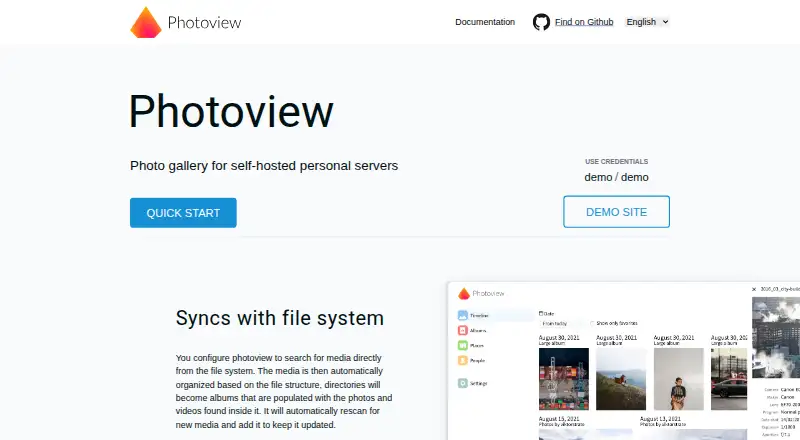
What Photoview is
Photoview is a free, self-hosted photo gallery for browsing high-resolution photos stored in filesystem directories. It scans paths configured by the user and presents their folders as albums, while leaving the original media untouched. Separate users can have separate media paths, and albums, photos, or videos can be shared through links that may require a password. The gallery supports RAW images, video, EXIF metadata, timelines, maps for photos with GPS data, and detection of nearby RAW and JPEG pairs. Optional face recognition groups detected faces, which users can label or merge. Photoview can also scan files in Nextcloud when its filesystem path is mounted and added to a Photoview user. Installation documentation covers Docker and manual deployment, and the Docker example mounts media read-only by default. The supported databases are MySQL, Postgres, and SQLite. The maker says media remains on the user's server, passwords are hashed, media resources use cookie tokens, and the API applies a strict CORS policy. Links intended for access outside the local network require the Photoview instance to be reachable from the internet; share-link expiry is not implemented. The iOS app can access, share, and download library media, but is no longer maintained or available on the App Store.
Who it suits
Photoview suits photographers who want to browse high-resolution files from their own server in albums organized from filesystem directories. It also fits users who need RAW and video support, metadata and map views, face grouping, or link sharing.
What it does well
- Keeps original media untouched and can mount it read-only.
- Supports RAW images, video, EXIF metadata, and timelines.
- Displays maps for photos with GPS data.
- Optional face recognition supports labeling and merging groups.
- Shares albums, photos, and videos through links.
- Supports MySQL, Postgres, and SQLite.
What to know first
- Sharing outside the local network requires an internet-accessible instance.
- Share-link expiry is not implemented.
- The iOS app is no longer maintained or available on the App Store.
Plans
| Plan | Billed and limits | Price |
|---|---|---|
| Free and Open-Source | Completely free; self-hosted personal server | Free |
As photoview.github.io lists them, read 5 Oct 2026. The maker's own page has the final word.
Getting started
- Open the Photoview website and consult its installation documentation.
- Choose Docker or manual installation.
- Configure filesystem paths for the media to scan.
- Choose a supported database: MySQL, Postgres, or SQLite.
- For Nextcloud files, mount their filesystem path and add it to a Photoview user.
- If using Docker, the example mounts media read-only by default.
Verdict
Choose Photoview if you want a free, self-hosted gallery that organizes existing filesystem paths without changing the originals. Its media tools include RAW support, metadata, maps, and optional face recognition. Look elsewhere if you need expiring share links or a maintained iOS app.
Questions
Is Photoview free?
Yes. The listed Free and Open-Source plan costs nothing and is described as completely free for a self-hosted personal server.
Which platforms does Photoview support?
The listed platforms are iOS, Linux, self-hosted, and web. The iOS app is no longer maintained or available on the App Store.
Does Photoview support RAW photos and metadata?
Yes. It supports RAW images and EXIF metadata, as well as timelines and maps for photos with GPS data.
Can Photoview scan Nextcloud files?
Yes, if the Nextcloud filesystem path is mounted and added to a Photoview user.
Can shared links work outside my local network?
Yes, if the Photoview instance is accessible from the internet. Share-link expiry is not implemented.
Which databases can I use?
Photoview supports MySQL, Postgres, and SQLite.
Facts from Photoview's own pages
- Databases
- Photoview supports MySQL, Postgres, and SQLite databases. · photoview.github.io, 5 Oct 2026
- Deployment
- The documentation describes Docker and manual installation, and its Docker example mounts media read-only by default. · photoview.github.io, 5 Oct 2026
- Face recognition
- Optional face recognition groups detected faces, and users can label or merge face groups. · photoview.github.io, 5 Oct 2026
- Filesystem organization
- It scans configured filesystem paths and presents directories as albums, while leaving original media untouched. · photoview.github.io, 5 Oct 2026
- Integrations
- Photoview can scan files stored in Nextcloud when their filesystem path is mounted and added to a Photoview user. · photoview.github.io, 5 Oct 2026
- Media features
- Photoview supports RAW images, video, EXIF metadata, timelines, maps for photos with GPS data, and duplicate detection for nearby RAW and JPEG pairs. · photoview.github.io, 5 Oct 2026
- Mobile app
- The maker says its iOS app can access, share, and download library media, but the app is no longer maintained or available on the App Store. · photoview.github.io, 5 Oct 2026
- Privacy
- The maker says media stays on the user's server, and the documentation says original files are never modified and can be read-only. · photoview.github.io, 5 Oct 2026
- Purpose
- Photoview is a self-hosted photo gallery designed for photographers to browse directories of high-resolution photos. · photoview.github.io, 5 Oct 2026
- Security
- The maker says media resources use cookie tokens, passwords are hashed, and the API uses a strict CORS policy. · photoview.github.io, 5 Oct 2026
- Sharing limitation
- Share links need the Photoview instance to be accessible from the internet to work outside the local network, and share-link expiry is not implemented. · photoview.github.io, 5 Oct 2026
- Users and sharing
- Users can have separate media paths, and albums or individual photos and videos can be shared with links that may be password protected. · photoview.github.io, 5 Oct 2026
Where Photoview stands on Freedom251
- Photo Sharing Software#15 of 34
- Photo Management Software#18 of 37
- Photo Storage Services#35 of 71