Freedom251 › Photo Proofing Software

Picflow
What Picflow is
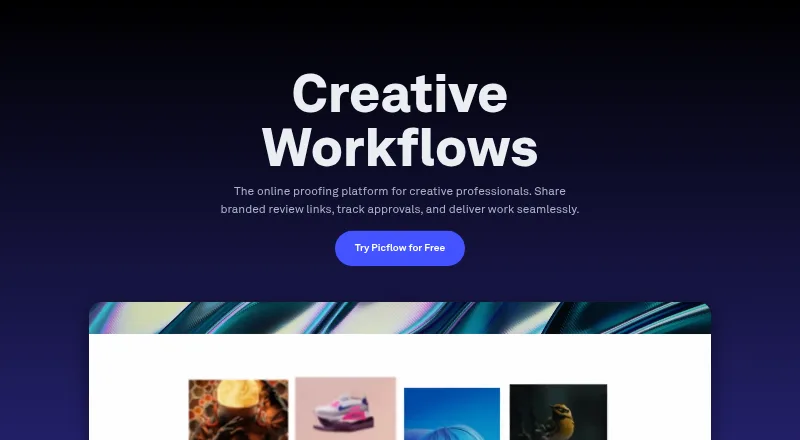
Picflow is a platform for sharing image and video galleries and gathering feedback in context. Reviewers can mark favorites, comment, annotate, set approval statuses and color labels, and track versions. Gallery owners can adjust layouts, add content sections, and embed galleries on websites. Sharing controls include password protection, visitor identification, and custom watermarks. Picflow lists integrations with Lightroom Classic, Capture One, Zapier, Dropbox, Google Drive, Box, Google Analytics, and Google Tag Manager. A Chrome extension saves images to a Picflow gallery while browsing; mobile apps support gallery access, sharing, and feedback review. On macOS, users can drag folders from Finder into Picflow, with large uploads continuing in the background. The Free plan costs nothing and includes 2 GB of storage, 50 workflow credits, one seat, and unlimited galleries and collaborators. Reviewers and guests are unlimited on every plan, but creating and managing projects requires a user license. The Free plan has a 2 GB storage limit; uploads are limited by the selected plan’s storage. Picflow states that data is encrypted in transit and at rest and that its platform runs on AWS.
Who it suits
Picflow suits teams and individuals sharing image or video work who need structured review and feedback. It can also fit users who want to customize and embed galleries or collect feedback on mobile.
What it does well
- Supports comments, annotations, approvals, and version control.
- Unlimited galleries and collaborators on every plan.
- Apps available for iOS, Android, and macOS.
- Free plan includes 2 GB storage and 50 workflow credits.
What to know first
- Free plan includes one seat.
- Free plan storage is limited to 2 GB.
- Creating and managing projects requires a user license.
Limits
The Free plan includes 2 GB of storage, 50 workflow credits, and one included seat. Reviewers and guests are unlimited, but creating and managing projects requires a user license.
Plans
| Plan | Billed and limits | Price |
|---|---|---|
| Free | 2 GB storage · 50 workflow credits · 1 included seat · unlimited galleries and collaborators | Free |
| Pro | Monthly or annual billing options shown · 1 TB storage · 1,000 workflow credits · 2 included seats · unlimited galleries and collaborators | On request |
| Enterprise | Contact Picflow · Custom storage and users · 20+ included seats · unlimited galleries and collaborators | On request |
| Plus | Monthly or annual billing options shown · 100 GB storage · 400 workflow credits · 1 included seat · unlimited galleries and collaborators | On request |
| Biz | Monthly or annual billing options shown · 5 TB storage · 5,000 workflow credits · 10 included seats · unlimited galleries and collaborators | On request |
As picflow.com lists them, read 29 Sept 2026. The maker's own page has the final word.
Getting started
- Open https://picflow.com/.
- Choose the Free plan or review the listed paid plans.
- Create a user license to create and manage projects.
- Upload images or videos, or use the Chrome extension to save images to a gallery.
- Share a gallery and invite reviewers or guests to provide feedback.
Picflow is a gallery and visual-review platform for photographers and creative teams working with images and video. It is most compelling when a project needs structured feedback and controlled sharing across devices. Its unlimited galleries and reviewers are generous, but storage, workflow credits, and project-management seats set the practical boundaries.
Overview
Picflow combines gallery presentation with feedback tools that keep review attached to the work. Reviewers can comment, annotate, favorite items, set approval statuses and color labels, and track versions. That makes it a better fit for an iterative approval process than a gallery used only to display or distribute files.
Teams can customize layouts, add content sections, and embed galleries on websites. Password protection, visitor identification, custom watermarks, private links, and public galleries give teams several ways to share work. The important distinction is that reviewers and guests are unlimited, while creating and managing projects requires a licensed seat.
Key features
- Visual review: Comments, annotations, favorites, approvals, color labels, and version control help keep feedback and decisions tied to individual images or videos. This range suits teams with a defined review process; teams needing only basic sharing may not use much of it.
- Gallery presentation and access: Custom layouts, content sections, and website embeds support more deliberate presentation. Password protection, visitor identification, and watermarks add controls for sharing with different audiences.
- Integrations: Picflow lists integrations with Lightroom Classic, Capture One, Zapier, Dropbox, Google Drive, Box, Google Analytics, and Google Tag Manager. The selection connects creative workflows, file services, and analytics without making a claim about how each integration behaves.
- Work across devices: The iOS and Android apps support gallery access, sharing, and feedback review. The macOS app accepts folder drag-and-drop from Finder and can upload large folders in the background; a Chrome extension saves browsed images to a Picflow gallery.
- Security and support: Picflow says data is encrypted in transit with TLS/SSL and at rest with AES256, and that its platform runs on AWS. Enterprise adds SSO, enforced 2FA, IP whitelisting, activity logs, and SCIM provisioning. Support includes weekday live chat during office hours and email, with priority support for paid plans.
Pricing
Picflow is freemium, with a free plan and a 7-day trial. The free plan costs nothing and includes 2 GB of storage, 50 workflow credits, one seat, unlimited galleries, and unlimited collaborators. That is a workable starting point for an individual or small project, but 2 GB and 50 credits can constrain ongoing or high-volume work.
Plus has custom pricing, with monthly or annual billing options shown. It includes 100 GB of storage, 400 workflow credits, one seat, and unlimited galleries and collaborators. It raises the free plan's storage and credit allowance, but not its seat count, so it is a better fit for a solo manager than a team that needs multiple people managing projects.
Pro also has custom pricing and monthly or annual billing options. Its 1 TB of storage, 1,000 workflow credits, and two included seats suit a small team that needs more room and a second project manager. Biz has custom pricing with monthly or annual billing options, 5 TB, 5,000 workflow credits, and 10 seats, making it the clearest fit for a larger operation with more project managers.
Enterprise uses custom pricing and is billed by contacting Picflow. It offers custom storage and users, 20 or more included seats, and unlimited galleries and collaborators. It is the plan for organizations needing that scale and enterprise security controls; the included seat count starts well above the smaller plans. Across plans, collaborators are unlimited, but the storage cap and workflow credits differ, and additional project managers need seats.
Platforms
Picflow supports Android, iOS, macOS, web, and a browser extension. Mobile apps are for gallery access, sharing, and feedback review, while the macOS app's Finder workflow is useful for moving folders into a gallery. The Chrome extension is for saving images found while browsing. This cross-device mix supports review away from a desktop, though the listed mobile capabilities focus on access and feedback rather than project creation.
Who it's for
Picflow is a strong fit for photographers, studios, and creative teams that need clients or colleagues to review images and video in context without limiting the number of guests. It is also suitable when gallery presentation and access controls matter alongside approval. Solo users should weigh whether the free plan's 2 GB and 50 workflow credits are enough; teams should compare seat allowances as carefully as storage. It is less compelling for anyone who only needs a simple place to show files and would not benefit from structured feedback.
Pros and cons
- Pro: Unlimited galleries and collaborators on every plan make it possible to invite reviewers without buying a seat for each one.
- Pro: An unusually broad review set—annotations, approvals, labels, favorites, and version control—supports more structured decisions than comments alone.
- Pro: Gallery customization, embeds, protection options, and apps across desktop, mobile, and browser support both presentation and review.
- Con: The free plan has only 2 GB of storage, 50 workflow credits, and one seat, limiting how much work and how many project managers it can support.
- Con: Plus includes only one seat and Pro two, so a growing team may need Biz or Enterprise even when its reviewer count is unlimited.
- Con: Plus, Pro, Biz, and Enterprise have custom pricing, making plan costs harder to compare in advance.
Alternatives
For broader category browsing, see Photo Proofing Software and Photo Sharing Software.
- Zno is another freemium option with a free plan and apps for Android, iOS, macOS, and Windows as well as web access; its free start is listed as free.
- Lightfolio may suit someone prioritizing stated gallery and media allowances: its Lite plan lists 30 GB of photo storage and 3 GB of video storage, while Starter lists 100 GB of photo storage and 10 GB of video storage.
- Pic-Time is worth considering for a free start that includes client galleries and a print store; its Free plan lists 10 GB of photo storage, reduced to 3 GB after six months, plus 1 GB of video storage.
- CloudSpot offers a free plan at no cost with 5 GB, up to three client galleries, JPEG-only support, and a 2048px download limit. Choose it if that smaller, explicitly capped gallery setup meets your needs.
- Pixieset Website is a freemium website option whose Free plan includes 15 pages, 100 photos, five blog posts, unlimited bandwidth, SSL security, and a mobile-optimized website.
- Pelli may fit a small gallery requirement: its Free plan lists three galleries and 1 GB, while Lite is $9 a month for 15 galleries, 10 GB, and one hour of video.
- Photivo is another freemium option with a free plan and free trial.
- PhotoGlacier offers a free plan at no cost with 5 GB, up to three published galleries, one video per gallery, and a Photoglacier mark.
Verdict
Choose Picflow if your work depends on contextual image and video feedback, flexible gallery sharing, and inviting reviewers without seat limits. Its strongest advantage is bringing those review controls together across desktop, mobile, and browser access. Look elsewhere if your priority is predictable published pricing, more free storage, or a simpler gallery without a need for structured approvals.
Verdict
Picflow brings gallery sharing, visual review, and feedback controls together, with desktop and mobile access. The free plan supports unlimited galleries and collaborators, but storage and seats are limited.
Questions
Is Picflow free?
Yes. The Free plan costs nothing and includes 2 GB of storage, 50 workflow credits, one seat, and unlimited galleries and collaborators.
Does Picflow offer a trial?
The pricing note lists a 7-day trial.
Which platforms support Picflow?
Picflow lists Android, iOS, macOS, web, and an extension. Its mobile apps are available for iOS and Android, and its browser extension is for Chrome.
What integrations does Picflow list?
Integrations include Lightroom Classic, Capture One, Zapier, Dropbox, Google Drive, Box, Google Analytics, and Google Tag Manager.
How many reviewers can use a gallery?
Reviewers and guests are unlimited on every plan. A user license is needed to create and manage projects.
Where is Picflow based?
Picflow is headquartered in Zürich, Switzerland.
Facts from Picflow's own pages
- Browser extension
- The Chrome extension saves images to a Picflow gallery while browsing the web. · picflow.com, 29 Sept 2026
- Enterprise security
- Enterprise security features include SSO, enforced 2FA, IP whitelisting, activity logs, and SCIM provisioning. · picflow.com, 29 Sept 2026
- Free trial
- Picflow says paid plans include a 7-day free trial and its Free plan has no time limit. · picflow.com, 29 Sept 2026
- Gallery design
- Users can customize gallery layouts, add content sections, and embed galleries on websites. · picflow.com, 29 Sept 2026
- Guests and seats
- Reviewers or guests are unlimited on every plan, while a user license is needed to create and manage projects. · picflow.com, 29 Sept 2026
- Headquarters
- Zürich, Switzerland · picflow.com, 23 Sept 2026
- Integrations
- Picflow lists Lightroom Classic, Capture One, Zapier, Dropbox, Google Drive, Box, Google Analytics, and Google Tag Manager integrations. · picflow.com, 29 Sept 2026
- macOS app
- The macOS app supports dragging folders from Finder into Picflow, with large uploads running in the background. · picflow.com, 29 Sept 2026
- Mobile apps
- Picflow says its mobile app is available for iOS and Android for gallery access, sharing, and feedback review. · picflow.com, 29 Sept 2026
- Product
- Picflow is a platform for sharing galleries and collaborating on images and videos through contextual visual feedback. · picflow.com, 29 Sept 2026
- Review features
- The feature list includes favorites, comments, annotations, approval statuses, color labels, and version control. · picflow.com, 29 Sept 2026
- Security
- Picflow states that data is encrypted in transit with TLS/SSL and at rest with AES256, and that its platform runs on AWS. · picflow.com, 29 Sept 2026
- Sharing and protection
- Gallery options include password protection, visitor identification, and custom watermarks. · picflow.com, 29 Sept 2026
- Storage limit
- Images can be uploaded up to the storage limit of the selected plan; the Free plan includes 2 GB. · picflow.com, 29 Sept 2026
- Support
- The feature list describes weekday live chat during office hours, email support, and priority support for paid plans. · picflow.com, 29 Sept 2026
Where Picflow stands on Freedom251
- Photo Proofing Software#9 of 26
- Photo Sharing Software#16 of 34