Freedom251 › Photo Storage Services

FamilyAlbum
What FamilyAlbum is
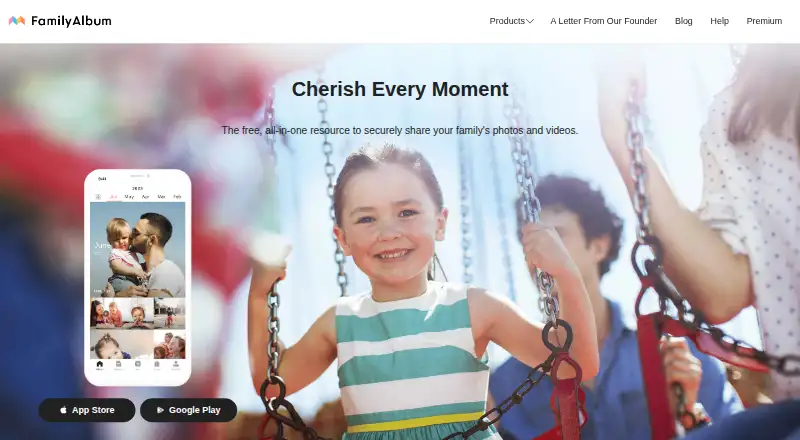
FamilyAlbum is a private service for sharing family photos and videos, designed to help parents share children's moments with loved ones. Uploads are arranged into albums by month, where invited family members can view media, comment, and respond to reactions. Album owners can check whether relatives have viewed photos, and only people invited by the user can see the album. The service is available on Android, iOS, and the web; no desktop app is listed. Users can follow suggestions to make monthly photobooks or create their own. The free plan includes unlimited photo and video storage and 11 free prints per family member each month. Paid plans begin at $2.99 a month: Premium One is for the subscriber, while Premium Family costs $5.99 a month or $59 USD per year, and Premium Family Pro costs $10.99 a month or $109 USD per year. Features vary by plan, including computer uploads for Premium subscribers. FamilyAlbum was founded in 2014 and is headquartered in Tokyo, Japan.
Who it suits
It suits parents who want to share children's photos and videos with invited family members. It may also suit families who want monthly photobook suggestions or prints.
What it does well
- Uploads are organized into albums by month
- Album access is limited to invited family members
- Owners can see whether family viewed photos
- Free plan includes unlimited photo and video storage
- 11 free prints per family member each month
What to know first
- No desktop app is listed
- Computer uploads require a Premium subscription
- Bulk downloads are app-only and limited by download permission
Limits
The Free Version includes 1s Movies made from up to three photos or videos. Premium One is for the subscriber only; computer uploads are included with Premium Family and Premium Family Pro, and Family Pro bulk downloads are limited to media the user has permission to download and are available only in the app.
Plans
| Plan | Billed and limits | Price |
|---|---|---|
| Free Version | Unlimited photo and video storage · 11 free prints per family member each month · 1s Movies up to 3 photos/videos | Free |
| Premium Family Pro | $10.99 USD/month or $109 USD/year · All family · High-quality video uploads up to 1920 × 1080 · Bulk download · iOS background uploads · TV casting · Search features | $10.99 a month |
| Premium One | $2.99 USD/month · Subscriber only · No third-party ads · Premium slideshows and themed compilations · Digital photo frame features | $2.99 a month |
| Premium Family | $5.99 USD/month or $59 USD/year · All family · Upload videos up to 10 minutes · Share groups · Pages · Computer uploads · Free shipping excluding photo prints | $5.99 a month |
As family-album.com lists them, read 5 Oct 2026. The maker's own page has the final word.
Getting started
- Open https://family-album.com/.
- Install the Android or iOS app, or use the web version.
- Create an album and invite the family members who should have access.
- Upload photos and videos to have them organized into monthly albums.
- Start with the Free Version or use the free trial to explore a paid plan.
Verdict
FamilyAlbum focuses on private family sharing, with monthly organization, comments, viewing indicators, and print options. The free plan offers unlimited photo and video storage; paid plans add features that vary by tier.
Questions
Is FamilyAlbum free?
Yes. The Free Version costs nothing and includes unlimited photo and video storage and 11 free prints per family member each month. A free trial is also available.
What do the paid plans cost?
Premium One costs $2.99 a month. Premium Family costs $5.99 a month or 59 USD per year, and Premium Family Pro costs $10.99 a month or 109 USD per year.
Which platforms does FamilyAlbum support?
FamilyAlbum is available on Android, iOS, and the web. It has no desktop app.
Can I upload from a computer?
Yes, with a Premium subscription. You must register an email address in the smartphone app before uploading supported photo and video files from a computer.
Who can see my album?
Only family members invited by the user can view it. Album members can comment and respond to reactions, and the owner can check whether members have viewed photos.
Where is FamilyAlbum based?
FamilyAlbum was founded in 2014 and is headquartered in Tokyo, Japan.
Facts from FamilyAlbum's own pages
- Computer uploads
- Premium subscribers can upload supported photo and video files from a computer after registering an email address in the smartphone app. · family-album.com, 5 Oct 2026
- Conversation
- Family members can comment on photos, respond to reactions, and communicate in the album. · family-album.com, 5 Oct 2026
- Data practices
- FamilyAlbum says it does not sell user data to third parties and does not store payment information. · family-album.com, 5 Oct 2026
- Data retention
- Deleted photos and videos are removed from servers within 30 days, and account personal data is deleted within 30 days after an account deletion request, except when law requires longer retention. · family-album.com, 5 Oct 2026
- Founded
- 2014 · family-album.com, 28 Sept 2026
- Headquarters
- Tokyo, Japan · family-album.com, 28 Sept 2026
- Invited access
- Only family members invited by the user can see the album. · family-album.com, 5 Oct 2026
- Notable limits
- Family Pro bulk downloads are limited to media for which the user has download permission, and the feature is available only in the app. · family-album.com, 5 Oct 2026
- Organization
- Uploaded photos and videos are automatically organized into an album by month. · family-album.com, 5 Oct 2026
- Photobooks
- Users can use suggested ideas for monthly photobooks or create their own. · family-album.com, 5 Oct 2026
- Prints
- The site says the user and each family member can each receive a set of 11 free prints every month. · family-album.com, 5 Oct 2026
- Purpose
- FamilyAlbum is a private service for sharing family photos and videos, created to help parents share children's moments with loved ones. · family-album.com, 5 Oct 2026
- Security
- The privacy page says data transfers between devices and servers are encrypted and servers are protected by a firewall, secure passwords, two-factor authentication, and SSH key authentication. · family-album.com, 5 Oct 2026
- Security reviews
- FamilyAlbum says it undergoes regular security inspections by outside agencies. · family-album.com, 5 Oct 2026
- Support
- Users can contact support by email at [email protected] or through Support in the app Settings tab. · family-album.com, 5 Oct 2026
- Viewing
- Album owners can check whether family members have viewed photos. · family-album.com, 5 Oct 2026
Where FamilyAlbum stands on Freedom251
- Photo Storage Services#18 of 71
- Photo Sharing Software#11 of 34